Brands as model references
The brands below illustrate different model and feature combinations. Their inclusion doesn’t guarantee availability or constitute a recommendation of their entire range.
AOC
The 24G4X and Q27G4XF show how screen formats compare within one brand: 23.8-inch Full HD versus 27-inch QHD.
- AOC lists Fast IPS, Adaptive Sync and up to 180 Hz for both models.
- These specifications don’t show measured gaming performance, and stand features aren’t listed in the same way for both models.
ASUS
The TUF Gaming VG27AQ3A is a documented example of a 27-inch QHD LCD monitor.
- ASUS lists refresh rates of up to 180 Hz via DisplayPort and up to 144 Hz via HDMI for this model.
- According to the model specifications, the stand doesn’t adjust in height. The manufacturer’s OLED protection features don’t apply to this LCD model.
Samsung
The Odyssey G5 LC34G55TWWPXEN is a documented 34-inch example with a 21:9 format and curved VA panel.
- Samsung lists a resolution of 3,440 × 1,440 pixels and a refresh rate of up to 165 Hz.
- Manufacturer claims about immersion or HDR picture quality aren’t independent measurements and don’t guarantee compatibility with a particular game.
LG
The UltraGear 34GP63AP-B is an example of a documented 34-inch ultrawide setup.
- LG lists a resolution of 3,440 × 1,440 pixels and dimensions of 809 × 462.9 × 312 mm with the stand attached.
- LG’s German website lists this exact model as no longer available; this says nothing about other LG models or retailers.
Dell
The G2724D is a documented 27-inch QHD example with specifications for its connections and positioning.
- Dell lists 165 Hz via DisplayPort, 144 Hz via HDMI and 13 cm of height adjustment.
- These figures apply to the G2724D and shouldn’t be assumed to apply to the differently named G2725D.
Suitable monitors at Joybuy
This selection includes a 23.8-inch Full HD display, portable monitors in several sizes, and a 27-inch QHD option for cockpit setups with enough room for the larger format and stand.
 No product image available
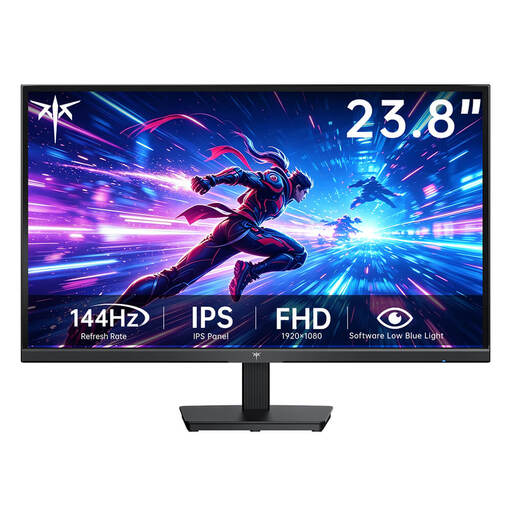
KTC H24B9S-2, 23.8 inches, Full HD, 144 Hz
An option if a 23.8-inch format fits your cockpit and you’re looking for Full HD.
Fast IPS; 1,920 × 1,080 pixels; 144 Hz.
View at Joybuy
 No product image available
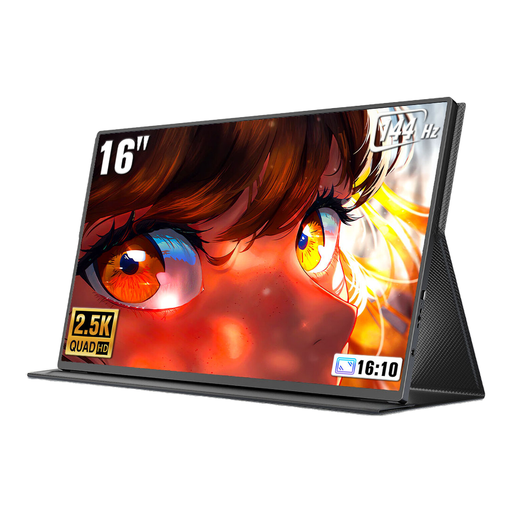
UPERFECT 16-inch portable monitor, 2560 × 1600, 144 Hz
The portable 16-inch format is worth considering if you need a smaller display for your cockpit setup.
QLED; 16:10; 2,560 × 1,600 pixels; 144 Hz; Mini HDMI and Type-C according to the product title.
View at Joybuy
 No product image available
UPERFECT 18.5-inch portable gaming monitor, Full HD, 120 Hz
The portable 18.5-inch display may suit you if you’re looking for a Full HD format for a smaller setup.
IPS; 1,920 × 1,080 pixels; 120 Hz according to the product title. The product description states that reaching 120 Hz depends on the connected device and cable.
View at Joybuy
 No product image available
GIGABYTE G27Q20, 27 inches, QHD
A 27-inch QHD option if your desk space and seating position can accommodate the larger display.
2,560 × 1,440 pixels and a height-adjustable stand according to the product description. The product title lists SS-IPS and 200 Hz (OC 210 Hz).
View at Joybuy
 No product image available
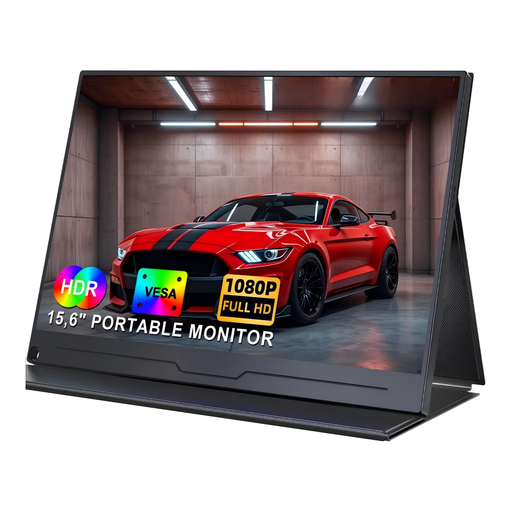
UPERFECT 15.6-inch portable monitor, Full HD
The portable 15.6-inch format is an option if you’re looking for a small display for your cockpit setup.
IPS; 1,920 × 1,080 pixels according to the product title.
View at Joybuy
Frequently asked questions
How can I check whether a monitor will fit in my learning cockpit?
Measure the space for the screen and stand while taking your seating and operating position into account. If you’re planning to use a monitor arm, check the mounting specifications for both the monitor and the arm. ASUS lists a 100 × 100 mm VESA mount for the VG27AQ3A, but the stand doesn’t adjust in height.
Why might I not get the advertised 180 Hz?
The maximum refresh rate available may depend on the input: ASUS lists up to 180 Hz via DisplayPort and up to 144 Hz via HDMI for the VG27AQ3A. Also check your PC’s output, the selected resolution and the settings for compatible variable refresh rate.
What should I consider when using OLED with cockpit instruments that stay on screen?
ASUS warns that OLED screens can be at risk of burn-in if high-contrast static images stay on screen for long periods, and describes protective features that vary by model. Read the care and warranty terms for the exact model you’re considering.
How can I compare the running costs of different monitors?
Compare the EU energy labels and product information for the specific models rather than relying on screen size alone. The European Commission describes an A-to-G efficiency scale for monitors, with separate information about efficiency when displaying HDR content. The cost in pounds will depend, among other things, on the model and how long you use it.
What are my rights when buying a monitor online in Germany?
When you buy online from a trader, you generally have 14 days from receiving the goods to cancel your order; you must notify the trader that you wish to cancel. If the goods are faulty, you also have statutory rights against the seller. EU consumer information states that goods are generally covered by a minimum two-year legal guarantee; the right to cancel and a voluntary manufacturer’s warranty are separate rights.


