For reading code and documentation
If you often read longer documents saved locally while developing the savings calculator, prioritise clear text and enough vertical screen space.


For long stretches of code and documentation, a taller 3:2 display such as the BenQ RD280U is worth considering. If you want your editor and preview side by side, a 16:9 monitor could work well, provided the text remains easy to read at your chosen size and scaling. Also consider your computer’s connections, charging needs and desk adjustments: resolution alone won’t tell you how well your windows will fit on screen.
If you often read longer documents saved locally while developing the savings calculator, prioritise clear text and enough vertical screen space.
If you want to check your code and preview at the same time, the screen format and scaling should suit your window layout and preferred text size.
If you connect a laptop or two computers, check that the video, charging and, if needed, KVM connections work with your specific devices.
A good fit if: You mainly read code and longer documents. BenQ lists the RD280U as a 28.2-inch display with a 3:2 aspect ratio and 3840 × 2560 pixels.
Consider: Arranging wide windows may feel different from using a 16:9 display. Try it with your preferred text size.
A good fit if: You want to arrange several windows on a conventional screen. EIZO lists the EV2740X as a 27-inch display with 3840 × 2160 pixels.
Consider: Readability and usable screen space also depend on text size and scaling. Make sure the docking features work with your devices.
A good fit if: You want a clear layout for your editor and preview. Lenovo lists the ThinkVision P27h-30 as a 27-inch display with 2560 × 1440 pixels, USB-C docking and KVM.
Consider: QHD has fewer native pixels than the 4K models listed here. Docking and KVM features vary by model.
These percentages refer to consumers choosing a monitor for this specific coding and documentation scenario. Each person is assigned to their main purchase consideration.
| Consideration | What to check | Who it matters most to |
|---|---|---|
| Readable text | Aspect ratio, native resolution, and a suitable text size and scaling. | When I read long stretches of documentation alongside code, I want clear text and enough vertical space. Around 33% of consumers put readability first. |
| Side-by-side windows | Screen size and window width at your preferred scaling; also consider the space available on your desk. | To view my editor, documentation and preview at the same time, I need a layout that keeps the text readable. About 27% of consumers prioritise working with windows side by side. |
| Laptop docking | Video output, USB-C DisplayPort Alt Mode, the required charging power and, for two computers, the necessary USB connections. | If I connect a laptop or switch between two computers, the connections need to work with my devices. Around 20% of consumers put connectivity and docking first. |
| Positioning and energy use | Adjustment range, desk space and lighting; compare the energy information on the label of the specific model. | If I want to adjust the screen to suit my desk and compare energy information, I consider its positioning and label. Around 20% of consumers prioritise these factors. |
Pixel count alone won’t tell you how much code and documentation you can see at once while keeping the text a comfortable size.
Try arranging your editor, documentation and preview with your preferred text size and scaling rather than choosing on resolution alone.
Video, power delivery and KVM are separate features. The stated charging power also depends on the specific model.
Check the monitor’s specifications against your devices’ connections and charging requirements.
Your statutory rights are against the retailer; a warranty is a voluntary promise with its own terms and conditions. The Verbraucherzentrale (German Consumer Advice Centre) makes this distinction.
Keep your proof of purchase and details of any promised features, and check warranty terms separately from your statutory rights.
The RD280U is a 3:2 option for longer stretches of code and documentation.
The FlexScan EV2740X combines a 27-inch 4K display with docking features.
The ThinkVision P27h-30 is a QHD option with laptop docking and KVM.
The UltraSharp U2724D is an adjustable 27-inch QHD option.
The UltraFine 27UP850K-W is another 27-inch 4K option with USB-C.
The following Joybuy product options are 27-inch 4K monitors for coding, documentation and working with several windows. As well as resolution, compare readability, the connections you need and the stand’s adjustment options.
 No image available
The stated 4K resolution may be useful for coding and documentation windows; readability also depends on text size and scaling.
3840 × 2160 pixels; HDMI 2.1, DisplayPort 1.4a and USB-C. The product description says the stand is adjustable.
 No image available
The 27-inch 4K specification may be worth considering for coding and local documentation; check readability at your preferred scaling.
3840 × 2160 pixels, 16:9 and IPS; HDMI 2.0 and DisplayPort 1.2 are listed. The stand tilts.
 No image available
This model combines a stated 4K resolution with USB-C; check that its charging power meets your laptop’s needs.
3840 × 2160 pixels, 16:9 and 120 Hz; USB-C with 90 W Power Delivery, plus PIP/PBP. The product description says the stand is height-adjustable, tiltable, swivel-adjustable and rotatable.
 No image available
The 4K specification may be useful for coding and documentation; check that your windows are easy to read at your chosen scaling.
USB-C with 65 W Power Delivery and KVM are listed for this model. The product description says the stand offers height, tilt and swivel adjustment.
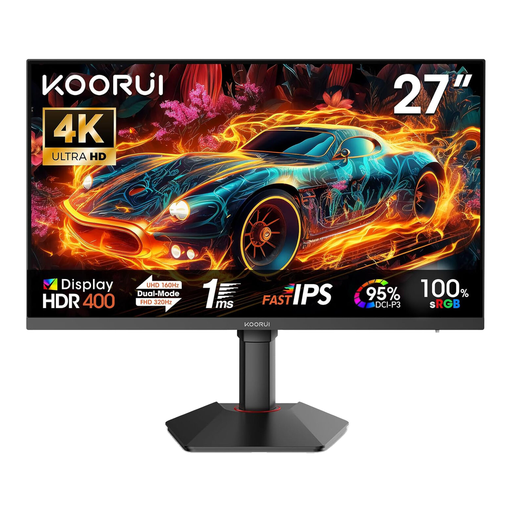 No image available
The stated 4K resolution could work well for coding and multiple windows; actual readability also depends on text size and scaling.
3840 × 2160 pixels, 16:9 and HDR 400; HDMI 2.1 and DisplayPort 1.4 are listed. The product description says the stand is height-adjustable, tiltable and rotatable.
No. In this scenario, the files are stored on the connected computer or another local storage device; the monitor displays its output. So check that the documentation and editor are easy to read at your preferred text size.
Not necessarily. The datasheet for the EIZO EV2740X lists DisplayPort Alt Mode, up to 94 W power delivery and KVM; Lenovo lists docking with up to 100 W and KVM for the ThinkVision P27h-30. Check that video output, charging power and the USB connections you need are compatible with your computers.
The German Wood and Metal Trade Association (Berufsgenossenschaft Holz und Metall) recommends avoiding glare, positioning the top line of text below eye level and choosing a viewing distance suited to the task; it should be at least 500 mm. This is an occupational ergonomics recommendation, not a universal purchasing threshold for all home users.
Compare the energy information on the label for each model. The European Commission describes an energy label for electronic displays with ratings from A to G.
Under the conditions set out in Section 17 of the German Electrical and Electronic Equipment Act (ElektroG), retailers covered by the rules must accept an equivalent old appliance free of charge when supplying a new one. Whether the rules apply, and how the return is handled by the specific retailer and delivery service, depends on those statutory conditions.