First decide whether you want to use the laptop’s screen plus one external monitor, or two external monitors. For two external displays, check the documented support for the exact laptop configuration and the complete setup of dock, cables and monitors. An editor and terminal need different resources from local emulators or larger projects.
Which setup is right for you?
Developers with two desk monitors
If you want to use two external displays at the same time, check the display limits for the exact laptop configuration and your planned dock and cable setup. Lenovo and Apple Support document support for specific models and conditions.
Developers using local test environments
If you’ll be running IDEs, containers or emulators locally alongside your editor, choose a specification that suits your full toolkit. Google distinguishes between using Android Studio on its own and using it with an emulator, while Microsoft describes VS Code as lightweight.
Developers who work on the move
If you often work on the go and use an extra monitor at your desk, weigh up the laptop’s size and ports against the demands of the tools you run locally.
What should you look for when buying?
First decide which displays you want to use at the same time, then check that your tools are compatible and the laptop has the right specification for your day-to-day work.
| Consideration |
What to check before buying |
Who should consider this? |
| Display connections |
Count internal and external displays separately, and check the model, dock, cables, resolution and refresh rate together. Lenovo and Apple Support specify display limits by model; Microsoft notes that using monitors and dock peripherals at the same time can involve limitations. |
If I want to use two external monitors at my desk at the same time, the complete connection setup matters to me. Around 36% of consumers prioritise the display connection they want. |
| Resources for your workflow |
Make a note of your IDE, browser, containers, emulators and project sizes, then compare them with the requirements of the programmes you’ll actually use at the same time. Google distinguishes between Android Studio on its own and Android Studio with an emulator; Microsoft outlines the requirements for VS Code. |
If I use development and testing tools locally at the same time, I want to choose memory and storage to suit them. Around 29% of consumers prioritise the resources their workflow needs. |
| Tool compatibility |
Check the operating system and processor architecture against the requirements of every essential IDE, runtime and driver. Google currently lists Windows devices with ARM processors as unsupported for Android Studio. |
If a particular development tool is essential to my work, I check that it’s supported before choosing a platform. Around 21% of consumers prioritise compatibility with their tools. |
| Portability and accessories |
Check the size, ports and items included against the peripherals you already own. Also find out whether you’ll need an adapter or dock for your planned workspace. |
If I switch between working on the go and at my desk, I want a suitable size and a manageable set of accessories. Around 14% of consumers prioritise this. |
Common misconceptions
-
Not being specific about what you mean by “two screens”
Using the laptop screen plus one external monitor is different from connecting two external monitors, possibly alongside the laptop screen.
Before you buy, decide which displays you want to use at the same time and compare your connection plan with the specifications for the exact laptop configuration.
-
Assuming display limits are the same across MacBook generations
Apple specifies support for two external displays on the 15-inch MacBook Air with M5, within set resolution and refresh-rate limits. For the MacBook Air with M3, Apple says the lid must be closed to use a second external display.
Check the chip generation and full model name rather than relying on the MacBook Air name alone.
-
Assuming a dock’s specifications guarantee your whole setup will work
The resolution or refresh rate available to your monitors may depend on which peripherals you use at the same time. Microsoft notes that multiple monitors and other connected devices can limit the combinations available.
Check the specifications for both monitors and any USB or network devices you need against the details for the laptop, dock and cables.
Key brands to consider
Lenovo
The ThinkPad T14 Gen 6 Intel is an example of a business laptop with documented support for multiple displays. Lenovo Germany lists 32 GB RAM and a 1 TB SSD for configuration 21QC0042GE.
- Lenovo’s display limits vary by processor series: models with a U or H processor support up to three external displays, while models with a V processor support up to two.
- The series information doesn’t automatically apply to every configuration. Check the processor version and your planned connection setup.
Apple
The 15-inch MacBook Air with M5 is worth considering for a macOS workflow if you need two external displays.
- Apple Support lists support for two external displays on this model, at native resolutions of up to 6K at 60 Hz or 4K at 144 Hz.
- Older Air models have different requirements: to use a second external display with the M3 model, the lid must be closed.
HP
The HP EliteBook 840 G11 A26QBEA#ABD is an example of a 14-inch business configuration with 32 GB RAM and a 1 TB SSD.
- This configuration comes with specific memory and SSD specifications.
- Memory and SSD specifications alone don’t confirm that your preferred two-monitor setup will work. Check display and dock support for the exact configuration.
Dell
The Latitude 5455 is a Windows on Arm alternative. Be particularly careful to check compatibility with the development tools you need.
- Dell describes the available version as an ARM64 device.
- Google currently lists Windows devices with ARM processors as unsupported for Android Studio. This limitation applies to this particular tool, not to all coding work in general.
Joybuy products for coding
This selection of Joybuy laptops includes portable models for coding with ports or specifications relevant to connecting external displays. Which monitor setup will work depends on the model and the dock and cables you use.
 No image available
Lenovo ThinkBook 16 Gen 9, Intel Core Ultra 5 325, 32 GB DDR5, 512 GB SSD, Windows 11 Pro
An option if you want a 16-inch laptop with the listed video outputs for connecting an external monitor.
Listed connections include HDMI 2.1 and Thunderbolt 4, alongside 32 GB DDR5 RAM and a 512 GB SSD. Check that this exact version supports your complete monitor and dock setup.
View at Joybuy
 No image available
MSI Prestige N16 Flip AI+ C1XMT-027Y, 128 GB DDR5, 2 TB SSD, Windows 11 Pro
A 2-in-1 option if you’re planning to run local tools and need plenty of memory and SSD storage.
The product title lists 128 GB DDR5 RAM and a 2 TB SSD; HDMI and DisplayPort are listed as video outputs. Check that the exact configuration supports the combination of monitors you want to use at the same time.
View at Joybuy
 No image available
HP OmniBook Ultra Flip 14-fh0670ng, Intel Core Ultra 7 258V, 32 GB RAM, 1 TB SSD
A portable 14-inch option if you’re looking for a smaller format and a specification suited to local development tools.
The configuration lists 32 GB RAM and a 1 TB SSD. It also weighs 1.34 kg and has two Thunderbolt 4 ports, and a USB-C to HDMI adapter is included. Check that the entire connection setup supports the displays you want to use at your workspace.
View at Joybuy
 No image available
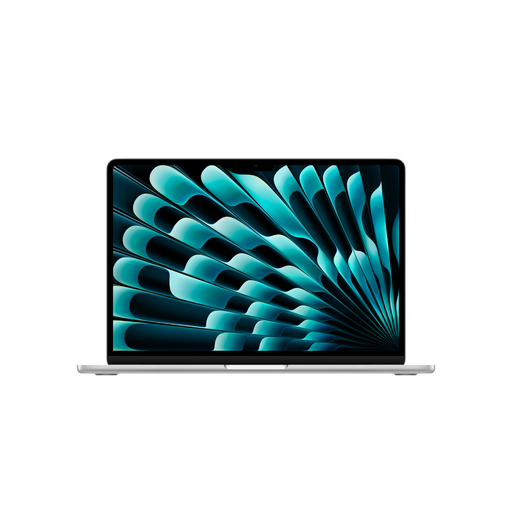
Apple 15-inch MacBook Air (M5, 2026), 16 GB, 1 TB SSD, Silver, German QWERTZ keyboard
An option for a macOS workspace if you want to use two external monitors.
Apple Support lists support for up to two external displays on the 15-inch MacBook Air with M5: two displays at native resolutions of up to 6K at 60 Hz or 4K at 144 Hz. This configuration comes with 16 GB memory and a 1 TB SSD.
View at Joybuy
 No image available
Apple 15-inch MacBook Air (M5, 2026), 16 GB, 512 GB SSD, Starlight, German QWERTZ keyboard
An option for a macOS workspace if you want to use two external monitors.
Apple Support lists support for up to two external displays on the 15-inch MacBook Air with M5: two displays at native resolutions of up to 6K at 60 Hz or 4K at 144 Hz. This configuration comes with 16 GB memory and a 512 GB SSD.
View at Joybuy
Frequently asked questions
Will a USB-C dock automatically support two external monitors?
No. Check how many displays the laptop supports, and consider the dock, cables, resolution and refresh rate as one complete setup. Microsoft notes that using monitors and other peripherals at the same time can affect which combinations are available.
Can I use multiple monitors with Windows?
Windows 11 supports using multiple monitors, but whether your preferred setup will work also depends on the laptop and connections. Check the specifications for your chosen resolution and connected peripherals.
Do I need the same specification for a code editor as for an Android emulator?
No. Microsoft describes VS Code as lightweight, while Google distinguishes between using Android Studio on its own and using it with an emulator. Compare the requirements of the programmes you’ll actually use at the same time.
What rights do I have when buying online in Germany?
According to the German federal portal, consumers may have a right to cancel certain distance-selling contracts with businesses; the cases listed there have a 14-day cancellation period. Your statutory rights regarding faulty goods are separate from a voluntary manufacturer’s warranty. Check the conditions for your specific purchase, particularly whether you’re buying as a consumer or as a business.


