Collectors with source files
You want to find invoices, provenance documents or other files from a coin entry. To do that, you need a reliable way to link to files and back them up.


Start by choosing your catalogue software and deciding how you’ll link to files. Then you can work out whether a space-saving mini PC or a larger desktop is right for your workspace. Germany’s Federal Office for Information Security recommends backing up your data regularly. Make sure you have enough storage and ports for your files, and back up your catalogue and linked files together: an internal SSD is not a separate backup.
You want to find invoices, provenance documents or other files from a coin entry. To do that, you need a reliable way to link to files and back them up.
You’re adding images of your collection and want to check that the storage and ports suit your actual photo workflow before you buy.
You’re planning a dedicated catalogue workspace and weighing up whether a mini PC will do, or whether a larger desktop would be better for future upgrades.
For a coin catalogue with linked files, the case isn’t the only thing that matters. Your software, file storage and backup plan all need to suit the way you intend to work.
| What matters | What to look for when buying | Who it matters most to |
|---|---|---|
| File links | Test a sample file to check whether your chosen software opens the type of link you need. Make sure the operating system is compatible with your catalogue software. | If I want to open invoices or provenance documents directly from a coin entry, the software must support those specific file links. Around 36% of consumers prioritise linking to source files. |
| Photos and storage | Check the size of your existing image and document folders, and estimate how much space you’ll need. Compare this with the SSD capacity of the specific PC model. | If I have lots of coin photos, I want to allow enough room for images and catalogue files, rather than basing my needs on someone else’s collection. Around 29% of consumers prioritise having enough storage for photos. |
| Backups | Plan for an external backup drive for your catalogue and source files. After a test transfer, check that the links still open the files. | To make sure catalogue entries and their linked files can be restored together after a fault or when changing devices, I need a backup routine that covers both. Around 21% of consumers prioritise restoring their data. |
| Space and features | Check that the monitor outputs match your existing monitor, and confirm what’s included in the box. Only plan for upgrades that are supported by the exact model you’re considering. | If my desk is short on space or I might want to add components later, the specific model needs to suit my setup. Around 14% of consumers prioritise space, upgrade options or what’s included in the box. |
A link points to a file but doesn’t contain its contents. If you don’t back up the linked source files, catalogue entries may lead nowhere if those files are lost.
Back up your catalogue and source folders together, then test a few links after a trial restore. Germany’s Federal Office for Information Security recommends backing up your data regularly.
Finding scattered files again or relinking them can take extra time.
More internal storage gives you room for files, but it doesn’t replace a separate backup of your catalogue and the files its links point to.
Plan for an external backup as well as your internal SSD, and keep it up to date.
For a local external backup, you’ll need an additional storage device and will have to keep your backups up to date.
A compact computer doesn’t necessarily come with a monitor or input devices. The GEEKOM A5 Pro tested by COMPUTER BILD didn’t include a keyboard or mouse; you can’t assume the same applies to other versions.
Check what’s included with the specific model, and make sure its ports and monitor outputs suit the devices you want to use.
The A5 Pro 2026 Edition is an example of a mini PC that needs a separate monitor.
The OmniDesk Desktop AI M03 is an example of a compact office desktop.
The PRO-DP80-A14G range may suit a dedicated office workspace if you want to check the upgrade options for a specific model.
The M5 is an example of a mini PC for everyday office tasks.
This selection of Joybuy products includes mini PCs and a compact desktop setup for a dedicated catalogue workspace. Check that the ports, monitor and storage suit your own file and photo workflow.
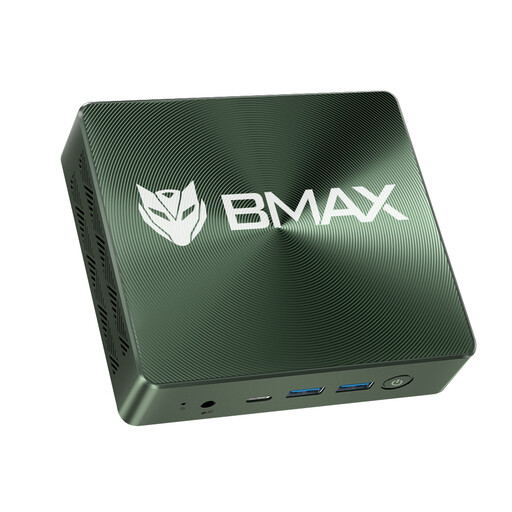 No image available
A space-saving option for your catalogue workspace if you’re looking for a mini PC with a 1-TB SSD.
Windows 11, 16 GB RAM and a 1 TB NVMe SSD. The product description lists two NVMe 2280 slots, as well as HDMI, USB and Type-C.
 No image available
A compact option if you want to use two HDMI monitor outputs and the listed storage capacity suits your catalogue.
8 GB LPDDR4 and a 256 GB SSD. Product details list dual HDMI, Gigabit LAN and Bluetooth 5.0.
 No image available
A compact workspace option if 256 GB of SSD storage is enough for your planned catalogue files.
12 GB RAM and a 256 GB SSD. The product description lists HDMI, DisplayPort and two M.2 slots for additional SATA or NVMe drives.
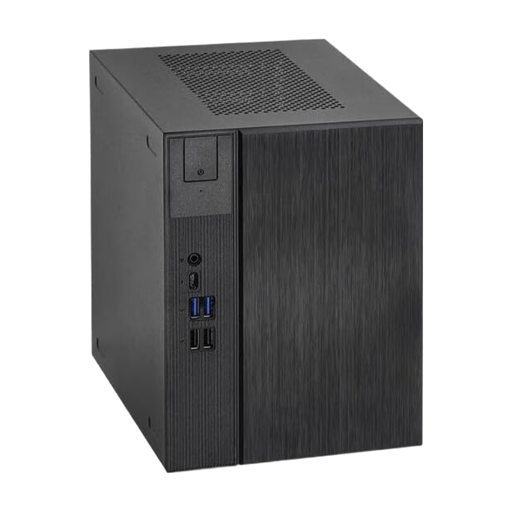 No image available
A compact desktop setup for a dedicated workspace, if this format suits your available space and planned setup.
The product title lists AMD AM5, 500 W and USB 3.1; the description mentions SSD support. Check that what’s included matches the components you need.
That depends on the catalogue software you choose. Microsoft Support documents how to add hyperlinks to existing files in Excel cells; OpenNumismat documents coin fields and photos. Test the file type and linking process you want to use in your software, rather than assuming it will work based on the PC’s specifications alone.
Regularly back up your catalogue file and linked source files together to an external drive. Germany’s Federal Office for Information Security recommends backing up your data regularly. After restoring a backup, test a few links to make sure they open the files they’re meant to.
A mini PC is a good fit if space is limited and you already have a monitor and the input devices you need, or plan to buy them separately. If upgrade options matter more, check the documented slots on the specific desktop configuration you’re considering: the size of the case alone doesn’t tell you whether it can be upgraded.
Check what’s included with the specific model, and allow for a separate storage device if you want to make local external backups. The GEEKOM A5 Pro tested by COMPUTER BILD didn’t include a keyboard or mouse, but that may not apply to every version.
According to Microsoft Support, standard support for Windows 10 ended on 14 October 2025. Microsoft describes a separate Consumer ESU programme for eligible devices, running until 12 October 2027. Even so, check that your chosen catalogue software runs on the operating system and is still supported.