First decide whether you value more desk space or a larger built-in display. According to the manufacturer, the MSI Cyborg 14 A13V has a footprint of 314.7 × 233.5 mm, while the Lenovo LOQ 15IRX10, model 83JE00JWGE, measures 359.86 × 258.7 mm. Choose the processor, memory and graphics to suit the requirements of the games and save files you actually use. Klei lists Intel HD 4600 or equivalent graphics as the minimum for Oxygen Not Included, but that isn’t a general recommendation for other games or large save files.
Which laptop is right for you?
Gamers with limited desk space
If you need room for a mouse and cables alongside your laptop, check the width and depth of the chassis. MSI lists the Cyborg 14 A13V at 314.7 × 233.5 mm; Lenovo gives the LOQ 15IRX10, model 83JE00JWGE, dimensions of 359.86 × 258.7 mm.
Players with large colonies or mods
If you’re planning to use large save files or mods, check the requirements for the specific game and see whether the memory can be upgraded. Ludeon Studios describes performance differences between game versions with a late-game RimWorld save file; this isn’t a laptop test.
Players who use lots of on-screen panels
If you want maps, text and menus to be easy to read, consider a larger built-in display, as long as the chassis will fit on your desk. MSI lists the Cyborg 14 A13V as 14 inches, while Lenovo lists the LOQ 15IRX10, model 83JE00JWGE, as 15.6 inches.
What should you look for when buying?
Compact 14-inch laptop
A good fit if: You want to leave room for a mouse and cables on a small desk. MSI gives the Cyborg 14 A13V a footprint of 314.7 × 233.5 mm.
The trade-off: The smaller display gives you less physical space for menus and text.
15- to 16-inch laptop
A good fit if: You prefer viewing on-screen panels on a larger built-in display and the chassis will fit on your desk. Lenovo lists the LOQ 15IRX10, model 83JE00JWGE, as 15.6 inches, with dimensions of 359.86 × 258.7 mm.
The trade-off: The cited LOQ chassis takes up more desk space than the documented MSI Cyborg 14 chassis.
| What matters to you |
What to check when buying |
Who this matters most to |
| Footprint |
Check the width and depth of the exact model, as well as the position of its ports. MSI lists the Cyborg 14 A13V at 314.7 × 233.5 mm. Remember to allow space for your mouse and cables on your desk. |
If I need room for a mouse, power adapter and cables on my desk at the same time, chassis size comes first for me; around 36% of consumers also prioritise footprint. |
| Game requirements and headroom |
Check the requirements for every game you plan to play. Klei lists at least 8 GB RAM and Intel HD 4600 or equivalent graphics for Oxygen Not Included; Lenovo specifies two DDR5-SODIMM slots for the LOQ 15IRX10, model 83JE00JWGE. |
For large save files or mods, I want to assess the exact specifications I need for my game, rather than assume based on the genre; around 29% of consumers put performance and headroom first. |
| Readability |
Compare the screen size and resolution of the exact model, and take the overall chassis size into account. MSI lists the Cyborg 14 A13V as 14 inches with a resolution of 1920 × 1200; Lenovo lists the LOQ 15IRX10 as 15.6 inches with a resolution of 1920 × 1080. |
If I want to see maps, text and on-screen panels clearly on the built-in display, the screen matters most to me; around 21% of consumers prioritise readability. |
| Cooling and noise |
Keep the vents clear and check which operating modes are available. ASUS notes that fans can run faster and become more audible when using demanding applications. |
If the laptop is right next to me, I want to take fan noise and cooling into account; around 14% of consumers prioritise this. |
Common buying mistakes
-
Assuming every colony sim is graphically demanding
For Oxygen Not Included, Klei lists Intel HD 4600 or equivalent graphics as the minimum requirement. This doesn’t mean that other games, large save files or mods have the same graphics requirements.
Make a list of the games you actually want to play and check their requirements individually before choosing a graphics card.
-
Comparing screen size instead of footprint
Screen size doesn’t tell you how much room the whole laptop will take up. According to the manufacturer, the MSI Cyborg 14 A13V measures 314.7 × 233.5 mm; the Lenovo LOQ 15IRX10, model 83JE00JWGE, measures 359.86 × 258.7 mm. You’ll also need extra room for a mouse and cables.
Measure your available desk space and compare it with the width and depth of the exact laptop model.
-
Treating the GPU model name or manufacturer claims as proof of overall performance and noise levels
Manufacturer specifications for maximum graphics power vary between specific models. For example, MSI lists a maximum of 45 W for the Cyborg 14 A13VF. ASUS explains that fan noise can increase with processing load. These claims don’t provide comparable measurements of gaming performance or noise levels for individual laptops.
Compare the specifications for the exact model, and look for tests of sustained performance and noise using the same configuration under comparable workloads.
Key brands at a glance
Lenovo
The LOQ 15IRX10, model 83JE00JWGE, is a 15.6-inch option with documented chassis dimensions and two RAM slots.
- Lenovo PSREF lists dimensions of 359.86 × 258.7 mm, two DDR5-SODIMM slots and an RTX 5060 Laptop GPU with 100 W TGP for this model.
- Manufacturer specifications aren’t an independent gaming test; make sure the footprint will fit your desk.
MSI
The Cyborg 14 A13V is a compact 14-inch laptop option.
- MSI lists the Cyborg 14 A13VF at 314.7 × 233.5 mm, with an RTX 4060 Laptop GPU offering up to 45 W graphics power.
- These specifications cover a model family; check the configuration of the exact version on sale separately.
HP
The OMEN Transcend 14-fb1775ng is a 14-inch model with 32 GB RAM and a 1 TB SSD.
- HP lists an RTX 5060 with 8 GB and a 2880 × 1800 display for part number C65D4EA#ABD.
- These manufacturer specifications don’t confirm gaming frame rates, noise levels or the footprint of the exact laptop.
Acer
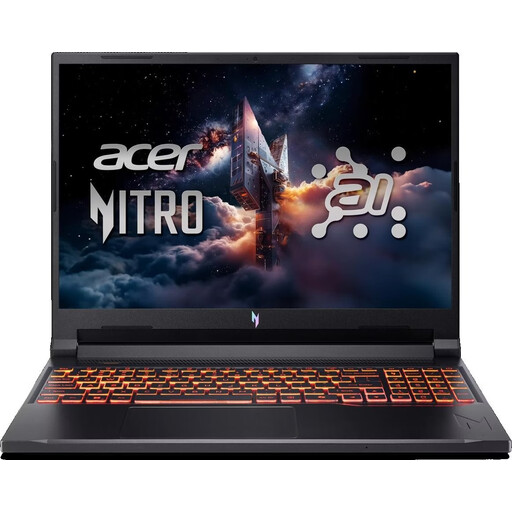
The Nitro V 15 ANV15-52-74JQ is a 15.6-inch option with 32 GB RAM as standard.
- Acer lists a 1 TB SSD and an RTX 5050 with up to 75 W graphics power for part number NH.QZ9EG.00B.
- The specifications alone don’t tell you how it performs in measured gaming tests, and not every colony sim needs them.
ASUS
The ROG Zephyrus G14 family includes 14-inch configurations with different processors and graphics cards.
- Manufacturer specifications show several configurations in the GA403 family.
- General manufacturer guidance on fan behaviour doesn’t indicate how loud a particular G14 model will be.
Joybuy product selection
This selection includes gaming laptops with displays from 14.5 to 16 inches. Check the chassis dimensions of the exact model and compare its processor, memory and graphics with the requirements of your games.
 No image available
THUNDEROBOT Radiant S16
An option if you prefer a 16-inch display for maps and on-screen panels.
16 inches, QHD+ and 240 Hz; AMD Ryzen 7 7745HX; 16 GB DDR5; 1 TB SSD; NVIDIA GeForce RTX 5060.
Use on a hard, level surface with the vents unobstructed.
View at Joybuy
 No image available
Acer Nitro V14 AI
A more compact display option, if the stated chassis dimensions suit your desk.
14.5 inches, WUXGA (1920 × 1200) and 120 Hz; AMD Ryzen AI 7 350; NVIDIA GeForce RTX 5050 with 8 GB GDDR7; 16 GB DDR5; 1 TB SSD; chassis dimensions 325.7 × 236.8 mm.
The product listing specifies an English international keyboard.
View at Joybuy
 No image available
Acer Nitro V 16 AI (ANV16-42-R1PE)
A 16-inch option if you prefer a larger built-in display and can check that the footprint will fit on your desk.
16 inches, WUXGA and 180 Hz; AMD Ryzen 5 240; NVIDIA GeForce RTX 5050 with 8 GB; 16 GB DDR5; 512 GB SSD.
The product listing specifies a US keyboard.
View at Joybuy
 No image available
MSI Thin 15 B13UC-3475NN
A 15.6-inch option if you prefer a built-in FHD display and have checked that the chassis dimensions suit your workspace.
15.6 inches, Full HD and 144 Hz; Intel Core i5-13420H; NVIDIA RTX 3050; 16 GB RAM; 512 GB SSD.
The product description states that no operating system is pre-installed.
View at Joybuy
 No image available
MSI Crosshair 16 Max HX E2WGXK-023
An option if you prefer a 16-inch OLED display for viewing everything on the laptop itself.
16 inches, QHD+, OLED and 165 Hz; Intel Core Ultra 9 275HX; NVIDIA GeForce RTX 5070 with 12 GB; 16 GB DDR5; 1 TB SSD; Windows 11 Home.
Check the chassis dimensions of the exact model before choosing it for a small desk.
View at Joybuy
Frequently asked questions
Do I need a dedicated graphics card for Oxygen Not Included?
No. Klei’s published minimum PC requirements don’t say that you do: they list Intel HD 4600 or equivalent graphics, along with 8 GB RAM. These minimum requirements aren’t a guarantee of performance with a particular large save file or in other games.
What should I bear in mind when setting up and cleaning a laptop on a small desk?
Keep the vents clear so that airflow isn’t restricted. ASUS notes that blocked vents can affect cooling and performance, and advises against directing a powerful blast of compressed air at the fans from close range when cleaning. Also follow the instructions for your specific laptop.
Do I need to pay for an extended warranty to have rights if something goes wrong?
No. When you buy as a consumer from a business seller in the EU, you have statutory rights; the EU explains that the minimum guarantee lasts for two years from the date you receive the goods. A voluntary commercial guarantee doesn’t replace these rights.
Can I cancel an online laptop purchase in Germany without giving a reason?
For a standard distance purchase from a business seller, you generally have 14 days from receiving the goods to cancel. The EU also highlights exceptions and possible return costs, so check who your contractual seller is and which terms apply to your purchase.


