Start by choosing a laptop based on whether you need Windows with WSL, macOS or Linux for your development and testing environment. Microsoft describes WSL as a way to use Linux shell tools on Windows, while Apple offers its own command-line tools for macOS. If you run several services at once, check the exact RAM and SSD configuration. For longer work sessions, make sure the ports match your home office setup.
What matters for different users
Developers working with a specific target platform
If you need to develop or test your command-line programme for a particular operating system, your development environment should match it. Microsoft Learn describes using Linux shell tools on Windows with WSL, while Apple Developer offers command-line tools for macOS.
Developers running local containers
If you run other services or containers alongside your editor and terminal, check the exact memory and operating system configuration. Docker Docs describes WSL 2 as the default for Docker Desktop on Windows.
Developers working at a fixed desk
For longer work sessions at home, it also matters how your monitor and input devices connect and are set up. The DGUV recommends using an external keyboard and mouse for longer periods of work.
What to look for when buying
Windows with WSL
Suitable if: you need Windows but also want to use Linux shell tools. Microsoft describes how to use them on Windows 11 with WSL.
Bear in mind: WSL needs to be set up. Also check the requirements of your specific combination of tools and whether it supports your target platform tests.
macOS
Suitable if: you need macOS for development or testing, or want to use Apple’s command-line tools. Apple also offers these without requiring a full Xcode installation.
Bear in mind: Check that the processor architecture is compatible with your dependencies. Apple lists two Thunderbolt 4 ports on the 13-inch MacBook Air M5, so you may need an adapter or dock for your existing devices.
Install Linux directly
Suitable if: Linux is your main working and testing environment and you don’t need Windows applications.
Bear in mind: Certification needs to apply to the exact model and distribution you want to use. Check that the required software and peripherals work with that specific combination.
Whichever option you choose, check the exact specification of the model and make sure its ports suit your desk setup.
| What matters |
What to check before buying |
Who it matters most to |
| Development and testing platform |
Check that the target operating systems, processor architecture and dependencies are compatible with the exact configuration. |
If I’m developing for a specific target system, the operating system and tools need to match. That’s why around 36% of consumers put a suitable development and testing platform first. |
| Running local tools at the same time |
Check the RAM and SSD capacity actually installed, along with the requirements of the container tools you use. |
If I’m running an editor, containers and other services at the same time, I want to choose a configuration that suits my project. Around 29% of consumers prioritise available memory for running local tools in parallel. |
| Ports for your workspace |
Check the ports on the exact model against your monitor, dock, keyboard and mouse. |
For longer sessions at home, I want to connect and set up my monitor and input devices in a way that works for me. Around 21% of consumers focus first on ports and setting up their workspace. |
| Long-term costs and upgrade options |
Compare the exact RAM and SSD configuration, documented upgrade options, what’s included and the warranty terms. |
As my project develops, I want to understand the specification and possible upgrades before buying. Around 14% of consumers put long-term costs and upgrade options first. |
Avoid common buying mistakes
-
Choosing based only on the processor or an AI label
The specification of one particular model doesn’t tell you whether its operating system and tools will suit your project’s target systems.
First decide which operating systems and dependencies you need, then compare specific configurations.
-
Assuming Windows with WSL is a ready-to-use Linux environment
WSL, and Docker Desktop if you use it, has its own requirements and needs to be set up.
Before buying, check the requirements of your chosen tools and allow time to set everything up.
-
Assuming every laptop will suit your existing workspace
The type and number of ports vary between models. The DGUV recommends external input devices for longer work sessions; an external monitor may also be part of your setup.
Before buying, check the laptop’s ports against your monitor and input devices.
Depending on the ports you need, you may also need an adapter or dock.
Relevant brands at a glance
Lenovo
The ThinkPad T14 Gen 6 (Intel) is an example of a Windows business configuration.
- For the 21QC0042GE model, Lenovo lists Windows 11 Pro, 32 GB RAM, a 1 TB SSD, a matt 14-inch display and a German keyboard.
- These details apply to this exact model. They don’t indicate the performance of the T14 range or confirm Linux certification.
Apple
The MacBook Air M5 is a macOS option if Apple’s development environment or macOS testing is part of your project.
- For a 13-inch base configuration, Apple lists 16 GB of unified memory and a 512 GB SSD. Apple Developer lists Command Line Tools as an alternative to a full Xcode installation.
- Check that your project dependencies support the specific processor architecture and that the two Thunderbolt 4 ports are enough for your devices.
Dell
The Dell Pro 14 PC14250 is a useful comparison for a Windows configuration with clearly specified features.
- For the configuration shown, Dell lists Windows 11 Pro, 16 GB DDR5, a 512 GB SSD and a 14-inch display with a resolution of 1920 × 1200 pixels.
- These details apply to the PC14250 configuration described; other configurations may differ.
HP
The EliteBook 8 G1a 14 is an example of a Windows business model with a generous memory specification.
- For the AD3F2ET#ABD model, HP lists Windows 11 Pro, 64 GB RAM and a 1 TB SSD.
- The manufacturer’s specifications don’t mean that a simple command-line project needs 64 GB RAM.
Suitable laptops at Joybuy
The following Windows laptops may be suitable for using Linux shell tools with WSL. Check that your dependencies and target platform tests work with the exact configuration.
 No image available
Acer Nitro V 16 AI ANV16-42-R1HB, R7, 16 GB, 1 TB, RTX 5060
If you want to use Linux shell tools on Windows, check that WSL is compatible with your project dependencies.
Specifications include Windows 11 Home, 16 GB DDR5, a 1 TB SSD and a 16-inch IPS display. Ports include USB-C with DisplayPort and HDMI 2.1; the keyboard has a US layout.
View at Joybuy
 No image available
Microsoft Surface Laptop 7, Snapdragon X Plus, 16 GB, 512 GB, Black
This Windows configuration may be suitable for using Linux shell tools with WSL. Check that your development tools are compatible before buying.
Specifications include Windows 11 Professional, 16 GB RAM, a 512 GB SSD and a 13.8-inch touchscreen. The ports are listed as USB 4.0.
View at Joybuy
 No image available
Microsoft Surface Laptop 8, Core Ultra 5, 24 GB, 512 GB, Platinum
If you use local development tools at the same time, compare the listed memory specification with your project’s requirements.
Specifications include Windows 11 Professional, an Intel Core Ultra 5 335, 24 GB RAM, a 512 GB SSD and Wi-Fi 7. The display is listed as 13 inches.
View at Joybuy
 No image available
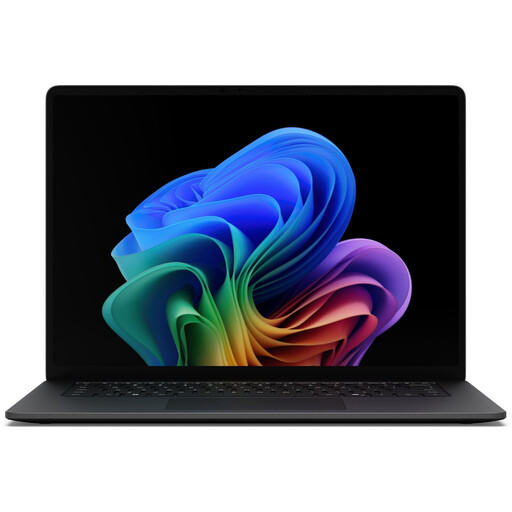
Microsoft Surface Laptop 8, Core Ultra 7, 16 GB, 512 GB, Black
If you plan to use an external monitor in your home office, check that the ports on this model match your existing equipment.
Specifications include Windows 11 Professional, an Intel Core Ultra X7 368H, 16 GB RAM and a 512 GB SSD. The 15-inch touchscreen and USB and Thunderbolt ports are also listed.
View at Joybuy
 No image available
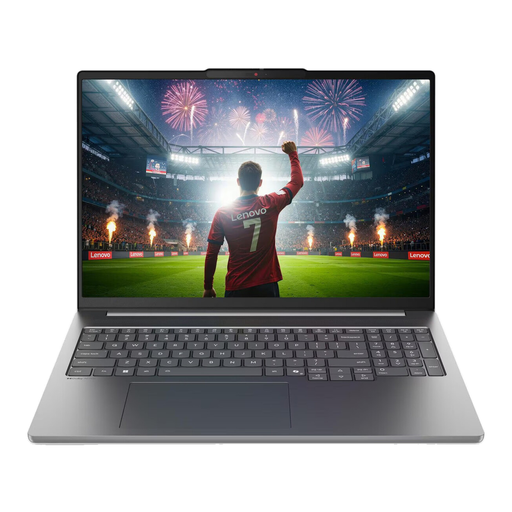
Lenovo IdeaPad Pro 5i 16IPH11, Core Ultra 9 386H, 32 GB, 1 TB, RTX 5060
If you use several local development tools at once, check whether the listed memory specification suits your workflow.
Specifications include Windows 11 Pro, an Intel Core Ultra 9 386H, 32 GB RAM and a 1 TB SSD. The 16-inch display is listed as 2.8K; ports include HDMI and two Thunderbolt 4 ports.
View at Joybuy
Frequently asked questions
Do I need a Linux laptop to use Linux shell tools?
No, not necessarily. Microsoft describes WSL as a way to use Linux distributions and Bash command-line tools on Windows. Whether that’s enough for your tests depends on your programme’s target systems and dependencies.
Do I need the full version of Xcode for a command-line project on a Mac?
No. Apple offers Command Line Tools as an alternative to a full Xcode installation if you work outside Xcode. Also check the requirements of the specific tools you plan to use.
How can I set up my laptop for longer work sessions?
For longer periods of work, the DGUV recommends using an external keyboard and mouse, as well as an external monitor if possible. Check that your laptop’s ports match your existing equipment.
What are my rights if a laptop I bought for personal use is faulty?
For a consumer purchase, the seller is liable for any lack of conformity that existed when the goods were delivered and becomes apparent within two years, according to the European Commission. This is separate from a voluntary manufacturer’s warranty. Consumer rights don’t necessarily apply to a business purchase.
Can I return a laptop ordered online in Germany without giving a reason?
For a distance contract between a consumer and a trader, you generally have the right to cancel within 14 days of receiving the goods. Exceptions and the specific contract should be taken into account. This is different from making a claim about a fault and doesn’t automatically apply to a business purchase.


