Gamers with a compact cockpit
You need to fit the screen and stand into a limited space, so you’ll want to check the dimensions before choosing a format. MSI publishes the dimensions of the MAG 274QRFDE QD E2 with its stand.


For a compact cockpit, a 27-inch monitor with a 16:9 aspect ratio is a sensible starting point. MSI lists the MAG 274QRFDE QD E2 as measuring 613.5 × 196.5 mm (width × depth) with its stand, but you’ll need to check that it fits your space. A 34-inch 21:9 monitor is an option if you want more horizontal screen space and your desk space, game display and graphics performance can accommodate it. AOC lists the CU34G4 at 3440 × 1440 pixels, while Dell lists the AW3426DW at 3440 × 1440 pixels and 280 Hz. OLED is another option for dark scenes, but LG warns that static images may cause burn-in. Check the care guidance and energy information for the specific model you’re considering.
You need to fit the screen and stand into a limited space, so you’ll want to check the dimensions before choosing a format. MSI publishes the dimensions of the MAG 274QRFDE QD E2 with its stand.
You’re considering a wider field of view and can check whether a 21:9 display, the available space and your setup’s performance are right for you. AOC and Dell list specific 34-inch models with a resolution of 3440 × 1440 pixels.
You prioritise how dark content is displayed and want to weigh up OLED against guidance on static images and the energy information for the specific model. LG says burn-in is possible, while the European Commission explains the EU energy label for electronic displays.
First, measure the available space and the stand. Then choose between 16:9 and 21:9 based on how the game is displayed and the device you’ll connect. You should also choose the panel type according to your priorities for dark scenes and the guidance for the specific model.
| Priority | What to check before buying | Who is it important to? |
|---|---|---|
| Fit in the available space | Compare the available width and depth with the dimensions of the specific monitor, including its stand. | When space in my cockpit is limited, I want to know the width and depth, including the stand, before settling on a screen size. Around 33 % of consumers prioritise whether a monitor will fit their available space. |
| Horizontal screen space | Check how the game, HUD and menus look in the format you want, as well as the space available. | I want to see more to the sides when exploring, but only if my game’s HUD and menus work well in a wider format. Around 27 % of consumers put horizontal screen space first. |
| Dark scenes and OLED | Check the panel type, energy information, and the care and warranty terms for the specific model. | How dark space scenes are displayed matters to me, but I also want to know how to care for the screen when using static HUD elements. Around 20 % of consumers prioritise dark image content. |
| Refresh rate and connection | Check the video output, monitor input, cable and the resolution and refresh rate you want to use together. | If I want to use a particular display mode, my connection needs to support that combination. Around 20 % of consumers put the available display mode first. |
Even 27-inch monitors can need different amounts of space for their stands. MSI lists the MAG 274QRFDE QD E2 as measuring 613.5 × 196.5 mm (width × depth) with its stand; LG lists the 27GS95QE-B at 604.4 × 258 mm. These dimensions apply to the specific models, not to all 27-inch monitors.
Measure the available width, depth and height in your cockpit, then compare them with the dimensions of the complete setup.
Depending on the space available, you may need a different stand or a monitor arm. Check the fitting instructions for the model you want.
Dell lists the AW3423DWF at 165 Hz at native resolution over DisplayPort, but 100 Hz over HDMI. These figures apply to this model and don’t indicate the frame rate your game will achieve on your device.
Check the resolution and refresh rate available through the specific input with your PC or console setup.
LG explains that images left unchanged for a long time may leave burn-in marks. Care guidance and voluntary warranty terms apply to the specific model and are separate from your statutory rights.
Read the care guidance and warranty terms for the specific OLED model on offer, and check how they fit with your use of static on-screen displays.
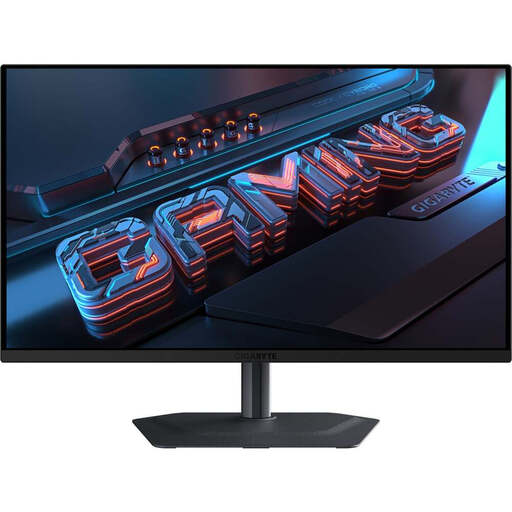
The MAG 274QRFDE QD E2 is a specific 27-inch QHD IPS example for spaces where room is limited.
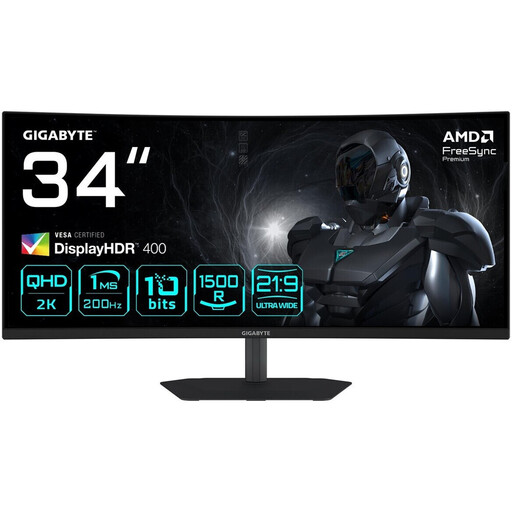
The CU34G4 is a 34-inch curved VA example for a cockpit with room for a 21:9 display.
The AW3426DW is a specific 34-inch QD-OLED example in an ultrawide format.
The UltraGear 27GS95QE-B is a 27-inch QHD OLED example, but is no longer listed as available to buy.
The models below include 27-inch 16:9 options for limited spaces, as well as 34-inch 21:9 monitors for more horizontal screen space. Whether a model will fit depends on your cockpit, the stand and the game.
 No image available
The 27-inch 16:9 format is a more compact alternative to an ultrawide monitor. Before buying, measure the space you have, including room for the stand.
QHD resolution of 2560 × 1440 pixels, SuperSpeed IPS, 260 Hz and up to 275 Hz in OC mode. HDMI 2.1 and DisplayPort 1.4 are listed.
 No image available
The 27-inch QHD format is a more compact option than a 34-inch ultrawide. Check the dimensions of the complete setup against the space in your cockpit.
QHD, Fast IPS, Mini LED with 1152 zones and a listed refresh rate of 275 Hz.
 No image available
If you’re considering OLED for dark gaming scenes, check the care guidance and terms for the specific model, taking your use into account.
QHD resolution of 2560 × 1440 pixels, QD-OLED and 240 Hz; DisplayHDR True Black 400 is listed in the product description.
 No image available
The 34-inch 21:9 format gives you a wider screen, but needs more space than a 27-inch option. Check the dimensions against your cockpit.
3440 × 1440 pixels, 1500R VA panel, 200 Hz and FreeSync Premium are listed.
 No image available
The 34-inch 21:9 format is worth considering if you want more horizontal screen space and the monitor, including its stand, will fit in your cockpit.
3440 × 1440 pixels, 1500R VA panel and 180 Hz; FreeSync Premium is listed. Check that your connected device supports the display mode you want.
Measure the usable width and depth of the space, then compare them with the monitor’s dimensions, including its stand. MSI lists the MAG 274QRFDE QD E2 with its stand at 613.5 mm wide and 196.5 mm deep; LG lists the 27GS95QE-B at 604.4 mm wide and 258 mm deep. These figures apply to the models named, not to all 27-inch monitors.
Check the care guidance for the specific device. LG explains that still images left unchanged for a long time may leave burn-in marks, and that the risk can’t be ruled out completely even with proper use. This doesn’t mean that every brand or model has the same warranty terms.
Check the resolution and input combination for the specific device. Dell lists the AW3423DWF at 3440 × 1440 and 165 Hz over DisplayPort, but 100 Hz over HDMI. You can’t use these figures to determine the performance of other models or the actual frame rate you’ll get in a game.
The European Commission describes the EU energy label for electronic displays, including computer monitors. It includes classes from A to G and information for SDR and HDR. Compare the information for the models available; an energy efficiency class on its own doesn’t replace the consumption figures.
No. If a product is faulty, your statutory rights apply against the seller; a warranty is a voluntary offer subject to its own terms. For online purchases, consumers generally have a 14-day right to cancel, although exceptions may apply. The Verbraucherzentrale explains these differences and the right to cancel.