Gamers short on desk space
If your screen and stand need to fit into a limited area, the actual dimensions of the monitor matter more than its diagonal measurement alone. ASUS lists the VG27AQ3A as 61.50 cm wide with the stand.


For a compact cockpit, a 27-inch QHD monitor with a 16:9 aspect ratio is a sensible starting point. A 34-inch 21:9 model is worth considering if the monitor and stand fit on your desk and the game supports a wider view. OLED may be a good option if you value detail in dark scenes, but for long sessions with fixed cockpit displays, you’ll need to weigh up the risk of burn-in. Also check the dimensions with the stand and the refresh rate available through the connection you’ll actually use.
If your screen and stand need to fit into a limited area, the actual dimensions of the monitor matter more than its diagonal measurement alone. ASUS lists the VG27AQ3A as 61.50 cm wide with the stand.
If you’re considering a wider horizontal view, you could look at 21:9, provided your desk, PC and the game itself are compatible. Samsung lists the Odyssey G5 LC34G55TWWPXEN as having a 21:9 aspect ratio and a resolution of 3440 × 1440 pixels.
For long sessions with cockpit or map displays that stay on screen, factor in the potential risk of burn-in when choosing an OLED model. ASUS describes pixel shifting as a way to reduce the risk, not eliminate it.
With a compact setup, check the space available before considering panel type or maximum refresh rate. Then weigh up whether 16:9, the extra width of 21:9 or OLED is a better fit for your game and how you play.
| What to consider | What to check before buying | Who will find this especially important? |
|---|---|---|
| Space required | Monitor width and stand depth, including the stand, as well as the adjustment options you need. | If I have limited desk space, I mainly want to make sure the monitor and stand will actually fit. Around 36% of consumers prioritise the space required. |
| Horizontal screen space | Consider 16:9, 21:9 or, if you have enough space, 32:9. Also check how the specific game is displayed. | If you want more horizontal space in the cockpit, check how the game displays before choosing a wider aspect ratio. Around 29% of consumers prioritise a wider view. |
| Connection and refresh rate | Check the resolution and refresh rate you want against your PC output and the monitor input you’ll use. | If a particular refresh rate matters to me, I want to know what my connection can actually support at the resolution I’ve chosen. Around 21% of consumers prioritise connection and refresh rate. |
| OLED and fixed displays | Check the panel type, protective features and warranty terms for the specific model. | For long sessions with displays that stay on screen, I want to factor in the risk of burn-in when choosing a panel. Around 14% of consumers prioritise how OLED handles this type of use. |
The diagonal measurement doesn’t tell you how wide the monitor is, how much depth the stand needs or whether it can be adjusted.
Measure the space available and compare it with the dimensions of the specific model, including the stand. If you’re planning to mount it on a wall or monitor arm, check that it has the right VESA mount too.
A different setup or a suitable mount may involve extra effort.
The maximum refresh rate can vary depending on the input. ASUS lists a maximum of 180 Hz over DisplayPort and 144 Hz over HDMI for the VG27AQ3A; Dell lists 165 Hz over DisplayPort and 100 Hz over HDMI for the AW3423DWF at 3440 × 1440 pixels.
Check that the resolution and refresh rate you want are supported by your PC output, the monitor input and the connection you’ll actually use.
ASUS notes that static, high-contrast images can cause burn-in if displayed for long periods. Pixel shifting may reduce the risk, but it doesn’t eliminate it.
Check the care instructions, protective features and warranty terms for the specific model. If you’d rather avoid this trade-off, consider LCD models too.
The TUF Gaming VG27AQ3A is a documented example of a 27-inch QHD monitor with a 16:9 aspect ratio.
The Odyssey models covered here range from a 34-inch 21:9 format to a 49-inch 32:9 option.
The UltraGear 34GS95QE-W is a documented example of a 34-inch OLED monitor with a 21:9 aspect ratio.
The AW3423DWF is a documented example of a 34-inch QD-OLED monitor with a resolution of 3440 × 1440 pixels.
The MPG 271QRXDE QD-OLED is a documented 16:9 OLED option if you don’t need an ultrawide format.
This selection focuses mainly on QHD monitors suited to space-conscious setups. If you’re considering the 32-inch KTC, take particular care to check that both the screen and stand will fit your available space.
 No image available
The 27-inch screen and QHD resolution make this a compact option for a cockpit with map and game displays.
IPS; 2560 × 1440 pixels; 260 Hz, or 275 Hz in OC mode. The product description lists height, tilt, swivel and pivot adjustment.
 No image available
The 27-inch QHD format is a compact alternative if you’re also looking for an adjustable stand.
The product description lists QHD, 275 Hz, 1,152 local dimming zones, HDMI 2.1 and DisplayPort 1.4. The width with the stand is listed as 614.2 mm.
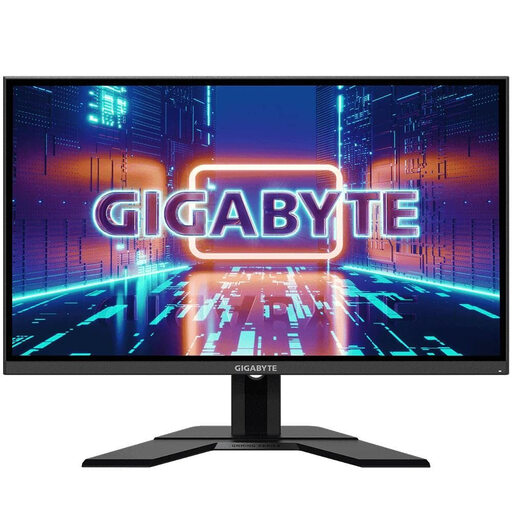 No image available
The 27-inch QHD format is a space-conscious starting point; check the dimensions of the monitor and stand against your desk space.
2560 × 1440 pixels; 165 Hz; IPS. The product description lists DisplayPort, HDMI and FreeSync Premium.
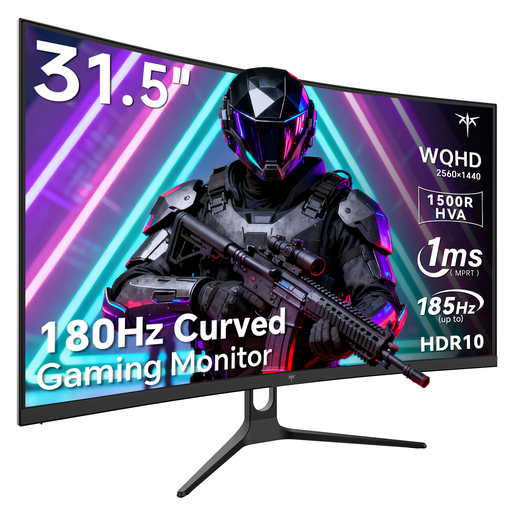 No image available
At 32 inches, this model is larger than the 27-inch options. Measure your available space before considering it for a compact cockpit.
The product title lists QHD, 180 Hz or 185 Hz in OC mode, 1500R curvature and Adaptive Sync.
 No image available
The 27-inch WQHD format makes this a compact OLED option. For long sessions with fixed displays, consider the potential risk of burn-in.
The product title lists 2560 × 1440 pixels, 280 Hz, a 16:9 aspect ratio, DisplayPort 1.4 DSC and HDMI 2.1. The product description lists height, tilt, swivel and pivot adjustment.
Measure the available width and depth, then compare them with the dimensions of the specific monitor, including the stand. If you plan to use a monitor arm, also check the VESA mount and weight capacity. ASUS lists a 100 × 100 mm VESA mount for the VG27AQ3A, but the supplied stand doesn’t offer height adjustment.
The maximum refresh rate also depends on the input you use. ASUS lists a maximum of 180 Hz over DisplayPort and 144 Hz over HDMI for the VG27AQ3A; Dell lists 165 Hz over DisplayPort and 100 Hz over HDMI for the AW3423DWF at 3440 × 1440 pixels.
Take the care instructions and protective features for the specific model into account, along with any warranty terms. ASUS notes that static, high-contrast images can pose a risk of burn-in if displayed for long periods. Pixel shifting reduces this risk, but doesn’t eliminate it.
You can’t tell from the monitor’s aspect ratio alone. Before choosing a wider screen, check how the specific game displays the cockpit, menus and other information in 21:9 or 32:9.
The European Commission includes computer monitors in its energy labelling scheme for electronic displays. The label shows information such as the energy efficiency class; you can scan the QR code to find further model details in EPREL. It’s a label, not a recommendation for a particular efficiency class.