People editing photo masks
If you’re cutting subjects out from busy backgrounds, consider the requirements for larger or more complex files as well as the masking tools. Adobe recommends 16 GB of RAM or more for Photoshop.


For photo masking, choosing a compact desktop with the right operating system and a clearly specified, suitably equipped configuration is essential: Adobe recommends 16 GB of RAM or more for Photoshop. If you’re working with moving masks in DaVinci Resolve Studio, you should also check the software edition and GPU support. A small case alone doesn’t tell you whether a computer is suitable for your workflow.
If you’re cutting subjects out from busy backgrounds, consider the requirements for larger or more complex files as well as the masking tools. Adobe recommends 16 GB of RAM or more for Photoshop.
When space is tight, it’s not just the case dimensions that matter. The power supply, cables, monitor connections and included accessories all need to fit your workspace.
If you’re masking moving subjects, check the software feature you need and its GPU requirements separately. Blackmagic lists Magic Mask as an additional feature of DaVinci Resolve Studio.
First decide whether you’ll be masking still photos or moving images. Then compare the specific operating system, memory and connections rather than focusing only on the form factor.
| Buying criterion | What to check | Who is it important for? |
|---|---|---|
| Complex photo masks | Check the RAM recommendation, GPU compatibility and available SSD storage for your version of Photoshop. Adobe recommends 16 GB of RAM or more. | If I edit larger image files, I want the specifications to suit the way I actually use Photoshop. Around 33% of consumers prioritise working with photo masks. |
| Desk space | Measure the space available, including room for cables and the power supply. Check that the video and USB connections match your monitor and accessories. | If my workspace is small, the whole setup needs to fit, not just the case. Around 33% of consumers put the available desk space first. |
| Video masks | Check the software edition and GPU support for your projects. Blackmagic lists Magic Mask as part of DaVinci Resolve Studio. | If I mask moving subjects, I want to confirm the feature and platform I need before choosing hardware. Around 17% of consumers prioritise video masks. |
| Configuration and upgrades | Compare the full model number, operating system, RAM, SSD and included items. A kit may be supplied without a pre-installed operating system. | If I want to choose components myself or upgrade later, I need to know exactly what’s included and what can be upgraded. Around 17% of consumers put customisation first. |
Photoshop sets out both minimum and recommended specifications. For video masks, the right choice also depends on the software edition and GPU support.
First decide whether you’ll be editing photos or videos, then check the computer’s full configuration against your software requirements.
Alongside complete mini PCs, ASUS also offers NUC 15 Pro kits without a pre-installed operating system.
Before buying, check the full model code and what’s included, including the operating system and any components you’ll need.
You’ll also need space for the power supply and cables, and the available connections must work with your monitor and accessories.
Measure the full space you’ll need and check the connections against your existing equipment.
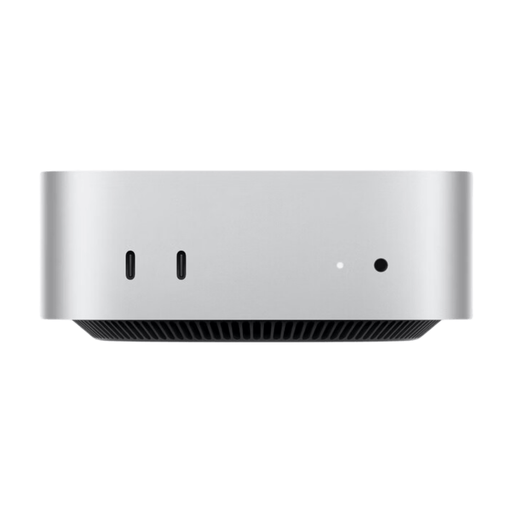
Mac mini for a compact macOS workspace, provided the software you use runs on macOS.
Dell Pro Micro is a configurable Windows micro desktop, useful if you want to check the specifications and operating system before ordering.
ThinkCentre M75q Gen 5 is a Tiny Windows option; its suitability depends on the specific model number.
NUC 15 Pro is worth considering if you’re choosing between a complete mini PC and a kit you’ll need to finish building yourself.
Pro Mini 400 G9 is a compact, ready-to-use Windows PC where the exact product number matters.
This selection includes compact Mac mini options and a fully configured mini PC for Windows-compatible workflows.
 No image available
A compact macOS option for photo workflows, provided the software you use runs on macOS.
12-core CPU, 12-core GPU, 16 GB of unified memory and a 256 GB SSD. Keyboard and mouse sold separately.
 No image available
A compact macOS option for photo workflows, provided the software you use runs on macOS.
12-core CPU, 12-core GPU, 16 GB of unified memory and a 512 GB SSD. Keyboard and mouse sold separately.
 No image available
A compact macOS option for photo workflows, provided the software you use runs on macOS.
12-core CPU, 12-core GPU, 24 GB of unified memory and a 512 GB SSD. Keyboard and mouse sold separately.
 No image available
A compact macOS option for photo workflows, provided the software you use runs on macOS.
12-core CPU, 12-core GPU, 24 GB of unified memory and a 1 TB SSD. Keyboard and mouse sold separately.
 No image available
A fully configured mini PC for a Windows-compatible workflow. Check that its specific configuration meets your software requirements.
Intel Core i7-1185G7, 16 GB DDR4 RAM, 512 GB SSD and support for three displays. Described in the product name as compatible with Windows 10/11.
Adobe lists 8 GB as the minimum and recommends 16 GB or more for the current desktop version. If you regularly edit large or complex files, follow the recommendation and also check GPU compatibility and available SSD storage.
Photoshop can process “Select Subject” and “Remove Background” on your device or in the cloud. Adobe then explains how to refine the result in the “Select and Mask” workspace. Choosing a particular computer won’t guarantee a perfect automatic mask edge.
No. Blackmagic lists Magic Mask as an additional feature of DaVinci Resolve Studio. If this feature is important to your workflow, check which software edition you need and factor it into your buying decision.
For a distance purchase made by a consumer, there is generally a 14-day right to cancel; exceptions and the exact start of the cancellation period depend on the contract. Your statutory rights against the seller if goods are faulty are separate from any voluntary manufacturer’s warranty. The Verbraucherzentrale also explains that, for purchase contracts entered into from 31 July 2026, the warranty period can be extended once by 12 months if you choose repair when a fault arises.
For electrical and radio equipment it oversees, the Bundesnetzagentur lists correct CE marking and identifiable manufacturer details among the points to check. Also confirm that the power supply and plug are suitable for Germany. A product listing alone doesn’t confirm that an individual product complies with the relevant requirements.