What should you look for when buying?
First check the space available, including room for your mouse. Then match the keys you need in your game, and decide on the switch feel, connection and labelling.
| What matters when buying |
What to look for |
Who is this especially important to? |
| Desk space beside the mouse |
Measure the available desk width and depth; compare them with the dimensions of the specific keyboard variant. |
If I need room for my mouse beside the keyboard, I measure the available space and check the keyboard’s dimensions. Around 36% of consumers say desk space matters most to them. |
| Controls within easy reach |
Compare the game’s key bindings with the actual key layout of the variant on offer. |
If I often use direction keys or other commands in my platform game, I want them within easy reach rather than on a function layer. Around 29% of consumers say directly accessible controls matter most to them. |
| Key feel for repeated inputs |
Check whether the specific variant has linear or tactile switches and, where applicable, an adjustable actuation point. |
If I repeat jumps and changes of direction frequently, I want to be able to assess the feel of the specific switch variant. Around 21% of consumers say key feel matters most to them. |
| Shared use and connectivity |
Check the language layout, connection to your device and the connection options available for the variant. |
If I also use the desk for writing or with other devices, I check the key labelling and available connections. Around 14% of consumers say this kind of multi-purpose use matters most to them. |
Joybuy products for small desks
This selection includes compact keyboards for limited desk space, as well as variants with keys within easy reach or a German layout.
 No image available
Redragon M68, 65%, 68 keys, US layout
An option if you’re looking for a compact format and the US layout suits you.
The product name lists magnetic switches, Rapid Trigger and an 8000 Hz polling rate.
This variant is listed with a US layout; German key labelling isn’t specified.
View at Joybuy
 No image available
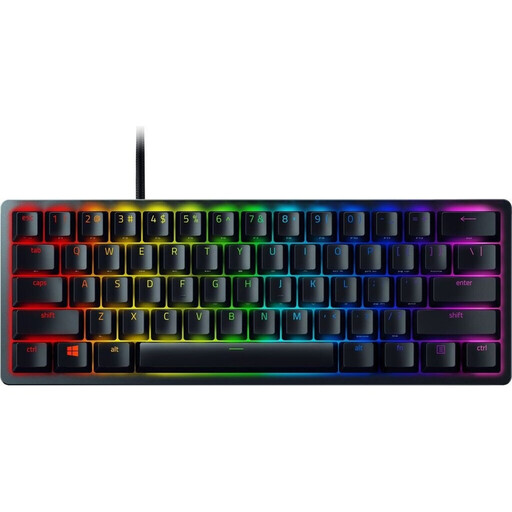
Razer Huntsman Mini (Red Switch), 60%, QWERTZ DE
The 60% layout is a good fit if having a particularly compact keyboard matters more to you than separate function and navigation keys.
This variant is described as having linear optical-mechanical switches and a detachable USB-C cable.
Extra commands are assigned to secondary functions; check that these work with your game’s key bindings.
View at Joybuy
 No image available
AJAZZ AK820 MAX, 75%, US QWERTY
A 75% option if you’re looking for a compact format with multiple connection types and the US QWERTY layout suits you.
The product name lists tri-mode connectivity and hot-swappable mechanical switches.
Before buying, check that the layout variant on offer and its connection options suit your needs.
View at Joybuy
 No image available
CHERRY XTRFY K5V2, 65%, wired, QWERTZ DE
A compact wired option if you’re looking for a German QWERTZ layout.
The product name lists MX2A-RED switches, a hot-swappable design and RGB lighting.
View at Joybuy
 No image available
Exodus 220 TKL, QWERTZ DE
A TKL option if you want to do without the number pad but prefer a wider layout than 65%.
This variant is described as a gaming keyboard with a German QWERTZ layout. The case is listed as 365 mm wide, so it takes up more room than smaller layouts.
View at Joybuy
Frequently asked questions
Do I need a 60% keyboard for platform games?
No. What matters is which keys the game uses and how much desk space you have. On the Razer Huntsman Mini, extra commands are assigned to secondary functions. If you often need direct access to the arrow keys, consider a larger variant with a suitable key layout.
How do I set up a compact wireless keyboard on a small desk?
First check that your device supports the connection required by the specific keyboard. CHERRY lists USB-C, 2.4 GHz wireless and Bluetooth for the MX-LP 2.1 Compact Wireless. Also check the language and product variant, as well as what’s included in the box.
Who pays return costs for an online purchase in Germany, and what happens if the product is faulty?
For a standard distance purchase from a trader, you generally have a 14-day right to cancel from the date of delivery. You may have to pay return costs when cancelling if the trader told you about this in advance and doesn’t cover them. This is separate from your statutory rights against the seller if the product is faulty: goods are generally covered by a statutory guarantee of at least two years, and the trader pays for the return of faulty goods. This information is based on consumer guidance from Your Europe.
What should I check about German regulations when buying a wireless keyboard?
As part of its market surveillance, the Bundesnetzagentur (Federal Network Agency) checks matters including CE marking, product and manufacturer information, German-language instructions and safety warnings, and documentation of conformity. Check the details for the specific product; its conformity can’t be confirmed from the product name alone.


