Players with limited desk space
You want more room for your mouse, without giving up the arrow or function keys too soon. Compare the actual dimensions and key layout of each model.


A 75% layout is a sensible place to start if you want to free up space on a small desk while keeping the arrow and function keys within easy reach. Even so, measure the space available and check the key layout of the specific model. A TKL keyboard keeps key groups separate, while a 65% layout means using more secondary functions to access commands – the Razer BlackWidow V3 Mini HyperSpeed has no dedicated function row.
You want more room for your mouse, without giving up the arrow or function keys too soon. Compare the actual dimensions and key layout of each model.
You often use commands mapped to function, arrow or navigation keys in tactical games, and want to check before buying whether they’re easy to reach or can be reassigned effectively.
As well as the space it takes up, you’re mindful of typing noise and key height. Check the specific switch variant, as a manufacturer’s claims about one model don’t automatically apply to other keyboards from the same brand.
Desk space, direct access to in-game commands, typing feel and customisation are different priorities. The key is to decide which matters most for the way you use your keyboard.
| Consideration | What to check before buying | Who will find this most important? |
|---|---|---|
| Desk space and room for your mouse | Measure the width and depth, including room for the cable, and compare the keyboard’s dimensions rather than relying on the layout name alone. | If my desk is short on space, I want to leave enough room for my mouse without losing important keys. Around 39% of consumers say desk space is their top buying priority. |
| Direct access to commands | Compare your game’s key bindings with the F-row, arrow keys, Delete and navigation keys on the specific model. | If I often use function or arrow keys, I want to access commands without awkward key combinations. Around 31% of consumers prioritise direct access to keys. |
| Typing noise and feel | Check the switch variant and any stated sound dampening. Descriptions such as ‘quiet’ can’t replace trying the keyboard in your own environment. | If I share a desk or also use it for typing, I want a comfortable feel and as little distracting noise as possible. Around 15% of consumers prioritise quieter typing. |
| Key mapping and customisation | Check that the software supports your operating system, and distinguish programmable keys from replaceable switches. | If I want to set up my own gaming shortcuts or replace the switches, I also check which parts are included with the variant I’ve chosen. Around 15% of consumers prioritise customisation. |
A compact layout may leave out keys or arrange them differently. The 65% Razer BlackWidow V3 Mini HyperSpeed has arrow keys, but no dedicated function row.
Before buying, compare the key layout with the commands you use in your game, and check whether you can reassign the keys you need most.
A different key layout may take time to get used to, or require you to set up new gaming shortcuts.
According to Razer, the barebones version of the Razer BlackWidow V4 75% doesn’t include switches, keycaps or a wrist rest.
Check what’s included with the specific variant before assuming it’s ready to use straight away.
You’ll need to buy switches and keycaps separately for the barebones version.
Replaceable switches and freely programmable keys are different features. ComputerBase describes the Sharkoon Skiller SGK25 as hot-swappable, but also notes in its review dated 7 June 2025 that very few keys are programmable.
Check switch replacement and key mapping separately if you want both features.
The V1 ISO is a 75% option available in a German ISO variant, with QMK/VIA for customising keys to suit your gaming commands.
The German version of the Apex 3 TKL is a TKL option with separate key groups.
The wired G515 TKL is a low-profile mechanical TKL option, available with tactile or linear switches.
The BlackWidow V3 Mini HyperSpeed is a 65% option with arrow keys, while the BlackWidow V4 75% offers a larger layout.
The Skiller SGK25 is a 75% option if you’re looking for a compact layout with replaceable switches.
The models below cover compact gaming keyboards from 60% to 75%. Pay particular attention to whether the layout and key mapping suit your in-game commands.
 No image available
The 75% layout is a compact option if you want the arrow and function keys within easy reach.
The product title lists an ISO-DE layout, hot-swap support and Bluetooth, 2.4G and USB-C connections.
The listed switch variant is V3 Pro Cream Blue Switch.
 No image available
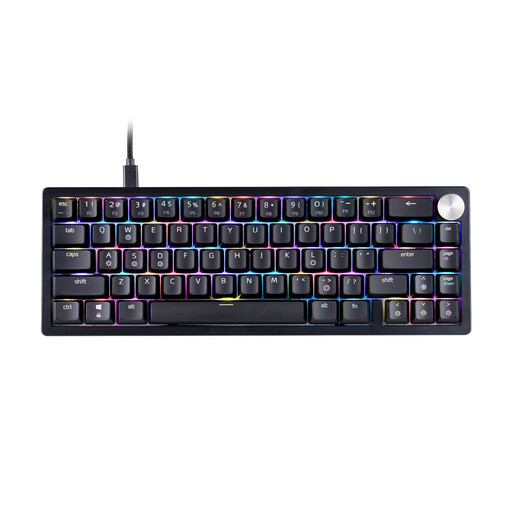
The 65% layout is a compact choice if you’re comfortable using a smaller-format key layout.
The product title describes a mechanical keyboard with a US layout and RGB.
The listing specifies a US QWERTY layout; check that the key legends match your preferred layout.
 No image available
The 60% format is an option if you want your keyboard to take up as little desk space as possible.
The product title lists magnetic hot-swap switches and a Rapid Trigger mode.
This model is listed as wired.
 No image available
The 75% layout is a compact option if you want the arrow and function keys within easy reach.
The product title lists Bluetooth, 2.4G and wired connections, along with Reaper Switches.
The listing specifies a US QWERTY layout; check before buying that it matches your preferred key legends.
 No image available
The 75% layout is a compact option if you want arrow keys and customisable gaming commands.
The description lists an 81-key layout with arrow keys and programmable keys.
The product title lists Bluetooth, 2.4G and wired connections, along with Reaper Switches. The layout is listed as US QWERTY.
Not necessarily. What matters is whether your game assigns frequently used commands to function keys, and whether you want to reassign them. The 75% Keychron V1 includes function keys, while the Razer BlackWidow V3 Mini HyperSpeed has no dedicated function row. Check the key bindings for the game you play.
First, check whether the game itself lets you customise key bindings. Keychron lists QMK/VIA for the V1, while Logitech G lists G HUB for the wired G515 TKL. Check that the software supports your operating system and that it’s compatible with the exact variant you’re considering.
Follow the instructions for the specific model. Logitech Support recommends switching off and disconnecting peripherals before cleaning, then waiting five seconds. This manufacturer guidance isn’t a general cleaning guide for other brands.
Your statutory rights if a product is faulty are separate from any voluntary guarantee. The Verbraucherzentrale explains that for ordinary online purchases of goods, the cancellation period is generally 14 days from receipt. Bear in mind the statutory exceptions and the cancellation information provided for the specific contract.
Check the information for the specific product, including product identification, any required German-language instructions and, where required for the product, the CE marking. The Bundesnetzagentur covers these points as part of its market surveillance. A CE marking doesn’t mean that the authority has checked each individual device in advance.