When every centimetre counts, a compact laptop around 14 inches is an obvious choice. A larger display may be more important if you have enough room for the laptop, mouse and clear airflow. Next, check the exact laptop configuration against your games and settings: Ubisoft’s requirements for Assassin’s Creed Shadows cover different resolution and graphics targets, but don’t promise a particular frame rate on any specific laptop.
Who is this choice especially relevant to?
Gamers with limited room for a mouse
If you need to fit both your laptop and mouse on a small surface, consider the laptop’s dimensions, port locations and clearance around the vents. Dell Support recommends using a hard, flat surface and notes that blocked vents can affect cooling.
Gamers with specific stealth games in mind
The right configuration depends on the game, the resolution you want and your graphics settings. Ubisoft distinguishes between these targets in its PC requirements for Assassin’s Creed Shadows.
Gamers weighing up image detail on the built-in display
Display size and panel type are part of the decision if dark scenes on the laptop itself matter to you. A larger display needs more desk space, and the picture quality depends on the specific model variant.
What should you look for when buying?
Compact gaming laptop around 14 inches
A good fit if: you need to fit both your laptop and mouse on a small desk, or you put your laptop away frequently.
The trade-off: The built-in display is smaller. According to ASUS, the memory in the ASUS ROG Zephyrus G14 GA403GM-QS069X cannot be upgraded.
Larger gaming laptop around 15 to 16 inches
A good fit if: there’s still enough room for clear airflow once your laptop and mouse are set up, and a larger built-in display matters to you.
The trade-off: Allow for more desk space, and check the graphics, memory and display for the exact configuration rather than choosing on screen size alone.
Compact laptop with an external display
A good fit if: you already have a suitable monitor outside your limited workspace, or you’ve confirmed there’s room for one.
The trade-off: A monitor stand and cables also take up space. ASUS lists HDMI and USB-C with display support for the G14.
| What to consider |
What should you look for? |
Who is this especially relevant to? |
| Desk space and mouse movement |
Compare the dimensions of the specific model and allow room for your mouse, plugs and clear airflow around the vents. |
If I want to use my laptop and mouse on a small desk, every bit of free space counts. Around 26% of consumers list desk space as their top priority. |
| Performance for the game you play |
Check the CPU, exact laptop GPU, graphics memory, RAM and storage against the game’s requirements and your preferred settings. |
If I want to play specific stealth games at set graphics levels, I need to check the exact configuration. Around 26% of consumers list gaming performance as their top priority. |
| Picture quality in a compact space |
Compare the display size, native resolution and panel type of the specific variant. If possible, judge important dark scenes in the game for yourself. |
If the picture on the built-in display matters more to me than having as much free desk space as possible, I want to weigh up the specific screen variant. Around 21% of consumers list picture quality as their top priority. |
| Cooling and noise |
Check where the vents are and keep them clear where you plan to use the laptop. To compare noise levels, measurements of the same model under similar gaming loads are more useful than the size of its case. |
If I’m planning longer gaming sessions at a small desk, I need a spot with clear airflow. Around 16% of consumers list cooling and noise as their top priority. |
| Long-term usability |
Check the model number, whether the RAM can be upgraded, SSD options and the terms of any optional warranty. |
If I want to choose the right configuration now and understand what I might be able to change later, upgrade options and warranty terms matter. Around 11% of consumers list future costs and long-term usability as their top priority. |
Common buying mistakes
-
Comparing screen size alone
Screen size alone doesn’t tell you how much room will be left for mouse movement, plugs and vents.
Measure your desk and the dimensions of the exact laptop variant. Before you buy, map out where the laptop, mouse and cables will go.
-
Taking desktop graphics card specs as a guide to laptop frame rates
Game requirements relate to specific resolution and quality targets. They aren’t performance measurements for a particular laptop configuration.
Check the exact laptop GPU and, for an indication of frame rates, compare tests of the same device using similar settings.
-
Assuming you can upgrade the RAM later
According to ASUS, the memory in the ASUS ROG Zephyrus G14 GA403GM-QS069X cannot be upgraded.
Before buying, check the full model number and the upgrade details for the specific variant on offer.
If you need more memory later, you can’t upgrade the RAM in this variant. So consider your likely needs when choosing the configuration.
Brands and suitable model ranges
ASUS
The ROG Zephyrus G14 is a compact range. The specifications below refer to the GA403GM-QS069X variant.
- ASUS lists a 14-inch OLED display, HDMI, USB-C with display support and 32 GB RAM for this variant.
- According to ASUS, the memory in this variant cannot be upgraded. These specifications don’t automatically apply to other G14 models.
HP
The OMEN Transcend 14-fb1775ng is another 14-inch variant with specific specifications.
- HP lists a Core Ultra 7 255H, 32 GB RAM, 1 TB SSD and an RTX 5060 with 8 GB for this model.
- These are manufacturer specifications for this variant, not performance measurements for stealth games.
Acer
The Predator Helios Neo 14 NH.QRPEG.004 is a compact comparison option with a slightly larger display.
- Acer lists a 14.5-inch IPS display, 32 GB RAM, 1 TB SSD and an RTX 4060 with 8 GB for this variant.
- These configuration details don’t apply to other Predator models.
Lenovo
The Legion 5 Gen 10 is listed as a 15-inch AMD range for comparison with larger built-in displays.
- Lenovo describes the range as featuring an OLED display and GeForce RTX 50 Series options.
- The range description doesn’t specify a single graphics card or measured gaming performance for every configuration.
Razer
The Blade 14 is another compact range to consider when comparing sizes.
- For the Blade 14 described here, Razer lists a thickness of 1,57 cm and a weight of 1,62 kg.
- These manufacturer specifications don’t confirm how noisy the laptop is or how long its battery lasts while gaming.
Joybuy products with larger displays
The following models have 15.6- to 17.3-inch displays. They’re worth considering if you’re weighing up more built-in screen space against the desk space you’ll need.
 No image available
MSI Thin 15 B13UC-3475NN
Could suit you if you want a 15.6-inch display and have room for the laptop, mouse and clear airflow.
15.6-inch, Full HD, 144 Hz; Intel Core i5-13420H; RTX 3050 with 4 GB; 16 GB RAM; 512 GB SSD. According to the product details, no operating system is pre-installed.
View at Joybuy
 No image available
THUNDEROBOT Radiant S16
Worth considering if you want to allow for a 16-inch display in your space planning.
16-inch, QHD+, 240 Hz; AMD Ryzen 7 7745HX; RTX 5060; 16 GB DDR5 RAM; 1 TB SSD. Keep the vents clear while gaming.
View at Joybuy
 No image available
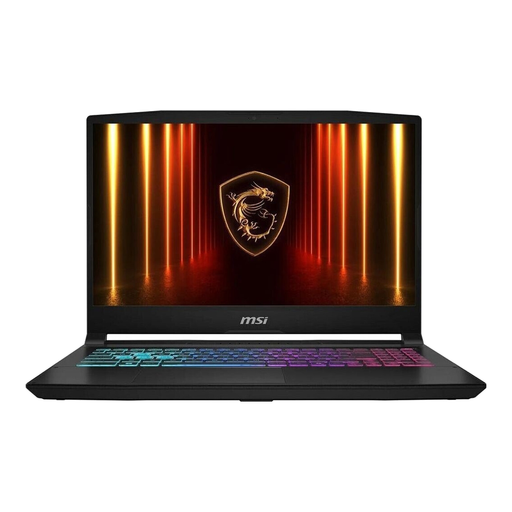
MSI Katana 15 HX B14WFK-487
Could make your shortlist if a 15.6-inch display fits your available space.
15.6-inch, Full HD, 144 Hz; Intel Core i7-14650HX; RTX 5060; 16 GB RAM; 512 GB SSD; Windows 11.
View at Joybuy
 No image available
MSI Cyborg 15 A13VE-1005
A possible choice if you want a 15.6-inch display and have room for it on your desk.
15.6-inch, Full HD, 144 Hz; Intel Core i5-13420H; RTX 4050; 16 GB DDR5 RAM; 512 GB SSD. According to the product details, no operating system is pre-installed.
View at Joybuy
 No image available
ASUS ROG Strix G17
Only consider the 17.3-inch format if there’s enough room beside the laptop for your mouse and clear airflow.
17.3-inch, Full HD, 144 Hz; AMD Ryzen 9 7940HX; RTX 4060 with 8 GB; 16 GB RAM; 1 TB SSD; Windows 11.
View at Joybuy
Frequently asked questions
Is the advertised GPU powerful enough for my stealth game?
You can’t tell from the GPU name alone. Compare the exact laptop configuration with the game’s requirements and your preferred resolution, quality and ray tracing settings. Ubisoft distinguishes between these targets in its PC requirements for Assassin’s Creed Shadows; they aren’t performance measurements for the laptops listed here.
How should I position my laptop on a small desk?
Place it on a hard, flat surface and keep the vents clear. Dell Support notes that blocked vents can cause heat to build up; also follow the instructions for your specific model.
Are a manufacturer’s guarantee and statutory rights the same thing?
No. Statutory rights cover claims against the seller for defects, while a guarantee is a voluntary offer subject to its own terms. Under section 438 of the German Civil Code (BGB), ordinary claims for defects following a purchase are generally subject to a two-year limitation period from delivery, subject to statutory exceptions.


