What should you look for when buying?
For a small writing space, it’s worth checking the footprint and key layout first, then seeing how the typing feel and connections fit with the way you work.
| Criterion |
What to look for |
Who is it particularly important to? |
| Footprint and reach |
Compare the measurements of the specific version with the space available, and check the navigation and function keys you use most often. |
If you also need room for a mouse or papers on a small desk, every bit of space counts. Around 36% of consumers put available space first. |
| Typing feel |
If possible, try scissor and mechanical low-profile keys, and consider the feedback, noise level and hand position. |
If you write longer passages, a particular typing feel may matter more to you than extra features. Around 29% of consumers prioritise their preferred key feel. |
| Layout and navigation |
Check that the selected version has a German QWERTZ or DE-ISO layout, and confirm the position of important keys. |
When writing and editing, you’ll want to reach characters and navigation keys without having to adjust to a new layout. Around 21% of consumers mainly look for a familiar key layout. |
| Connectivity and power |
Check the Bluetooth support, connections required, items included and power supply for the specific version. |
If you switch between several devices while writing, the keyboard’s connectivity should suit them. Around 14% of consumers make switching between devices their top buying priority. |
Joybuy products for a small writing space
The Joybuy products below are compact keyboards with a German key layout or an explicitly stated German layout. Compare the specific key arrangement and the connections you need before making your choice.
 No image available
Razer Ornata V3 Tenkeyless, German layout
The tenkeyless format, without a number pad, could be a good choice if you want to leave room for a mouse or papers on a small desk.
Listed as having a German layout.
View at Joybuy
 No image available
CHERRY MX-LP 2.1 Wireless, 65%, German QWERTZ
The compact 65% format could be a good fit if you want to save desk space while using a mechanical keyboard.
Features listed in the product name include low-profile MX Speed switches, Bluetooth, 2.4 GHz and USB-C, as well as a German QWERTZ layout. This version is white.
View at Joybuy
 No image available
Ticktype EVO75, 75%, ISO-DE
The 75% format is a compact option if you’re looking for a mechanical keyboard explicitly listed with an ISO-DE layout.
Features listed in the product name include wireless tri-mode operation, hot-swapping and VIA compatibility. Check that this version meets your needs before buying.
View at Joybuy
 No image available
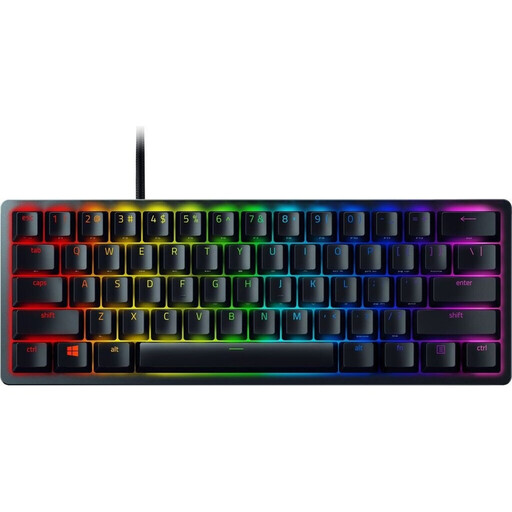
Razer Huntsman Mini, 60%, Red Switch, German QWERTZ
The 60% format could be an option if there’s very little room for a keyboard on your desk.
Features listed in the product name include red linear optical-mechanical switches, PBT keycaps and a detachable USB-C cable.
View at Joybuy
 No image available
Inateck KB01105, tablet keyboard with touchpad
This ultra-thin keyboard with an integrated touchpad could be a good option if you want to use a keyboard and pointing surface together in a small writing space.
Features listed in the product name include a German QWERTZ layout and compatibility with iPad, Android tablets, Windows, laptops and PCs. Check compatibility with your specific device.
View at Joybuy
Frequently asked questions
Do I need to buy a mechanical keyboard to write a chapter of a novel?
No. A low-profile keyboard with scissor switches could also be suitable for writing longer pieces. CHERRY describes the KW 9200 MINI as a scissor-switch model and Keychron describes the K3 Max as a low-profile mechanical keyboard. Choose based on your preferred typing feel, layout and available space.
How can I check whether the keyboard is compatible with my device?
Compare the connections supported by the specific version with the ports and features on your device. CHERRY lists Bluetooth, a nano receiver and wired operation for the KW 9200 MINI; Keychron lists Bluetooth, 2.4 GHz and wired operation for the K3 Max.
What should I bear in mind during longer writing sessions at a small desk?
Arrange your keyboard, mouse and papers so that everything remains within comfortable reach, rather than choosing based on keyboard width alone. The German Federal Institute for Occupational Safety and Health covers workstation design for computer work; no keyboard can replace a well-arranged workspace.
Who should I contact if a product I bought in Germany is faulty?
If you bought from a trader, contact them about your statutory consumer rights. Your Europe, the European Union’s portal, states that you have a minimum two-year legal guarantee from the date you receive the goods. An additional manufacturer’s warranty does not replace this right.
Do I need a particular type of keyboard for writing a novel in my own time?
The German Federal Institute for Occupational Safety and Health’s guidance on workstation design does not specify a particular keyboard type for writing in your own time. Choose a layout and typing feel based on how you want to work at your own writing space.


