What should you look for when buying?
First, measure the available width, including the space for your mouse. Then decide whether switching between devices, typing comfort or a separate number pad is the priority for your work.
| What matters |
What to check before buying |
Who is this important to? |
| Desk space and keys |
Compare the dimensions with the available desk width and check which arrow, function and navigation keys are included. |
If I put teaching materials beside my keyboard and mouse, every centimetre counts. Around 36% of consumers put available desk space first. |
| Connectivity and switching between devices |
Check whether it uses Bluetooth or USB, which operating systems it supports, how you switch between devices and what’s included with the specific version. |
If I work on teaching materials using both a computer and tablet, the keyboard needs to connect to both. Around 29% of consumers prioritise switching between devices. |
| Typing and key layout |
Look for a DE-QWERTZ layout and check the position of the arrow and navigation keys. Consider the noise level in the conditions you’ll actually be using it in. |
When I’m writing for long periods, I want a key layout and noise level that work for my workplace. Around 21% of consumers put these typing needs first. |
| Frequent number entry |
Think about how often you enter numbers and whether a separate number pad is worth the extra width. |
If I regularly work with number tables, I want a separate number pad close at hand. Around 14% of consumers prioritise frequent number entry. |
Joybuy products for small desks
The Joybuy products below are primarily suited to compact workspaces; depending on the model, you’ll also find options for switching between devices and different keyboard layouts.
 No image available
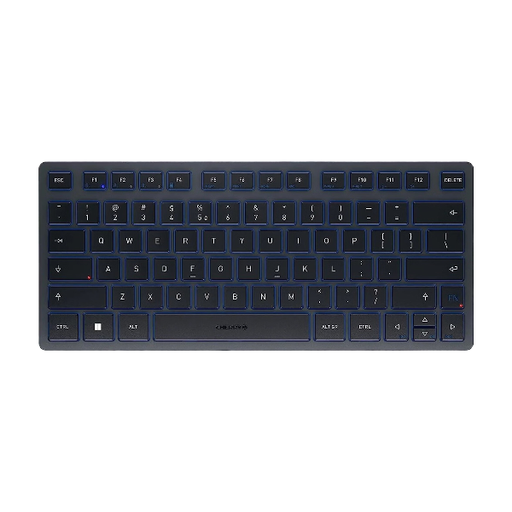
CHERRY KW 9200 MINI Wireless Multi-Device Keyboard
Its compact design could be a good fit if you have limited space at the side of your desk.
Four connection channels; rechargeable battery; CHERRY SX scissor mechanism. The product title specifies a UK English QWERTY layout.
View at Joybuy
 No image available
CHERRY KW 7100 MINI BT, US International QWERTY
The compact size can free up space for teaching materials; check that the layout on offer suits the way you type.
Three Bluetooth channels; carry case; US International QWERTY layout, as stated in the product title.
View at Joybuy
 No image available
CHERRY MX-LP 2.1 Wireless Gaming Keyboard, White
The 65% layout could suit a small workspace if the more compact key arrangement works for the way you do things.
German QWERTZ layout; Bluetooth, 2.4 GHz wireless and USB-C; low-profile MX Speed switches.
View at Joybuy
 No image available
Redragon RS68, 65%, 68 keys, blue
The compact layout could work well if you’re short on desk space and are comfortable with fewer keys.
Mechanical keyboard; 65% layout with 68 keys; Bluetooth, 2.4 GHz wireless and USB-C wired connection; detachable wrist rest.
View at Joybuy
 No image available
Rapoo E9050L, 75%, 78 keys, US QWERTY
The compact key layout could suit a small desk if the US QWERTY layout works for you.
78 keys; Bluetooth and 2.4 GHz wireless; US QWERTY layout, as stated in the product title.
View at Joybuy
Frequently asked questions
How can I check whether a keyboard will fit alongside my teaching materials?
Measure the available width for your keyboard and mouse, then compare it with the dimensions of the version you’ve chosen. “Slim” doesn’t necessarily mean narrow: CHERRY lists the full-size KC 6000 SLIM as 440 mm long.
How do I set up a Bluetooth keyboard?
Setup depends on the model. For supported Logitech keyboards, Logitech recommends holding down an Easy-Switch button to pair, then completing the connection in your computer’s Bluetooth settings. Check the instructions for the specific model first.
Who should I contact if my keyboard develops a fault: the retailer or the manufacturer?
If a product is faulty, your statutory rights are generally against the seller. A manufacturer’s guarantee is separate and subject to its own terms. Verbraucherzentrale explains that repair or replacement are forms of remedy.
What are the rules in Germany on wireless device labelling and disposal?
The European Commission explains that wireless equipment must meet EU requirements for safety, electromagnetic compatibility and radio spectrum. Germany’s Federal Network Agency says the CE mark is the manufacturer’s declaration that relevant requirements have been met, not an independent quality mark. According to the German Environment Agency, old keyboards shouldn’t go in household waste; take them to an appropriate collection or take-back point instead.


