What should you look for when buying?
First, compare how much desk space the laptop takes up and how your text appears at your own writing desk. Then check typing comfort, portability, storage needs and compatibility with your existing workflow.
| Consideration |
What to check before buying |
Who is it important for? |
| Text area and desk space |
Compare the device’s dimensions with the usable text area; try out text size and window layout at your own workspace. |
If you want to read chapters and notes comfortably on a small desk without using up all your workspace, the amount of room the laptop takes up is especially important. Around 29% of consumers put this first. |
| Typing comfort |
Check the keyboard, pointing device and screen at the desk where you plan to write; only consider an external monitor if you have room for it and a suitable connection. |
If you often read, comment on and rewrite your work, you should be able to set up your workspace to suit longer writing sessions. Around 23% of consumers prioritise typing comfort. |
| Portability and power |
Consider the weight of the laptop and the accessories you need together; check what’s included with the specific model. |
If you work on your manuscript in different places, you’ll want to be able to carry the device and the charger you need with ease. Around 18% of consumers put portability first. |
| Backing up your manuscript and photos |
Choose storage capacity to suit the size of your archive and set up regular backups kept separately from your laptop. |
If you manage drafts and travel photos together, you’ll need enough space and an additional backup, so you don’t have just one copy on your laptop. Around 18% of consumers prioritise archiving and data backups. |
| Workflow and extra purchases |
Check that the software and devices you need are compatible, and check what’s included with the version you’ve chosen. |
If you want to keep using your existing software, templates, printer or chargers, check in advance whether anything will need to change or whether you’ll need extra accessories. Around 12% of consumers put these costs and compatibility considerations first. |
Laptops available at Joybuy
This selection includes compact 13- and 14-inch models for working on your manuscript at a small desk. When choosing, consider the space available, the keyboard layout and whether the laptop is compatible with the software you need.
 No image available
Lenovo Yoga Slim 7i Aura Edition 14″, 2.8K OLED, Core Ultra 7 355, 16 GB RAM, 1 TB SSD
The 14-inch format is worth considering if the device fits on your desk and you’d like more screen space than a 13-inch model offers.
Named in the product title: 2.8K OLED, Core Ultra 7 355, 16 GB RAM and 1 TB SSD.
View at Joybuy
 No image available
Apple MacBook Neo 13-Inch (A18 Pro, 2026), 8 GB RAM, 256 GB SSD, Indigo Blue, English QWERTY Keyboard
The 13-inch format is a compact option if you have limited desk space.
Named in the product title: 8 GB RAM and 256 GB SSD. The keyboard has an English QWERTY layout, so check that it suits the way you write.
View at Joybuy
 No image available
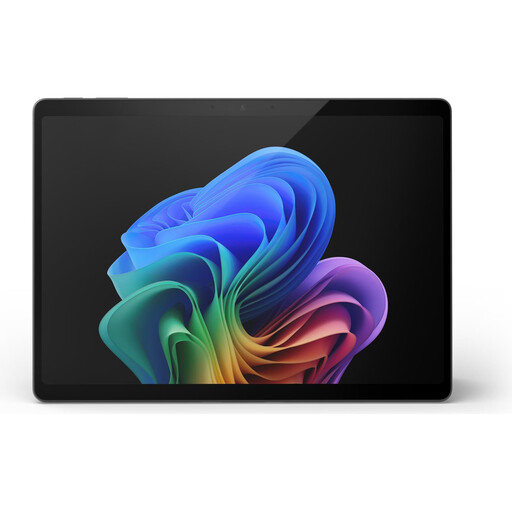
Microsoft Surface Pro 11, 13-inch, Snapdragon X Elite, 16 GB RAM, 512 GB
The 13-inch device is a compact option if you sometimes work in different places. Check that its controls and setup suit your workspace.
Named in the product title: Snapdragon X Elite, 16 GB RAM and 512 GB. Microsoft warns that installing certain printers on ARM-based Surface devices may cause difficulties if the manufacturer’s software does not support ARM.
View at Joybuy
 No image available
HP OmniBook Ultra Flip 14-fh0670ng, 14-inch, 2-in-1, Core Ultra 7 258V, 32 GB RAM, 1 TB SSD
The 14-inch format is worth considering if you’d like more screen space at your small desk and have room for the device.
Named in the product title: touchscreen, 2.8K OLED, Intel Core Ultra 7 258V, 32 GB RAM, 1 TB SSD and Windows 11 Home.
View at Joybuy
 No image available
Ruzava 14-inch laptop, 8 GB RAM, 256 GB SSD, N5095, FHD display
The 14-inch format is an option if it fits on your desk. Before buying, check that the specifications and layout meet your writing needs.
Named in the product title: 8 GB RAM, 256 GB SSD, N5095 and FHD display. The product title also specifies a German keyboard layout, USB 3.0 and Type-C.
View at Joybuy
Frequently asked questions
Should I consider an external keyboard or monitor for longer editing sessions?
If you write for long periods in one place, check whether you can position the screen and input devices comfortably there. The Federal Institute for Occupational Safety and Health considers separating the screen and keyboard as one aspect of permanently set-up occupational display screen workstations; this does not mean it is a general requirement for a personal writing project. An external monitor also needs desk space and a suitable connection.
How should I back up drafts and travel photos?
Make regular backups somewhere other than your laptop, and check that you can restore files from them. The Federal Office for Information Security lists faults, accidental deletion and theft as possible causes of data loss.
Will my writing software run on a Mac or an ARM-based Windows laptop?
It depends on the specific software and any add-ons you may need. The Document Foundation offers LibreOffice for macOS on Apple Silicon and Windows, among other platforms. According to Microsoft, most Windows apps run on Windows 11 for ARM, although certain peripherals may cause problems. Check your software, templates and devices before buying.
What are my rights if a laptop bought online is faulty?
When you buy from a business seller in the EU, you are generally entitled to a legal guarantee of at least two years from the date you receive the goods; you should contact the seller. For a distance purchase, you generally have a 14-day right to cancel from delivery, subject to legal exceptions. This information is from Your Europe; a voluntary manufacturer’s guarantee does not replace your legal rights.


