Choose a laptop based on the analysis you actually do. For checking data in dbird and working with basic spreadsheets, a clear display that fits a compact workspace is essential. If you work with larger datasets locally, check the RAM in the specific configuration. For maps and connected devices, the operating system and ports matter too. The German Avifaunists’ Association describes dbird as a tool for checking and analysing data, while eBird and Posit note that more demanding local analysis depends on the dataset and workflow.
Who this selection is for
Field recorders with limited desk space
If you check observations and results at the same small workstation, the display should make spreadsheets and charts easy to read. The German Avifaunists’ Association describes dbird as a tool for checking and analysing data, and for providing feedback.
Analysts working with large datasets
If you process extensive bird-observation data locally in R, make sure the RAM suits your data and analyses. eBird recommends R for larger datasets or more demanding analyses, while Posit notes that RAM requirements depend on the specific workflow.
Field recorders with a GIS workflow
If you also work with maps, make sure the operating system, QGIS features you need and connected devices are all compatible. QGIS lists installation options for Windows, macOS and Linux; check compatibility with any plugins you need separately.
What to consider when buying
First, work out whether you’ll mainly check data in a browser or analyse it locally. Then compare the display and footprint, along with the ports your actual workspace requires.
| Priority |
What to check before buying |
Who it matters most to |
| Usable workspace |
Check the dimensions, display format and resolution of the specific model; allow room for an additional monitor. |
If my desk is short on space, I want to be able to read spreadsheets and charts without an extra screen taking over my workspace. Around 36% of consumers put limited desk space top of their list. |
| Local data and analysis |
Estimate the size of your datasets and the programmes you’ll use at the same time; check the RAM and whether it can be upgraded in the exact model. |
If I process large datasets locally, I want to choose the RAM and storage to suit the analysis I actually do. Around 29% of consumers say local data performance is their main priority. |
| Software and ports |
Check the operating system, programmes and plugins you need against the port list for the specific model. |
If my mapping workflow depends on specific software, a monitor or devices I already own, I want to check compatibility before choosing a laptop. Around 21% of consumers put software and peripherals first. |
| Overall cost and usability |
Consider the configuration you need alongside any required adapters or peripherals; distinguish warranty terms from your statutory rights. |
If I want to avoid unnecessary features and accessories I’ll need to buy later, I compare the specific configuration with what I need. Around 14% of consumers put keeping total costs under control above all else. |
Common buying mistakes
-
Assuming bird-counting automatically calls for lots of RAM
Checking data in a browser, using basic spreadsheets and working with large local datasets in R place different demands on a laptop.
Start by deciding which programmes you use and how much data you process locally. Choose more RAM only if your actual workflow calls for it.
-
Assuming every model in a range has the same specifications
Processors, operating systems and display specifications can vary within a model range. The range name alone doesn’t tell you which configuration is on offer.
Before buying, compare the full model name and specifications of the exact version, especially the display, storage and ports.
-
Looking at the laptop, not the complete workspace
A small laptop saves desk space, but an extra monitor or the adapters you need can take it up again. One Dell Pro 14 configuration does not include a power adapter.
Check what’s included, the available ports and your desk space together. Dell Germany specifically notes that this configuration does not include a power adapter; other versions may differ.
Relevant brands at a glance
Lenovo
The ThinkPad X13 Gen 6 is a compact 13.3-inch option for a workspace where room is limited.
- For the specific 21RK0042GE version, Lenovo lists 32 GB of soldered RAM, a 1 TB SSD and a matte display with a resolution of 1920 × 1200 pixels.
- The RAM in this version is soldered, so it can’t be upgraded like a replaceable memory module.
Dell
The Dell Pro 14 PC14250 is a 14-inch Windows option if you have room for a slightly larger display.
- The configuration described by Dell Germany has 16 GB of RAM, a 512 GB SSD and a display with a resolution of 1920 × 1200 pixels.
- Dell notes that this configuration does not include a power adapter, so check what’s included with the version you choose.
Apple
The 13-inch MacBook Air with M5 could suit a compact macOS workspace, provided it’s compatible with the programmes and devices you need.
- Apple lists a 13.6-inch display, 16 GB of unified memory in the base model and two Thunderbolt 4/USB-C ports for the model introduced in 2026.
- These specifications don’t confirm that Windows-specific programmes or individual plugins will work on macOS.
ASUS
The Zenbook 14 OLED UX3405 is a compact 14-inch range to consider if you’re looking for an OLED display.
- ASUS offers several processor and operating system options, so check the full specifications of the exact model on offer.
- Display specifications don’t necessarily apply to every version in the range.
HP
The OmniBook Ultra Flip 14 is a convertible worth considering only if touch controls or stand mode genuinely suit your workflow.
- Check that the version you want has the features you plan to use in your workspace.
- The specifications and features of one model can’t automatically be applied to every version.
Joybuy products for compact data work
This Joybuy selection includes compact 13- and 14-inch laptops for spreadsheets and, depending on the configuration, local files. Compare the RAM, ports and operating system of the specific version with your workflow.
 No image available
Dell Pro 14 Essential PV14255 Copilot+ PC, 16 GB RAM, 1 TB SSD
The 14-inch format is a compact option for spreadsheets and a small workspace.
AMD Ryzen AI 7 350; Windows 11 Pro; 16 GB RAM; 1 TB SSD; USB-C, two USB-A ports and HDMI.
Joybuy
 No image available
Samsung Galaxy Book6 Enterprise Edition 14, 32 GB RAM, 512 GB SSD
This 14-inch version combines a compact design with the stated specifications for local files and analysis.
Intel Core Ultra 7 355; 32 GB LPDDR5X RAM; 512 GB NVMe SSD; Windows 11 Pro; RJ45 port.
Joybuy
 No image available
HP OmniBook Ultra Flip 14-fh0670ng, 32 GB RAM, 1 TB SSD
This 14-inch convertible could suit you if touch controls or a fold-back screen are part of your workflow.
Intel Core Ultra 7 258V; 32 GB RAM; 1 TB SSD; 2.8K OLED touchscreen; Windows 11 Home; 2-in-1.
Joybuy
 No image available
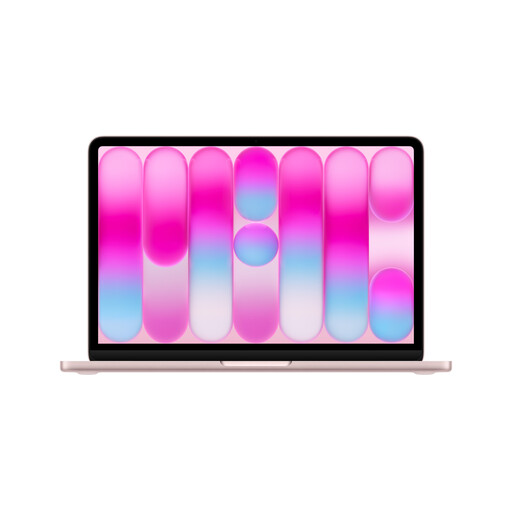
Apple 13-inch MacBook Neo A18 Pro, 8 GB, 512 GB SSD, German QWERTZ keyboard
The 13-inch format is a compact option if the programmes you need are compatible with the stated specifications and operating system.
A18 Pro; 8 GB unified memory; 512 GB SSD; 2408 × 1506-pixel display; two USB-C ports.
A power adapter is not included. You’ll need a USB-C power adapter or another USB-PD power source of at least 20 W to charge it.
Joybuy
 No image available
ASUS Zenbook 14 UX3405CA-QD1303W, 16 GB RAM, 1 TB SSD
This 14-inch version is a compact option for spreadsheets and files; before buying, check that the specific configuration suits your programmes.
Intel Core Ultra 7 255H; 16 GB RAM; 1 TB SSD; WUXGA OLED touchscreen; Windows 11; USB-A, HDMI and two Thunderbolt 4 ports.
Joybuy
Frequently asked questions
Do I need a particularly powerful laptop for bird-count data?
Not for every workflow. The German Avifaunists’ Association describes dbird as a tool for checking and analysing data. eBird says spreadsheets are suitable for basic analysis and recommends R for larger datasets or more demanding analyses. According to Posit, RAM requirements depend on the specific analysis.
How much RAM do I need for local analysis?
It depends on the size of your datasets and the programmes you use; Posit doesn’t give a general RAM figure for every R analysis. Consider your actual workflow and check whether the RAM in your chosen model can be upgraded later.
Can I use QGIS on Windows or macOS?
Yes. QGIS lists installation options for Windows, macOS and Linux. Also check that the plugins, data sources and other programmes you need are compatible with your chosen operating system.
What should I check before buying for a small desk?
Compare the dimensions and display of the specific model with the space available on your desk. Also allow for the ports needed by your existing devices and room for a possible monitor before settling on a particularly small format.
Is a manufacturer’s warranty the same as the statutory guarantee?
No. According to the European Union, when you buy as a consumer from a business seller, you have a statutory guarantee of at least two years from the date you receive the goods. A voluntary manufacturer’s warranty is separate.


