Developers running multiple services
If you run a database, containers and development tools at the same time, the RAM should match your actual workload.


Choose a laptop based on which databases, containers and development tools you need to run at the same time, then check the RAM, SSD and upgrade options for the specific configuration. A compact device saves space, but the display and ports still need to suit your workspace. With ARM devices, you’ll also need to check that your essential software and images are compatible with the architecture.
If you run a database, containers and development tools at the same time, the RAM should match your actual workload.
If you store data and projects locally, consider SSD capacity, upgrade options and a separate backup plan together.
A space-saving device should still offer enough screen space and the ports you need for your peripherals.
First, work out which programmes and images need to run at the same time. Then compare the specific memory configuration, upgrade options and the space the device will take up.
| What matters to you | What to look for | Who is this particularly important for? |
|---|---|---|
| RAM for running multiple services | Check the RAM capacity and type of the specific configuration, and find out whether the memory can be upgraded later. | If I use a database, containers and development tools at the same time, I want to choose RAM that suits this workflow. Around 31% of consumers prioritise memory for services running simultaneously. |
| System and image compatibility | Check that the operating system and processor architecture are compatible with the databases, extensions, images and tools you need. | I want to be sure before buying that my essential programmes and containers will run on the system I choose. Around 25% of consumers say this compatibility is their main concern. |
| SSD and data backups | Allow space for data and projects, as well as a separate backup destination. Check whether the SSD can be upgraded on the specific model. | If my local data store grows, I want to plan for storage and regular backups separately. Around 25% of consumers focus on SSD capacity and data backups. |
| Space, display and ports | Compare the dimensions and check that the available ports suit your monitor, drive and other peripherals. | At a small desk, I want to keep enough space without compromising on the display or the ports I need. For around 19% of consumers, workspace size is their main concern. |
The PostgreSQL Global Development Group explicitly gives its guideline for shared_buffers in the context of a dedicated database server. On a laptop, the database, operating system and other programmes all share the memory.
Plan around the services and tools you’ll actually run at the same time, and check whether the specific configuration can be upgraded.
Container images need to match the host architecture or be emulated. Docker explains that an image available only as linux/amd64 requires emulation on an arm64 host.
Before choosing a system, check the architecture of the databases, extensions, images and programmes you need.
Incompatible images can mean extra work, such as finding suitable alternatives or setting up emulation.
Having more storage on the same device is no substitute for a separately planned backup destination. The PostgreSQL Global Development Group recommends regular backups and describes methods including SQL dumps.
Plan a suitable backup and recovery process independently of the internal SSD.
Depending on your backup plan, you may need a separate destination for your backups.
If no power adapter is included and you don’t have a suitable charger, it may be difficult to use the laptop straight away.
Check what’s included and the charging requirements for the exact variant on offer.
The specific ASUS and Dell configurations described here do not include a power adapter. Check whether you’ll need to buy a suitable one.
The ThinkPad E14 Gen 6 AMD range is one option if you’re looking for an upgradeable compact x86 laptop.
The Zenbook 14 UX3405CA-QL205W is an example of a compact x86 configuration with fixed memory and SSD specifications.
A 13-inch MacBook Air with M5 could be suitable if the programmes and images you need are compatible with Apple silicon.
The Laptop 13 with AMD Ryzen AI 300 is a useful comparison if you want to configure the memory and ports to suit your needs.
The Dell Pro 14 PC14250 is a compact x86 business laptop whose specific configuration makes it a useful model to compare.
The devices below offer configurations suited to a compact workspace and local data. For each model, check that the RAM, SSD, ports and system suit your workflow. Laptops with Wi-Fi or Bluetooth are subject to EU requirements for radio equipment; a product listing alone does not prove that the specific offer complies.
 No image available
This 14-inch configuration could suit a compact workspace for local data and tools running at the same time.
The product name lists a Full HD+ display, 16 GB RAM, a 1 TB SSD, Wi-Fi 6E and Windows 11 Pro.
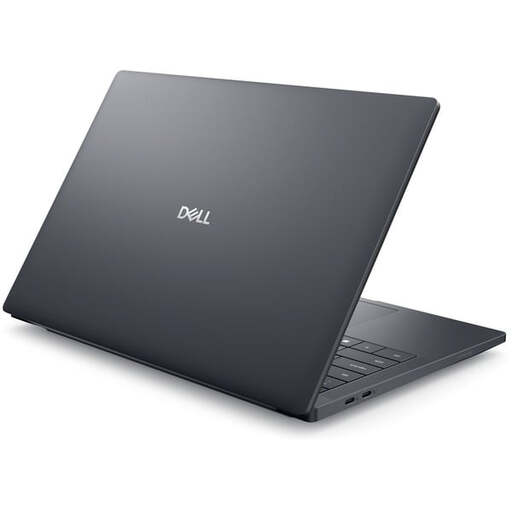 No image available
This 14-inch configuration could be a good fit if you’re considering 32 GB RAM for local development tools.
The product name lists a Full HD+ display, Intel Core Ultra 7 265H, 32 GB RAM, a 1 TB SSD, RTX PRO 2000 and Windows 11 Pro. The memory is described as soldered.
 No image available
This configuration could suit a compact development setup with local storage, provided 16 GB RAM is enough for your workflow when running multiple tools at once.
The product name lists a 14-inch WUXGA OLED display, Core U7 255H, Intel ARC, 16 GB RAM, a 1 TB SSD and Windows 11. The memory is described as soldered and non-upgradeable.
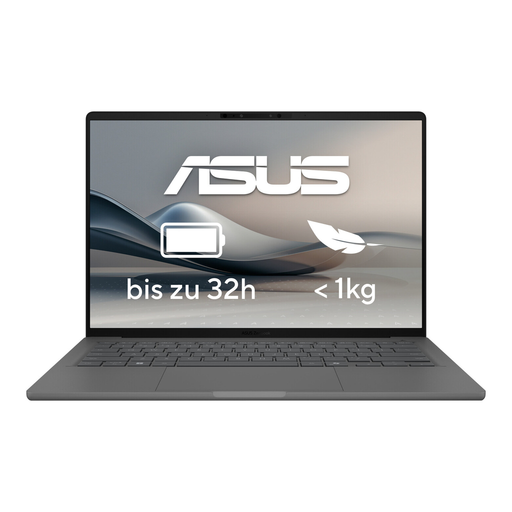 No image available
This model could work as a compact laptop for a small workspace. Before buying, check the RAM and SSD configuration of the specific variant on offer.
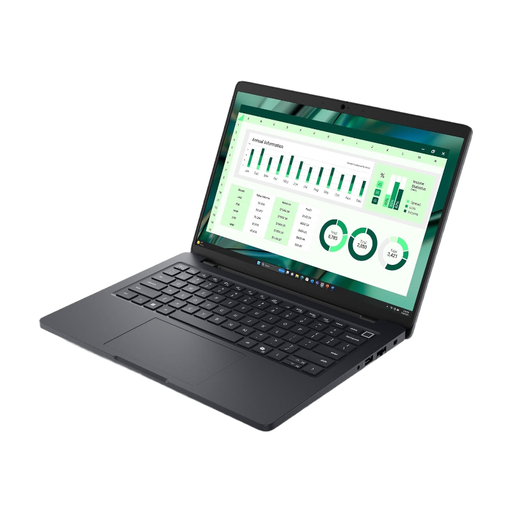 No image available
This 14-inch model could suit a compact development setup. Check that the specified RAM is suitable for the programmes you’ll run at the same time.
The product name lists an Intel Core Ultra 7 265H and 16 GB RAM. The maximum supported memory for this model is specified as 16 GB.
No. Consider which databases, containers and development tools will be running at the same time. The PostgreSQL Global Development Group’s shared_buffers guideline applies to dedicated database servers; it is not a fixed minimum RAM requirement for laptops. Also check whether the memory in the specific configuration can be upgraded.
Check the Docker Desktop requirements for your chosen operating system and make sure the image architecture matches the processor. Docker explains that an image available only as linux/amd64 needs emulation on an arm64 host.
No. A larger internal SSD gives you more storage, but it does not replace a separate backup. The PostgreSQL Global Development Group recommends regular backups and describes methods including SQL dumps. Plan your backup destination and recovery process separately from the internal SSD.
Check whether the specific laptop configuration includes a suitable power adapter. For faulty goods bought new, the Verbraucherzentrale generally describes statutory consumer rights as applying for two years after delivery or receipt. Statutory rights are separate from a voluntary guarantee.
Yes. Radio equipment made available in the EU must meet conformity requirements. The Bundesnetzagentur lists CE marking, manufacturer details and the declaration of conformity among the points it checks during market surveillance. A product listing alone does not confirm that a specific offer complies.