Users running several VMs at once
You’ll need to allow for the memory used by the host system and all the guests running at the same time. Microsoft Learn notes that both the host and concurrently running VMs need sufficient memory.


Start by choosing a laptop that suits your VMs’ operating systems and the memory requirements of all the systems you’ll be running at once. Then check whether the display and chassis will fit your desk. For Hyper-V, a compact Windows device with a suitable edition is an obvious option to investigate. As Broadcom documents, VMware Fusion does not support x86 guest operating systems on Apple Silicon. 32 GB of RAM is a specification, not a guarantee of a particular number of VMs or level of performance.
You’ll need to allow for the memory used by the host system and all the guests running at the same time. Microsoft Learn notes that both the host and concurrently running VMs need sufficient memory.
If you want to keep using particular VM images, their architecture and operating system should be compatible with the host and virtualisation software. Broadcom documents a limitation on x86 guests in VMware Fusion on Apple Silicon.
You’ll need to balance the space taken up by the chassis against the room you need on the display for host and VM windows. The devices considered here have 13.3- and 14-inch displays.
A good fit if: you want to use Hyper-V and your guest systems are compatible with the Windows edition and hardware configuration you choose.
The trade-off: A smaller display takes up less space but leaves less room for host and VM windows. Check the requirements of the specific configuration you’re considering.
A good fit if: your guests and chosen virtualisation software support Apple Silicon, and you want to work with macOS.
The trade-off: According to Broadcom, VMware Fusion cannot run x86 guest operating systems on Apple Silicon. This limitation applies to Fusion and should not be assumed to apply to all virtualisation software.
Plan for the memory used by the host and VMs running at the same time, then check the architecture, local storage and the usable screen space you’ll actually have.
| What you need | What to look for | Who should consider this? |
|---|---|---|
| RAM for VMs running at the same time | Consider the RAM in the exact configuration alongside the memory requirements of the host and guests; if the RAM is soldered, factor in your future needs. | If I want to start several VMs at once, there needs to be enough memory for the host and guests. The RAM specification alone does not tell me how many VMs I can run. Around 31% of consumers put the RAM requirements of simultaneous VMs first. |
| Compatibility | Check that your guest images and architecture are compatible with your chosen hypervisor. For Hyper-V, also check that you have a suitable Windows edition and meet the hardware requirements. | If I need to keep using specific images or operating systems, I’ll check they’re supported before buying. Around 25% of consumers prioritise compatibility with their guest systems. |
| Space and display | Compare the dimensions of the specific chassis with the space available; screen size alone doesn’t tell you how much room the laptop will take up. | If desk space is limited, I want to be sure the laptop will fit while still letting me work with my windows. Around 25% of consumers pay particular attention to the space available on their desk. |
| Storage for VM files | Check the SSD capacity of the configuration against your needs for images, snapshots and host files. | If I want to store several VM files locally, I’ll allow for their space as well as the files used by the host system. Around 19% of consumers prioritise local storage space for VMs. |
The host and guests running at the same time share the available memory. The number of VMs you can run comfortably depends on how much memory each one needs.
List the guests you plan to use and how much memory they’ll need when running at the same time. If the RAM is soldered, take particular care to check that the capacity you choose will meet your future needs too.
Broadcom states that x86 guest operating systems cannot run in VMware Fusion VMs on Apple Silicon. This applies to Fusion and should not be taken as a blanket statement about all possible virtualisation software.
Before buying, check the architecture of your images and whether they’re supported by the hypervisor you plan to use.
Depending on the guests you need, you may need a different host or a workflow that you’ll need to check separately.
A 13.3- or 14-inch display doesn’t tell you the overall width and depth of the laptop.
Compare the dimensions of the specific chassis with the space available on your desk, and consider how many windows you’ll need to see at once.
A voluntary manufacturer’s warranty does not replace your statutory rights against the seller. Your Europe explains that the minimum statutory guarantee period across the EU is two years from the date you receive the goods.
Check the warranty terms and the seller separately, and keep your proof of purchase.
The documented ThinkPad X13 Gen 6 configuration 21RM002NGE combines a 13.3-inch display with 32 GB of RAM, a 1 TB SSD and Windows 11 Pro. Details for this specific configuration do not confirm the specifications of other variants.
The EliteBook 8 G1a configurations considered, AD3E5ET#ABD and AD3F0ET#ABD, have 13.3- and 14-inch displays respectively, each with 32 GB of RAM, a 1 TB SSD and Windows 11 Pro.
The MacBook Pro range includes 14.2-inch configurations with different chips and memory options. The right choice depends on the requirements of the specific macOS and VM software you plan to use.
The Dell Pro 14 range is another 14-inch option. Check the specifications of the specific configuration individually to make sure it suits your planned VM use.
These laptops are worth considering for a compact VM workstation. Before choosing a configuration, compare its stated specifications with the requirements of your guest systems.
 No image available
For a compact workspace with a 14-inch display and Windows 11 Pro. Check the memory requirements of your VMs against the specifications of the exact configuration.
AMD Ryzen AI 7 350; 16 GB RAM; 1 TB SSD; 14-inch Full HD+; Windows 11 Pro.
 No image available
For consumers considering a 14-inch laptop with 32 GB of RAM. Whether that’s enough for your planned VMs depends on how much memory your guests need.
Intel Core Ultra 7 355; 32 GB LPDDR5X; 512 GB SSD; Windows 11 Pro.
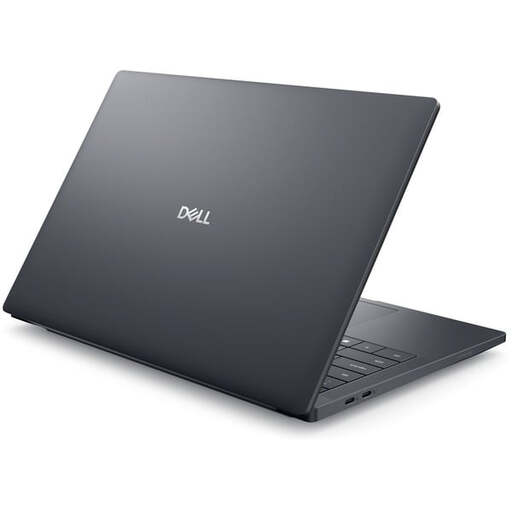 No image available
A 14-inch configuration for consumers looking for 32 GB of RAM and a 1 TB SSD. Check that these specifications meet the requirements of your specific VMs.
Intel Core Ultra 7 265H; 32 GB RAM; 1 TB SSD; 14-inch FHD+; RTX PRO 2000; Windows 11 Pro.
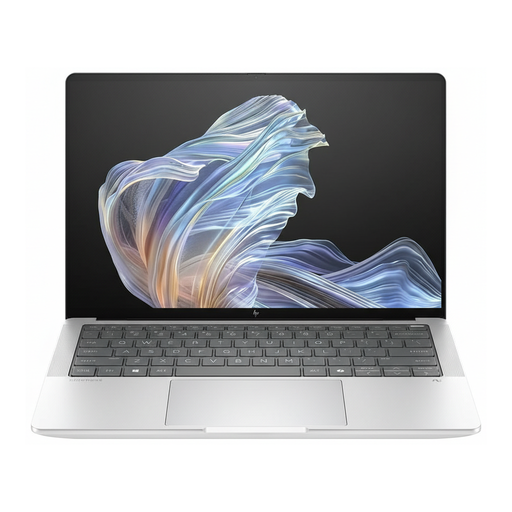 No image available
For consumers considering a 14-inch device with Windows 11 Pro. First, check that the processor architecture and your VM software are compatible with the guest systems you need.
Snapdragon X Elite; 16 GB RAM; 512 GB SSD; 14-inch; Windows 11 Pro.
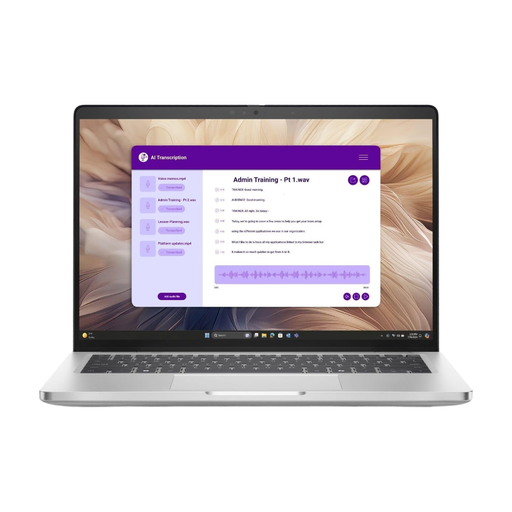 No image available
For a compact workspace with a 14-inch display. Check that the stated RAM and SSD specifications suit your planned guests and locally stored VM files.
Intel Core Ultra 7 266V; 16 GB RAM; 512 GB NVMe SSD; 14-inch IPS; Windows 11 Pro.
There’s no general answer without knowing how many guests you’ll run at once, which operating systems they use and how much memory you’ll assign to them. Microsoft Learn recommends allowing enough memory for the host system and all VMs running at the same time, so plan for their requirements together.
Check that the specific Windows edition and your laptop’s hardware support Hyper-V. Microsoft lists Windows 11 Professional or Enterprise as suitable editions; also compare the requirements with the specifications of the device you’re considering.
No. As Broadcom documents, VMware Fusion does not run x86 guest operating systems on Apple Silicon. Whether an individual x86 programme can run within an Arm guest is a separate question.
Allow for the memory used by the host system and all guests running at the same time. If you plan to use Hyper-V, also check that the Windows edition you choose and the hardware of the specific laptop are suitable.
If goods are faulty, you have statutory rights against the seller, which are not replaced by a manufacturer’s warranty. Online purchases generally come with a 14-day right to cancel from delivery, subject to statutory exceptions. Your Europe also explains that the minimum statutory guarantee period across the EU is two years from the date you receive the goods.