A single 16:9 monitor is a space-saving starting point for a compact racing cockpit. A 21:9 model is worth considering if its width, mount and the game’s output are all suitable. First, measure the space available and the distance from your eyes to the screen. Then set the field of view in a supported racing game. iRacing Support recommends measuring from your normal seated position. A high refresh-rate figure is no substitute for the right connection or the frame rate your system can actually achieve in-game.
Who should consider this monitor choice?
Drivers with a confined rig
You need to fit the screen and its stand or mount between the wheelbase and the limits of your available space. So measure the room you have and the distance from your eyes to the screen in your normal seated position. iRacing Support recommends using this measurement as the basis for setting your field of view.
Drivers who want a wider view
You’d like to see more of the surroundings to the sides of the cockpit view when practising on a road circuit, so you’re comparing 16:9 with a wider single monitor. AOC lists the Q27G4XF as 16:9, while ASUS lists the VG34VQ3B as 21:9. Whether the game displays the view you want depends on its settings.
Drivers who value a smooth picture
During repeated practice laps, you pay attention to refresh rate, synchronisation and the frame rate you can actually achieve. ASUS lists different maximum refresh rates for the VG34VQ3B over DisplayPort and HDMI, so the right choice also depends on the connection you use and your system.
Which buying criteria matter in a confined cockpit?
16:9 single monitor
A good fit if: Space is tight in your rig and you want to start with a single screen. AOC lists the Q27G4XF as 27 inches, 16:9 and 2560 × 1440 pixels.
The trade-off: You get less horizontal screen space than with 21:9, and the viewing distance and game settings still affect your field of view.
21:9 single monitor
A good fit if: Your rig can accommodate a monitor around 81 cm wide and your racing game supports the format you want. ASUS lists the VG34VQ3B as 34 inches with a resolution of 3440 × 1440 pixels.
The trade-off: The wider monitor needs more room. Also check the VESA mounting pattern, connection and achievable frame rate for the specific model.
32:9 or three monitors
A good fit if: More screen space to the sides matters more than keeping your setup especially compact, and you have enough room, a suitable mount and compatible game settings.
The trade-off: With three screens, you’ll also need to consider alignment and bezel settings. A larger diagonal alone doesn’t guarantee a suitable field of view.
When space is tight, start by considering how much room you have and how you sit. iRacing Support recommends measuring the distance from your eyes in your normal driving position. Then compare the monitor’s width, its mount and the aspect ratio your game displays.
| What matters |
What to check before buying |
Who should pay particular attention? |
| Space and mounting |
Check the available width and depth, the monitor’s dimensions and the exact model’s VESA mounting pattern against your rig. |
If my cockpit has little room to spare, I’ll first check that the monitor and mount will actually fit. Around 36% of consumers would put space and mounting first. |
| Side-to-side field of view |
Check that the aspect ratio works with your racing game and source device; measure your viewing distance and the visible screen width. |
If I want to judge turn-in points and the track surroundings more clearly to the sides, I’ll compare the usable screen area rather than just the diagonal. Around 29% of consumers would prioritise the view to the sides. |
| Smooth picture |
Check the maximum refresh rate for the connection you’ll actually use, along with synchronisation and the frame rate your game can achieve. |
If a smooth picture matters to me during repeated practice laps, I’ll want to know what the connection and system can deliver in-game. Around 21% of consumers would prioritise picture output and performance. |
| Panel and care |
Check the panel type, care guidance for the specific model and warranty terms, especially if fixed HUD elements are often on screen. |
If I often practise with the same on-screen displays, I’ll take the care guidance for the specific panel into account. Around 14% of consumers would prioritise panel care and long-term use. |
Which buying mistakes should you avoid?
-
Comparing screen size in inches alone
A large screen won’t solve your space or field-of-view problem if the monitor, stand or mount won’t fit in your rig. VESA measurements also vary: ASUS lists 100 × 100 mm for the VG34VQ3B, while Xiaomi lists 75 × 75 mm for the C34WQBA-RGGL version of the G34WQi.
Measure the available space and check the monitor’s width, weight and VESA pattern against your mount. Make sure you’re looking at the specifications for the exact model variant.
-
Choosing the highest Hz figure without checking the connection
The maximum refresh rate can vary between inputs, and it doesn’t tell you what frame rate your system can achieve in a racing game. ASUS lists up to 180 Hz over DisplayPort and up to 144 Hz over HDMI for the VG34VQ3B.
Compare the connection specifications for your chosen resolution and check what frame rate your source device can achieve in-game.
-
Assuming similar model names mean identical versions
The specifications for the Xiaomi G34WQi and the G34WQi with “2026” in its name list different VESA measurements. You can’t assume that the dimensions and accessories for one version will apply to another just because their names are similar.
Before buying, compare the full model number with the corresponding specification sheet.
Relevant brands and example models
AOC
The Q27G4XF is a 27-inch single monitor with a 16:9 aspect ratio, QHD resolution and Fast IPS.
- AOC lists a 180 Hz refresh rate and a height-adjustable stand for this model.
- 16:9 offers less horizontal screen space than 21:9; that alone doesn’t mean you’ll set faster lap times.
ASUS
The TUF Gaming VG34VQ3B combines a 34-inch screen, a 21:9 aspect ratio and a curved VA panel.
- ASUS lists a 100 × 100 mm VESA pattern and a width of 80,9 cm without the stand. The manufacturer specifies a maximum refresh rate of up to 180 Hz over DisplayPort and up to 144 Hz over HDMI.
- This model’s stand isn’t listed as height-adjustable, so check that the mounting position will suit the way you sit.
LG
According to LG, the UltraGear 34GX90SA-W combines a 34-inch ultrawide OLED display with webOS.
- LG lists a resolution of 3440 × 1440 pixels, a 240 Hz refresh rate and an L-shaped stand that the manufacturer describes as space-saving.
- The manufacturer’s description doesn’t confirm that the stand will fit your rig. Check the dimensions and OLED care guidance for how you plan to use it.
MSI
The MPG 341CQPX QD-OLED is a 34-inch model with a 21:9 aspect ratio and a resolution of 3440 × 1440 pixels.
- MSI lists a maximum refresh rate of 240 Hz and OLED Care 2.0 to help reduce the risk of burn-in.
- Before making a decision based on the connection, check the HDMI version for the exact model variant. The care feature doesn’t guarantee protection against burn-in.
Xiaomi
The G34WQi is a 34-inch single monitor with a 21:9 aspect ratio. The specifications for the C34WQBA-RGGL version list a resolution of 3440 × 1440 pixels.
- For this version, Xiaomi lists a width of 811,3 mm with the stand, a 75 × 75 mm VESA pattern and a maximum refresh rate of 180 Hz.
- These dimensions and mounting details apply to the specified version. Don’t assume they apply to a similarly named model with “2026” in its name without checking first.
Joybuy monitors for a compact cockpit
These Joybuy monitors are single-screen options for a compact cockpit. For each model, compare the screen size, resolution and connections with your rig and the racing game you use.
 No image available
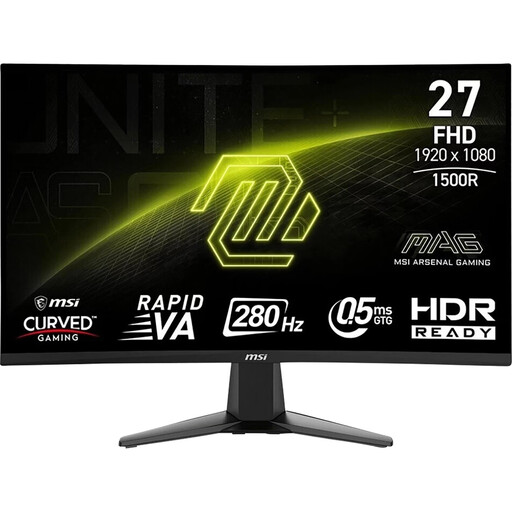
MSI MAG 276CXFDE, 27 inches, Full HD, VA panel
The listed screen size may suit a compact cockpit if a 27-inch model fits the space you have available.
Full HD, VA panel, 280 Hz, 0,5 ms, HDR, Adaptive Sync and AMD FreeSync; anti-glare screen, tilt adjustment, VESA 100 × 100 mm.
View at Joybuy
 No image available
MSI MAG 274FDE, 27 inches, Full HD, IPS panel
A 27-inch single monitor is worth considering if its dimensions and stand suit your cockpit.
Full HD, 180 Hz, 1 ms, NVIDIA G-Sync, 98% DCI-P3, height-adjustable with pivot; DisplayPort and HDMI.
View at Joybuy
 No image available
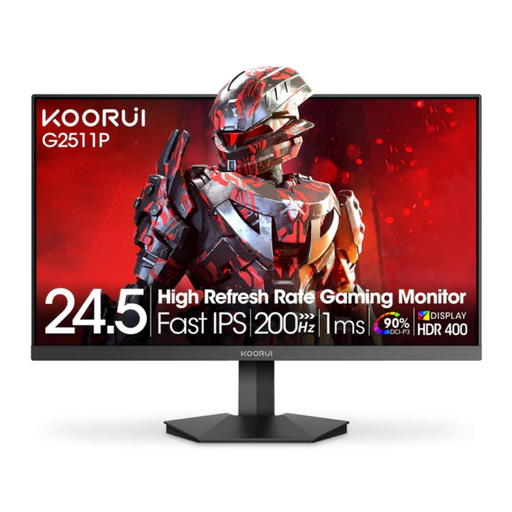
KOORUI G2511P, 25 inches, Full HD, Fast IPS panel
The listed 25-inch size may be a good option if there’s very little room for a screen in your cockpit.
1920 × 1080 pixels, 200 Hz, HDR400, Adaptive Sync, 1 ms GtG and VESA 75 × 75 mm.
View at Joybuy
 No image available
ASUS ROG Strix WOLED XG27AQWMG, 27 inches, WQHD
If a 27-inch monitor fits your cockpit, the product name indicates that this model has a 16:9 aspect ratio.
WOLED, 2560 × 1440 pixels, 280 Hz, 0,03 ms GtG, G-Sync, FreeSync, AdaptiveSync, DisplayHDR 500 TB, 10-bit tandem panel, DP 1.4 DSC, HDMI 2.1 and USB hub.
View at Joybuy
 No image available
ASUS Eye Care VY279HGR, 27 inches, Full HD
A 27-inch single monitor could suit a compact setup, as long as there’s enough room for the screen and stand.
120 Hz, 1 ms MPRT, AdaptiveSync, IPS panel, VESA 100 × 100 mm, 16:9, 1920 × 1080 pixels, HDMI and D-Sub.
View at Joybuy
Frequently asked questions
How do I set the field of view for practising on a circuit?
If your racing game has a field-of-view calculator, such as iRacing’s, measure the shortest distance from your eyes to the screen and the screen width in your normal driving position. Enter those measurements and select the appropriate single-monitor setting, then adjust the horizon and driver height.
Is “180 Hz” enough information to choose a connection?
No. The maximum refresh rate can vary depending on the input. ASUS lists up to 180 Hz over DisplayPort and up to 144 Hz over HDMI for the VG34VQ3B. Check the figures for the exact model, resolution and connection you plan to use.
What should I consider if an OLED monitor often displays a fixed HUD?
Read the care guidance and warranty terms for the specific model. MSI describes OLED Care 2.0 on the MPG 341CQPX QD-OLED as a measure to help reduce the risk of burn-in, not as a guarantee against all damage.
What rights apply when buying a monitor online in Germany?
For a qualifying distance purchase from a trader, you generally have a 14-day right to cancel, starting from delivery. Check the applicable terms for any exceptions and return costs. The European Union’s Your Europe website also describes a legal guarantee of at least two years for faulty goods. This legal guarantee is separate from a voluntary manufacturer’s warranty.


