What should you look for when buying?
First, measure the space available at your intended mounting position. Then compare the field of view, game output and PC performance, along with care requirements and energy consumption.
| Consideration |
What to check before buying |
Who is this most important to? |
| Space and mounting |
Measure the casing width at the installation point and check that the VESA mounting pattern matches your bracket. ASUS lists the VG27AQ3A as 61.50 cm wide without the stand, with VESA 100 × 100 mm. |
If space is tight between my seat, wheelbase and cockpit components, I mainly want to make sure the monitor and mount will fit. Around 36% of consumers prioritise a good fit in their rig. |
| Usable field of view |
Check whether your game and preferred field-of-view settings support 21:9, and whether there’s room for the screen width. LG lists the 34GS95QE-W as 784.1 mm wide, with a resolution of 3440 × 1440 pixels. |
If I want to see the track and more of the areas to either side on a single screen, a wider format could work for me. Around 29% of consumers put horizontal screen space first. |
| Refresh rate and PC |
Match your PC’s graphics output to your preferred resolution and refresh rate, and check the figures for the input you’ll use. For the ASUS VG27AQ3A at QHD, the manufacturer lists up to 180 Hz over DisplayPort and up to 144 Hz over HDMI. |
If I want smooth gameplay without overestimating what my PC can do, I check resolution, refresh rate and connection together. Around 21% of consumers prioritise this match. |
| Panel care and energy use |
With OLED, read the care guidance and warranty terms for the specific model. Also compare the figures on its EU energy label. |
If cockpit displays stay on screen for long periods, or energy use matters to me, I want to consider panel care and the specific consumption figures before choosing. Around 14% of consumers focus on these points above all. |
Joybuy products for compact cockpits
This selection includes 27-inch QHD options for more compact single-monitor setups, as well as larger curved and ultrawide models. Before choosing, compare the dimensions and mounting options, and check that your PC has the performance your game requires.
 No image available
Gawfolk GF340C-H curved gaming monitor, 34 inches, UWQHD
This wide single-screen setup could suit you if your cockpit has enough room.
The product title lists 3440 × 1440 pixels, 165 Hz, 1500R, a VA panel, DisplayPort and VESA 75 × 75 mm. Check the overall dimensions and the space available on your mount.
View at Joybuy
 No image available
GIGABYTE GS27QCA curved QHD gaming monitor, 27 inches
A 27-inch model can be a more compact starting point, but still measure the available space before choosing the curved version.
The product description lists QHD, 16:9, 180 Hz, 1500R, AMD FreeSync and VESA 100 × 100 mm for this model.
View at Joybuy
 No image available
CRUA CR340QA-H WQHD gaming monitor, 34 inches, curved
This wider single-monitor format will suit your cockpit only if the screen and mount fit in the intended space.
The product title lists 3440 × 1440 pixels, 21:9, 1500R, 165 Hz, 1 ms MPRT and VESA 75 × 75 mm. Also check that your game supports the resolution you want.
View at Joybuy
 No image available
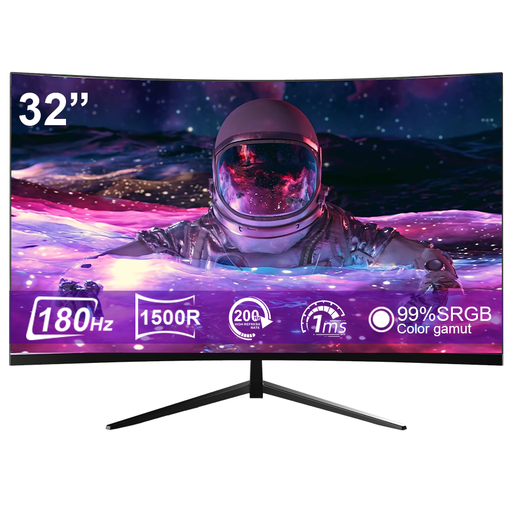
CRUA CR320ZC-H curved gaming monitor, 32 inches
This 32-inch curved model is a larger single-screen option; check its dimensions against the space in your cockpit.
The product title lists 1500R and a 180 Hz refresh rate, with up to 185 Hz via overclocking. The product description lists a QHD resolution.
View at Joybuy
 No image available
GIGABYTE G27Q26 QHD gaming monitor, 27 inches
The 27-inch size can be a more compact option for a cramped rig; check the width at your intended mounting position.
The product title lists 2560 × 1440 pixels, SuperSpeed IPS, 260 Hz and 275 Hz via overclocking. The product description lists a width of 614.1 mm without the stand, VESA 100 × 100 mm and a height-adjustable stand.
View at Joybuy
Frequently asked questions
How should I position a monitor in a cramped cockpit?
Measure the space available where you plan to position the screen, not just the area taken up by the stand. Check the casing width, clearance from the wheelbase and your hands, and the mounting pattern and load capacity of your bracket. The specifications for the exact model are what matter.
Will I get the stated maximum refresh rate through every connection?
No, the achievable refresh rate can vary by connection. For the ASUS VG27AQ3A at QHD, ASUS lists up to 180 Hz over DisplayPort and up to 144 Hz over HDMI. Also check your PC’s output and the connection specifications for the monitor you choose.
What should I consider if a cockpit display will remain visible on an OLED screen?
According to ASUS’s guidance, static, high-contrast images displayed for long periods can cause burn-in on OLED screens. Check the care features and warranty terms for the specific model; ASUS’s general information doesn’t confirm a particular LG warranty or indicate a burn-in rate.
What are the rules on faults and energy information in Germany?
For a consumer purchase, the statutory rights you have against the seller if goods are faulty are separate from a voluntary manufacturer’s warranty. Your Europe explains that goods bought in the EU come with a minimum two-year legal guarantee from the date you receive them. The European Commission includes electronic displays under EU energy labelling rules; compare the information for the specific model.
Can an old monitor go in the household rubbish?
No. Germany’s Federal Environment Agency advises that old electrical equipment should be collected separately, and lists recycling centres and retailer take-back schemes among the options. Which take-back option applies depends on the circumstances.


