Parents who prioritise privacy
You want to know before buying when the camera or microphone is active, and whether data leaves your child's bedroom.


If touch responses and preset games are enough, locally operated features may be a better fit. Conversations and stories may require an app or internet connection, so check the requirements for each feature. For cameras and microphones, look for clear recording indicators, controllable data flows, and suitable age and safety information. Under section 13 of the 2. ProdSV, toys must display a visible, legible and permanent CE marking.
You want to know before buying when the camera or microphone is active, and whether data leaves your child's bedroom.
Local play responses may be enough for you. You want to distinguish between setup, updates and features that can genuinely be used without the internet.
You want to encourage verbal interaction and check that it fits the age guidance, parental controls and requirements of each feature.
The Verbraucherzentrale distinguishes between local data processing and features that depend on the internet. The Polizeiliche Kriminalprävention points out that some toys which can be used offline may still need to connect temporarily for setup or updates.
A good fit if: touch responses and preset games are enough, and open-ended conversations are not a priority.
Things to consider: local responses may work without an ongoing internet connection, but that does not mean open-ended answers or stories will be available.
A good fit if: you want extra games or control options, and a parent can help with setup, updates and app use.
Things to consider: the presence of an app alone does not tell you whether the toy will work offline afterwards, or what data an individual feature processes.
A good fit if: stories and verbal interaction are especially important, and you can check what they require.
Things to consider: camera and microphone features introduce additional sensors into your child's bedroom. Check that recording indicators and data flows are clear for the specific version.
| Priority | What should you look for? | Who is this especially relevant to? |
|---|---|---|
| Recording and privacy | Check recording indicators, access options and how data is processed for each feature. | If it matters to me that camera and microphone activity is clear and data flows are easy to understand, privacy comes first. Around 33% of consumers prioritise this. |
| Use without a constant connection | Check the connection requirements for setup, updates and the features you want, separately. | If local responses are enough for my child, I don't want to depend on online features every time the toy is used. Around 27% of consumers prioritise offline use. |
| Age-appropriate play | Check the play, voice and story features against the age and safety information for the specific version. | If my child mainly wants to play or listen to stories, I want to consider the relevant feature and age guidance together. Around 20% of consumers prioritise age-appropriate interaction. |
| Parental controls and features | Check the available settings, what's included and what is required to access additional content. | If I want to manage how the toy is used and understand what comes with the main unit, I check the app features and included accessories. Around 20% of consumers prioritise parental controls and the range of features. |
A toy may respond locally but still need a connection for setup, updates or certain features.
For each play or voice feature you want, check when an app, account or internet connection is required.
According to Energize Lab, the separately available AI Station adds conversations and stories to Eilik. The Miko app describes additional content for Miko Max.
Check what is actually included and what features the specific version offers, rather than assuming extras come with the main unit.
Energize Lab describes the AI Station as having a camera cover, while still allowing voice features to be used.
Check the camera and microphone separately, and find out how active recording is indicated and controlled.
Energize Lab describes Eilik as a desktop companion that responds to touch. The separately available AI Station adds conversations, stories and a camera.
KEYi describes Loona Petbot as a robotic pet with movement, games, and voice- and image-based interaction.
According to the manufacturer, Miko combines conversation and play features on Miko 3 with a parent app. The app description distinguishes between Miko 3 and Miko Mini.
The Joybuy products below are designed for interactive robot play, with movement, remote control or gesture control. Some descriptions also mention voice recording or stories. Check the connection requirements, recording features and safety information for each version separately.
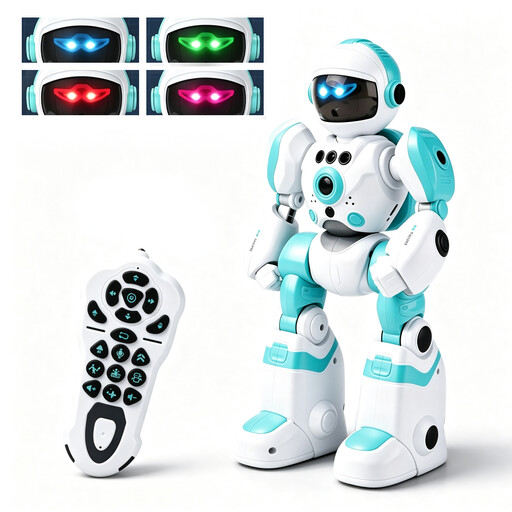 No image available
The description mentions voice recording with playback in a robot voice, as well as music and dancing – features that may appeal if you're looking for playful voice and movement interaction.
Remote and gesture control are listed. Not suitable for children under 3; use only under direct adult supervision. Before use, check how recording and playback are indicated and controlled.
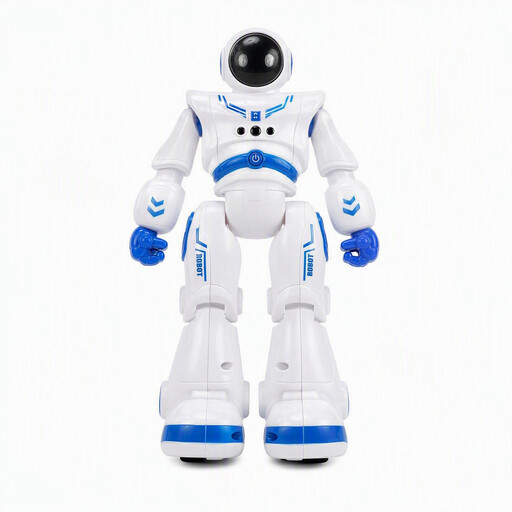 No image available
For play involving stories, music and movement, the description lists remote and gesture control, as well as adjustable volume.
For children aged 6 and over; use only under full adult supervision. According to the description, use on flat, hard indoor surfaces and do not operate on wet floors, stairs or raised edges.
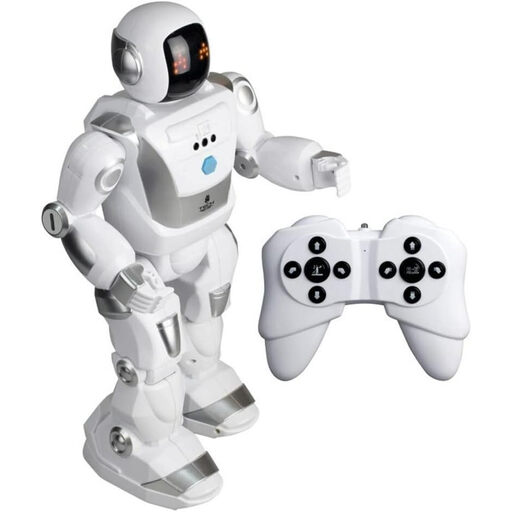 No image available
The description lists gesture and remote control, programmable features and dance moves – a good option if you're looking for movement-based robot play.
Suitable for children aged 5 and over, and for use only under direct adult supervision. The product name gives a range of 1 m; according to the description, batteries are not included.
Check each feature you want to use individually: local responses may work without the internet, while setup, updates or certain voice features may need a connection. The Verbraucherzentrale describes local processing as one possible way to use a toy without the internet.
No. The features depend on the model and version. Energize Lab sells the AI Station separately for additional conversation and story features; the Miko app describes extra content for Miko Max. Before buying, check which features are included with the specific version.
No. A camera or microphone alone does not mean that a device is banned. The Bundesnetzagentur describes a ban on everyday objects disguised as something else, with a hidden camera or microphone, if they record without people noticing and transmit wirelessly to other devices. Whether a particular device falls into this category depends on its specific features.
Under section 13 of the 2. ProdSV, toys made available in Germany must display a visible, legible and permanent CE marking. Whether a particular companion robot is legally classified as a toy must be checked for that specific product. According to EUR-Lex, the new EU Toy Safety Regulation will replace the current directive only from 1 August 2030.
Read the instructions and privacy information, use a unique password for connected toys, install any available updates and switch off sensors you don't need. These recommendations come from the Polizeiliche Kriminalprävention; they do not replace checking the features and information for a specific model.