
Lieferung heute & morgen

Qualitätsgarantie

Willkommens-Angebote freischalten: KOSTENLOSE Lieferung | Bis zu 80 % RABATT | Kostenlose 30-Tage-JoyPlus-Testphase
App herunterladen
If you’re looking to buy computer hardware and accessories, you’ll find a huge selection of PC components, input devices, storage solutions and networking products. Product pages often boast about high speeds, fancy lighting or plenty of extra features. What really matters, though, is whether the specifications actually suit your own use case and existing hardware.
Typical mistakes come down to three things:
With an AMD Ryzen processor, the socket is a key thing to check. AM4 models like the Ryzen 5 5600X or Ryzen 7 5700X need a compatible AM4 motherboard and DDR4 memory. An AMD Ryzen 5 8400F, on the other hand, uses the AM5 socket and DDR5 RAM.
You also need to consider the BIOS version, chipset and graphics configuration. According to the product specs, the Ryzen 5 8400F has no integrated graphics unit. That means you’ll need a separate graphics card for video output. Similarly, with a motherboard like the ASRock A520M-HDV, you should check which processors and memory capacities it actually supports.
The term USB-C only describes the connector shape – it doesn’t automatically tell you the speed. A USB-C SSD with USB 3.2 Gen 2x2 can only hit its stated transfer rates when connected to a compatible port. The same goes for a 256 GB USB stick: the actual speed depends on the host port, file size and file system.
With networking hardware, port speed and power supply are important:
With a QWERTZ mechanical keyboard, it’s not just the switch technology that matters. The German layout should be explicitly stated. Compact 75% keyboards save desk space but often drop the number pad. A gaming keyboard with a US QWERTY layout can be unsuitable for typing German text if the key legends and arrangement don’t match your operating system.
For wireless devices, check the battery type, wireless standard, range and receiver. A Bluetooth mouse works with devices that have a Bluetooth module; desktop PCs may need an additional Bluetooth adapter. A wireless keyboard with a 2.4 GHz receiver, on the other hand, requires a free USB port.

Why this product fits the profile: The compact 82-key layout combines a German QWERTZ layout with function keys, arrow keys and a volume control. The USB-C connection means no batteries or wireless pairing needed.
The explicitly stated German layout reduces the risk of an unsuitable US key arrangement. The wired connection prevents charging and pairing issues.
Hot-swap support for compatible 3-pin switches, RGB lighting and a volume control.
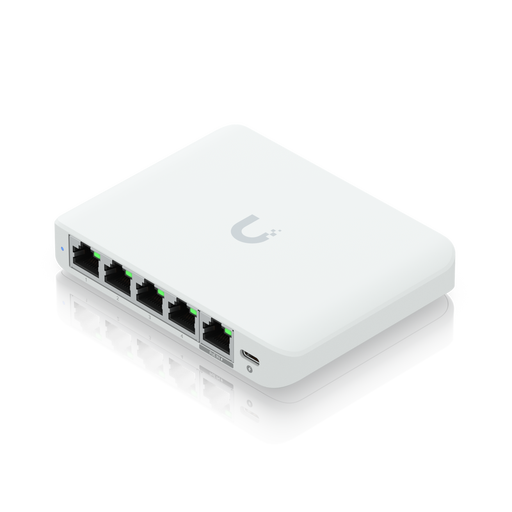
Why this product fits the profile: This compact switch is aimed at users who want to centrally manage NAS devices, workstations and modern access points.
Five 2.5 GbE ports and the stated PoE input support make the technical requirements clear. You still need to plan the power supply accordingly.
Layer 2+ management via UniFi Network, VLAN support and a stated switching capacity of 25 Gbit/s.
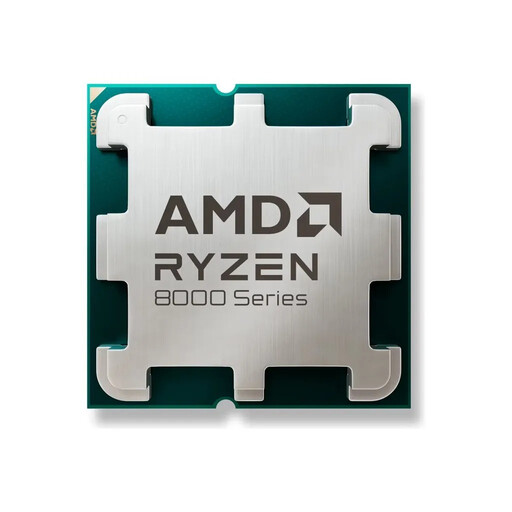
Why this product fits the profile: This processor is designed for a new PC build with an AM5 motherboard, DDR5 memory and a separate graphics card.
The product specs clearly state the AM5 socket, DDR5 support and the lack of an integrated graphics unit. The tray package without a cooler is also clearly indicated.
Six cores, twelve threads, up to 4.7 GHz boost clock and a stated TDP of 65 W.
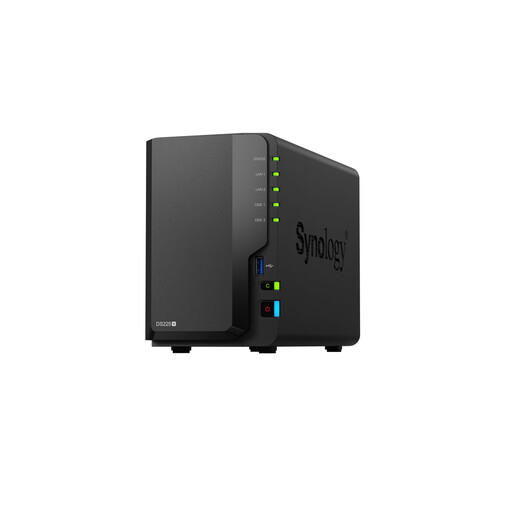
Why this product fits the profile: Two drive bays, 2.5 GbE and RAID options make it suitable for personal data backup, media management and small workgroups.
The device is sold as a diskless enclosure. If you take this into account beforehand, you can plan for suitable 2.5-inch or 3.5-inch drives separately.
RAID 0, RAID 1 and JBOD, a 2.5 GbE port and two USB-A 3.0 ports.
We’ve put together a full, regularly updated list of products that meet these strict selection criteria and fully comply with EU safety regulations.
That depends on what you need it for. For a new PC, you’ll typically need a processor, motherboard, memory, graphics card, storage drive, power supply and case. For an upgrade, you should first check the socket, BIOS, memory standard and power supply.
The lifespan depends on build quality, how often you use it, heat and how well you look after it. Mechanical keyboards can sometimes be maintained by swapping switches. SSDs and USB sticks shouldn’t be your only backup for important files. With NAS systems, drive health, ventilation and regular backups are crucial.
The ongoing electricity costs depend on the power consumption and how many hours a day it runs. A device that uses 10 watts and runs continuously will use roughly 87.6 kWh per year. For a realistic estimate, you should consider the stated power consumption, your electricity rate and the actual standby usage.