
Lieferung heute & morgen

Qualitätsgarantie

Willkommens-Angebote freischalten: KOSTENLOSE Lieferung | Bis zu 80 % RABATT | Kostenlose 30-Tage-JoyPlus-Testphase
App herunterladen
If you’re looking to buy compatible HP ink or toner cartridges from Inkcloud, don’t focus on price alone. The exact printer series, cartridge number and colour you need are what matter most. Otherwise, a cartridge that looks like the right one may not be recognised or may not be suitable for your printer.
Three common buying mistakes can lead to unnecessary expense:
The most important thing is to match your printer model with the cartridge or toner number. For example, an HP OfficeJet Pro may need HP 953XL compatible ink or HP 912XL ink cartridges. Don’t choose based on the cartridge’s shape alone.
Before placing your order, it’s worth checking the following:
According to the product description, the INKCLOUD 953XL range is available for HP OfficeJet Pro 7720, 7730, 7740, 8210, 8218, 8710, 8715, 8718, 8720, 8725, 8728, 8730 and 8740 printers, among others. The stated yield is up to 2,000 pages for black and up to 1,600 pages per colour cartridge. These figures are manufacturer estimates and may vary depending on what you print, your settings and how you use the printer.
Ink cartridges are used in inkjet printers such as HP OfficeJet models. They’re suitable for documents, graphics and colour prints, provided your printer model supports the cartridge.
Toner cartridges are used in laser printers such as HP Color LaserJet models. Products described as HP 117A compatible toner or HP 203X toner are therefore not intended for inkjet printers. The cartridge number, printing technology and list of compatible models all need to match.
For toner cartridges, also check whether the product description distinguishes between standard and XL versions. The numbers 203A and 203X, or 117A and 117X, may indicate different capacities or product variants.
For a colour printer, choosing the right colour is essential. Depending on your printer, you may need a cyan HP cartridge, magenta HP cartridge, yellow HP cartridge and a black cartridge. Some listings are for a single cartridge, while others include a complete set.
An integrated chip may be needed for the printer to recognise the cartridge. The INKCLOUD 953XL product description mentions an updated chip system. However, whether the cartridge is recognised can still depend on your printer model, firmware and device settings. Don’t ignore error messages; refer to your printer manual and the seller’s guidance.
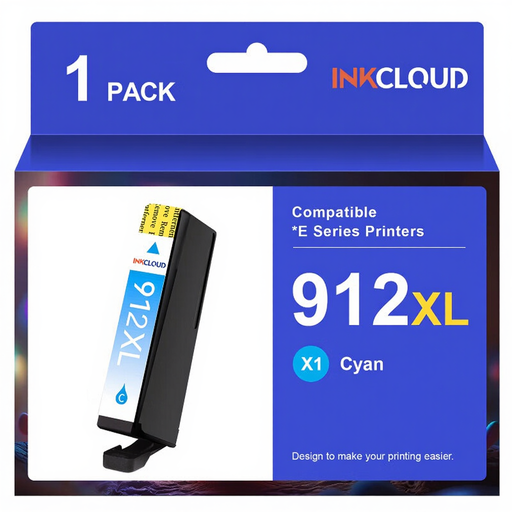
Why it suits this profile: This individual 912XL colour cartridge is suitable for people with a compatible HP OfficeJet 8020, 8022, 8024 or 8025 who only need to replace the cyan cartridge.
The model list helps narrow down compatibility. Before buying, also check that your printer actually uses the 912XL series.
An individual cyan cartridge in XL size; the product description lists it as suitable for four HP OfficeJet models.
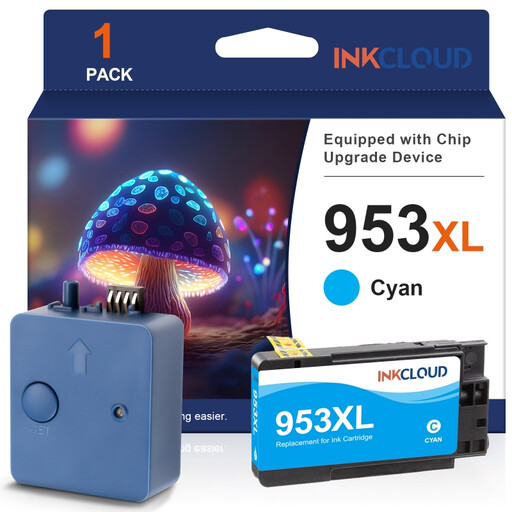
Why it suits this profile: This cartridge is aimed at home workers, self-employed professionals and small offices with a compatible HP OfficeJet Pro who want to make sure the model, colour and cartridge series all match.
The product description specifies the 953XL series, several compatible OfficeJet Pro models and the colour magenta. This makes it easier to avoid a wrong purchase than searching for “HP ink” alone.
XL size and integrated chip system, according to the product description; an individual magenta cartridge for selected HP OfficeJet Pro printers.
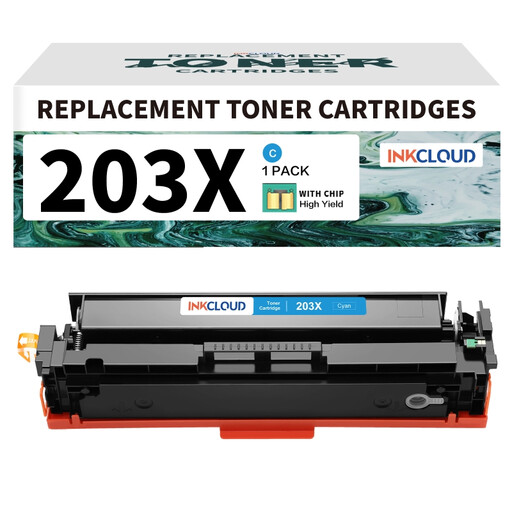
Why it suits this profile: This cartridge is intended for users with a compatible HP Color LaserJet M281fdw or M254dw who print colour documents regularly and need toner rather than ink.
Matching the CF540X/CF540A numbers with specific M281 and M254 models helps you avoid confusing ink cartridges with toner cartridges.
Listed for selected HP Color LaserJet models and described as a 203X/203A variant. Check the colour and exact cartridge number before buying.
Before installing a cartridge, switch off the printer or start the replacement process specified by the manufacturer. Remove any protective strips immediately before installation. Don’t touch the chip contacts or nozzles. If your toner cartridge has a drum, take care not to touch it with your fingers.
The unit price isn’t the only factor when calculating costs. Compare the price per expected page and take the following into account:
Store ink and toner in a dry place, away from direct sunlight, and within the stated storage conditions. Dispose of empty cartridges in accordance with local guidelines.
We’ve put together a complete, regularly updated list of products that meet these strict selection criteria and fully comply with the safety regulations in force across the EU.
No. Compatibility depends on the exact printer series, cartridge number and colour, and sometimes on the firmware. Always check the complete list of compatible models before buying.
These names refer to different cartridge series. The 953XL range is listed for selected HP OfficeJet Pro models, while 912XL cartridges are intended for certain HP OfficeJet 8020 models, among others. They aren’t interchangeable.
Their lifespan depends on the cartridge type, print coverage, document content and printer settings. Numbers such as 203X or 117A help you identify the right cartridge, but you still need to check it against your exact printer model and expected print volume.