
Lieferung heute & morgen

Qualitätsgarantie

Willkommens-Angebote freischalten: KOSTENLOSE Lieferung | Bis zu 80 % RABATT | Kostenlose 30-Tage-JoyPlus-Testphase
App herunterladen
Anyone looking to buy compatible printer cartridges is usually searching for a suitable replacement for their printer and a predictable balance between price and print performance. With HP, Canon and Epson models in particular, a low unit price alone is not enough. The exact cartridge series, printer type, ink or toner capacity and built-in chip technology are all crucial.
Names such as HP 953XL, HP 912XL, Canon 510XL/511XL and Epson 603XL may look similar, but they are not interchangeable. Even within the same brand, cartridges differ according to printer series, colour and generation. A cartridge for an HP Officejet Pro 8710 will therefore not automatically fit every HP device.
XL ink cartridges generally contain more ink than standard versions. However, the actual page yield depends on the print image, colour coverage, paper and print settings. Figures such as “up to” should therefore be treated as a guide rather than a guaranteed output for every home or office.
Many modern printers require printer cartridges with a chip so that ink levels, cartridge recognition and colour allocation work correctly. An older chip or incorrect recognition can trigger warning messages. Before buying, you should therefore check details of the chip version and the supported printer firmware.
Make a note of your printer’s full model designation and compare it with the product’s compatibility list. Relevant points include:
The printer designation shown on the type plate or in the device menu is more reliable than searching by brand name alone.
Check whether you need a single cartridge or a multipack. With colour printers, black, cyan, magenta and yellow can often be replaced separately. A complete set can be practical if you print regularly, while a single Epson 603XL Cyan cartridge makes sense when only one colour has run out.
Also check the stated ink capacity or page yield. For example, the product description for the INKCLOUD-953XL set states up to 2,000 pages in black and up to 1,600 pages per colour cartridge. These figures should be regarded as manufacturer estimates; actual results vary depending on usage.
Ink cartridges use liquid ink and are designed for inkjet printers. Toner cartridges contain fine toner powder and are used in laser printers. A refillable and recycled printer cartridge may differ because its casing has been reused. With remanufactured products, an existing cartridge casing is reconditioned.
For documents in a home office or during your studies, black ink is often sufficient. Presentations and colour graphics require the appropriate colour cartridges. If you mainly print text, you should not buy a colour set solely because it has a lower cartridge price.
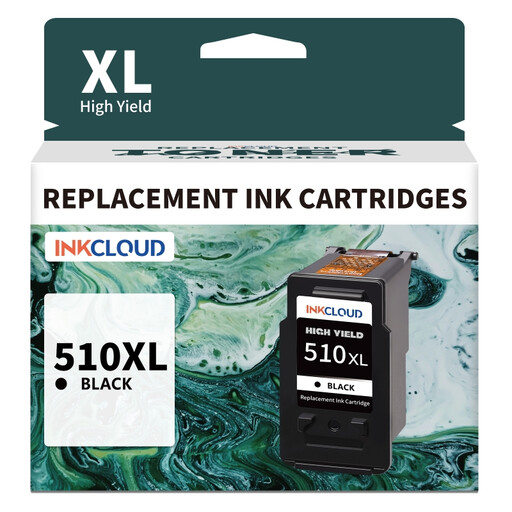
Why this product suits this profile: This remanufactured black cartridge is designed for various Canon PIXMA models, including iP2700, MP495 and MX410, making it suitable for everyday text documents.
The compatibility list names specific PIXMA models. This makes it easier to check the fit before buying than searching for “Canon cartridge” alone.
Black XL format, a remanufactured cartridge casing and direct replacement installation according to the product description.
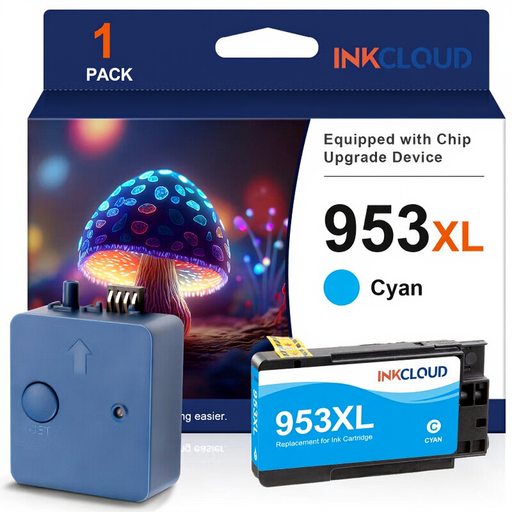
Why this product suits this profile: The set contains black, cyan, magenta and yellow cartridges and is aimed at users of multi-colour Officejet Pro printers, including models in the 7720, 8710 and 8740 series.
The product details list the supported printer models and an up-to-date chip system. You should also take your own firmware into account before buying.
Four colours in XL format, with stated yields of up to 2,000 pages in black and 1,600 pages per colour.
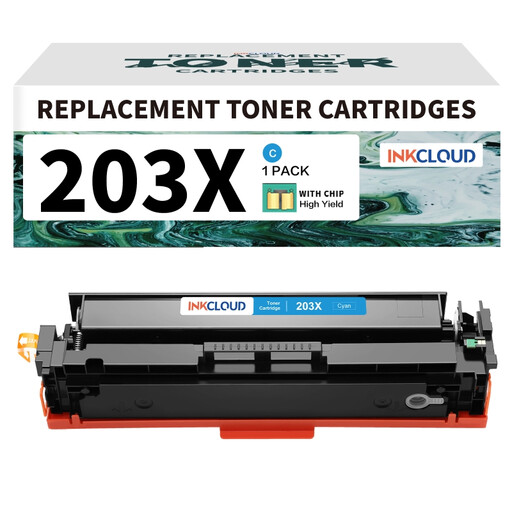
Why this product suits this profile: This cyan toner cartridge is listed for HP Color LaserJet models such as the M281fdw and M254dw, making it suitable for users who regularly print in colour with a laser printer.
The product name specifies both 203X and 203A and lists specific HP devices. This allows you to compare the series with the printer menu or manual before placing your order.
Toner cartridge for laser printers, cyan colour and information on correct storage and installation.
We have put together a complete, regularly updated list of products that fully meet these strict selection criteria and the safety regulations applicable in the EU.
Before fitting the cartridge, switch on the printer and open the cover as instructed in the user manual. Remove the protective film and transport lock immediately before installation. Do not touch the chip or nozzles. After installation, we recommend carrying out a nozzle check or printing a test page; colour ink cartridges may also require printhead cleaning.
Store unused cartridges and toner cartridges in a cool, dry place away from direct sunlight. Toner should not be opened, shaken or dismantled. Dispose of used products in accordance with local requirements. Keep ink cartridges out of the reach of children.
No. They are designed for specific printer models and cartridge series. You should therefore compare the printer’s full model number, cartridge number, colour and, where applicable, chip version.
Their lifespan in the printer depends on the amount printed, colour coverage and settings. An XL cartridge typically contains more ink than a standard cartridge. Manufacturer page-yield figures should be treated as estimates.
They can be, but you should compare them based on cost per page. Divide the purchase price by the stated page yield, taking pack size, colour and your actual printing volume into account. For regular print jobs, multipacks or XL versions can reduce how often you need to replace the cartridge.