
Lieferung heute & morgen

Qualitätsgarantie

Willkommens-Angebote freischalten: KOSTENLOSE Lieferung | Bis zu 80 % RABATT | Kostenlose 30-Tage-JoyPlus-Testphase
App herunterladen
Compatible printer ink and toner cartridges can help reduce your ongoing printing costs. But first, you need to make sure the cartridge is right for your printer model, printing technology and expected print volume. With third-party products, buying the wrong cartridge is often down to unclear model information, misleading capacity claims or missing details about the chip — not the price.
This buying guide explains what individuals, home workers and small offices in Germany should look out for. It focuses on product details you can check, rather than general marketing claims.
Names such as HP 415A and 207A, Canon 054H and Brother TN-3600XL may look clear at first glance. However, each is designed for specific printer series. And a similar-sounding printer model doesn’t necessarily mean the cartridge will fit.
Before you buy, make sure you:
For example, a cartridge for the HP M479fdw won’t necessarily work with all HP laser printers. Similarly, a Canon PG-510/CL-511 cartridge isn’t compatible with every PIXMA model.
XL printer cartridges and high-capacity toner cartridges can be a good choice if you print frequently. However, actual yield depends on the fill level, print mode, page coverage and the ISO testing method used. A page with lots of colour uses more ink or toner than a short text document.
So, check:
Many newer printers need toner with a chip or an ink cartridge with a chip to recognise the cartridge and show its ink or toner level. A compatible chip doesn’t remove the need to check that the cartridge matches your printer model. Firmware updates can also affect recognition.
Check whether a chip is pre-installed and whether the product description explicitly lists your printer model.
Ink cartridges are designed for inkjet printers and are commonly used for documents, graphics and occasional colour printing. Examples include HP 912XL and 953XL ink cartridges, Canon PG-510 CL-511 and Canon PG-540XL CL-541XL.
Toner cartridges are made for laser printers. They contain toner powder and are designed for regular document printing. Typical examples include Brother TN-3600XL toner, HP 415A and 207A toner and Canon 054H toner.
Check carefully whether you need a single black or colour cartridge, or a complete set. Colour printers usually have separate black, cyan, magenta and yellow cartridges. For example, a product listed as “1 Yellow” contains yellow only.
For ongoing costs, it’s also important to check whether the pack contains two cartridges, a set of four or just one cartridge. Product images should only be used as a guide; the stated pack contents and model number are what count.
Compatible printer ink and toner cartridges are made by third-party suppliers for specific printer models. Remanufactured means that an existing cartridge casing has been refurbished and refilled. This can save materials, but you’ll still need to check compatibility.
When choosing a product, look for the following information:
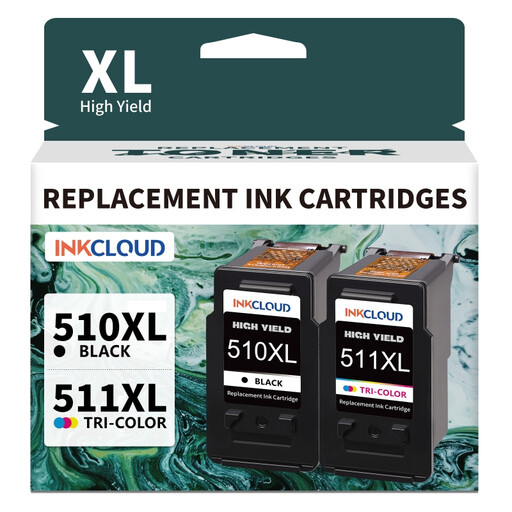
Why this product suits this need: The set includes one black and one colour cartridge, and is designed for selected Canon PIXMA models such as the MP495, iP2700 and MX410.
The description names the supported PG-510/CL-511 systems and identifies the cartridges as remanufactured. This makes it easy to check the pack contents before buying.
Includes one black and one colour cartridge; the product description says the cartridge casing is reused.
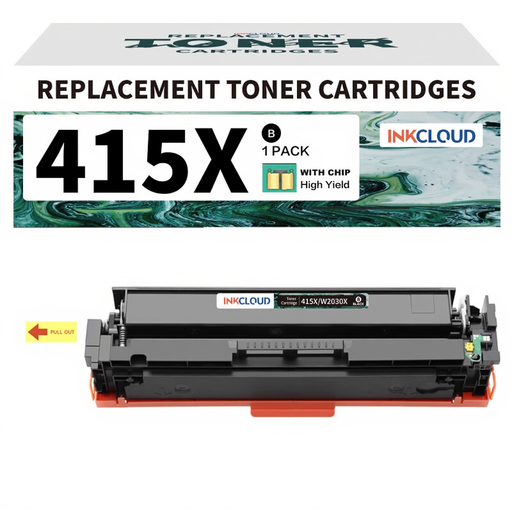
Why this product suits this need: The black version is designed for selected HP LaserJet models and, according to the product details, comes with a pre-installed chip.
The product name links the 415A series to the listed printer models and explicitly mentions the chip.
Compatible black toner; the supplier says a chip is integrated; designed for document printing with compatible HP printers.
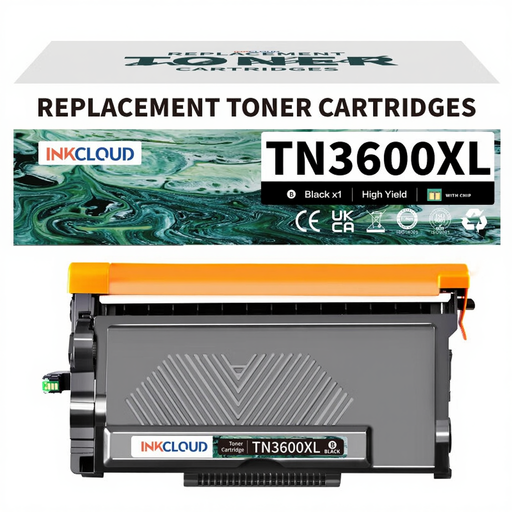
Why this product suits this need: The XL version is aimed at people who regularly print in black and white with compatible Brother laser printers such as the L5210DN, L5710DW, L5710DN and L6710D.
The specific model list reduces the risk of choosing the wrong cartridge. The built-in chip also helps the printer recognise it.
XL capacity according to the product name; black toner with a chip for the listed Brother models.
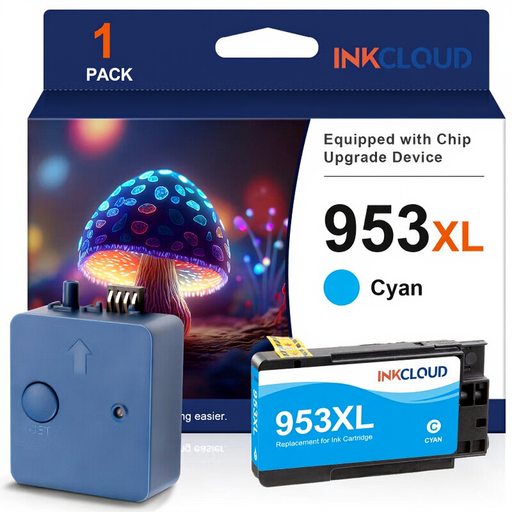
Why this product suits this need: The set of four includes black, cyan, magenta and yellow, and is listed as compatible with a wide range of HP OfficeJet and OfficeJet Pro models.
The compatibility list and clearly stated four-pack contents help you avoid overlooking individual colour cartridges or choosing an incompatible model.
Four XL cartridges, according to the product details; chip system for compatible HP printers.
We’ve put together a complete, regularly updated list of products that meet these strict selection criteria and the safety regulations in force in the EU.
First, compare your printer’s full model number with the compatibility list. Then check the cartridge series, colour, pack contents and, if applicable, the chip. The cartridge name alone — for example, “912XL” or “054H” — isn’t enough to be sure it will fit.
Yield depends on the amount of ink or toner, print mode, page coverage and the proportion of text and colour. XL versions are designed to offer greater capacity, but always check the product description for the specific page yield.
The best way to find out is to compare the cost per page. Divide the purchase price by the stated yield, and compare black and colour cartridges separately. For toner, the pack size and your office’s actual printing needs also matter.