
Lieferung heute & morgen

Qualitätsgarantie

Willkommens-Angebote freischalten: KOSTENLOSE Lieferung | Bis zu 80 % RABATT | Kostenlose 30-Tage-JoyPlus-Testphase
App herunterladen
If you’re looking for compatible printer cartridges and toner for an HP, Brother, Canon or Epson printer, you’ll usually want two things at once: a suitable replacement and predictable printing costs. At first glance, the choice seems straightforward. In reality, small differences in model numbers, chips or page yields can quickly lead to a wrong purchase.
This buying guide shows you which details to check before you buy, and which printer cartridges or toner cartridges are best suited to different types of user.
A cartridge for the HP 953 series won’t automatically fit every cartridge with a similar name. Even within one product family, there are different printer models and colour variants. For example, an HP 953XL printer cartridge is designed for selected OfficeJet Pro devices, while an HP 912XL ink cartridge is intended for certain OfficeJet 8020 models.
So before you order, always:
XL printer cartridges usually contain more ink than standard-fill versions, according to the product information. However, the actual number of pages depends on the print mode, colour coverage, document type and cleaning cycles. A figure like “up to” is therefore a guideline, not a guaranteed number for every home or office.
The same principle applies to toner. A high-yield toner can be worthwhile if you print regularly, but it isn’t always more economical for occasional printing if the cartridge costs significantly more.
Many modern printers monitor ink levels via a chip. For printer cartridges with a chip or toner cartridges with a chip, the product description should state which firmware and printer models the cartridge is designed for. A compatible chip can make recognition easier, but it doesn’t replace checking the model list.
With compatible products, you may see printer messages like “non-genuine” or an ink-level warning. What matters is whether the device allows printing and whether the cartridge is technically intended for your model.
Ink cartridges are suitable for inkjet printers. These include colour ink for photos, graphics and colour documents, as well as black ink for letters and standard prints. Laser printers use toner in powder form. This is designed for large text documents and regular office printing.
An HP 207A toner cartridge, for example, fits certain HP Color LaserJet Pro models. The HP 117A toner, on the other hand, is intended for selected HP colour laser printers such as the LaserJet Pro MFP 178 series. Neither series should be chosen by colour alone.
The model list is the most important technical check. Examples:
The details on the sales page should be cross-checked with your manual or old cartridge. The exact model number is especially important for Brother LC-223M printer cartridges, Canon PGI-72 multipacks and similar series.
When looking at documented page yields, pay attention to the standard used. The Brother LC-223M is quoted as up to 550 pages according to ISO/IEC 24711. The Canon PG-540 ink is quoted as around 180 pages at five per cent coverage. These figures are more comparable than vague marketing claims, but they still apply under set conditions.
For ongoing costs, this simple calculation helps:
Price of the cartridge ÷ stated page yield = approximate price per page
With colour printers, also check whether individual colours can be replaced separately. A multipack can be handy if you’ll need several colours soon. For users with a high volume of black-and-white printing, a single black XL cartridge or a large toner is often more suitable.
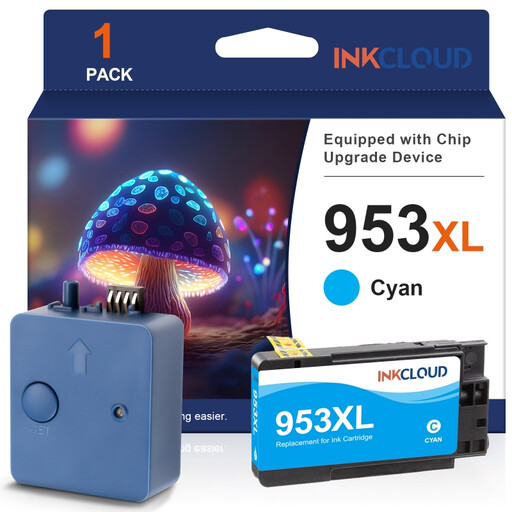
Why this product fits the profile: This compatible XL cartridge is aimed at users of selected HP OfficeJet Pro models who need a single magenta cartridge rather than a full set.
The specific compatibility list and integrated chip system make it easier to check before buying.
XL version; single magenta cartridge; according to the product description, designed for numerous HP models.
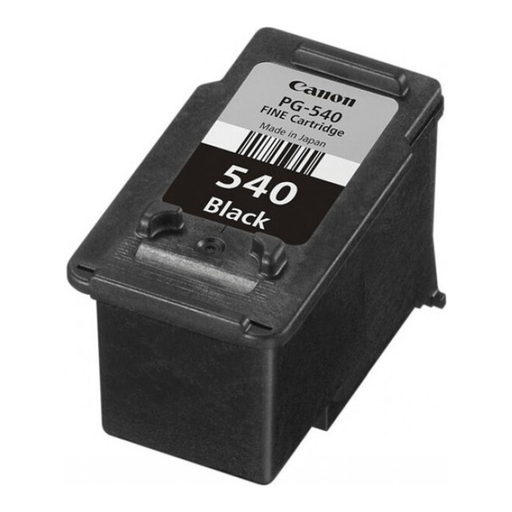
Why this product fits the profile: This original black Canon cartridge is designed for users who prefer a clearly defined manufacturer solution for compatible PIXMA devices.
The model number, colour and stated capacity are clearly listed, reducing the risk of confusion with similar PG series.
Original product; black ink; according to the product information, 8 ml and approximately 180 pages under defined conditions.
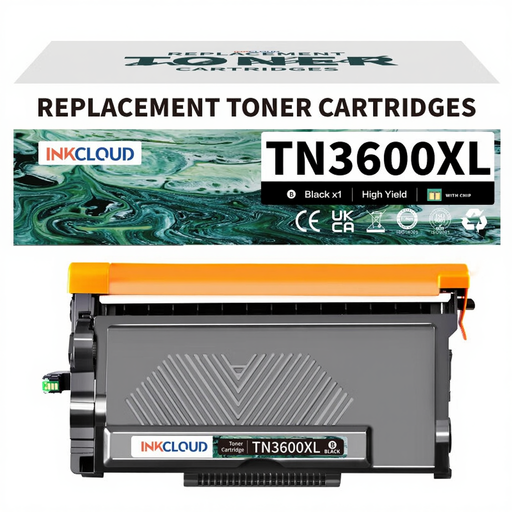
Why this product fits the profile: According to the product information, this XL toner cartridge is intended for certain Brother laser printers in home offices or offices where black documents are printed regularly.
The integrated chip and the named Brother models make the technical compatibility clearer.
XL version; black toner fill; chip pre-installed according to the product description.
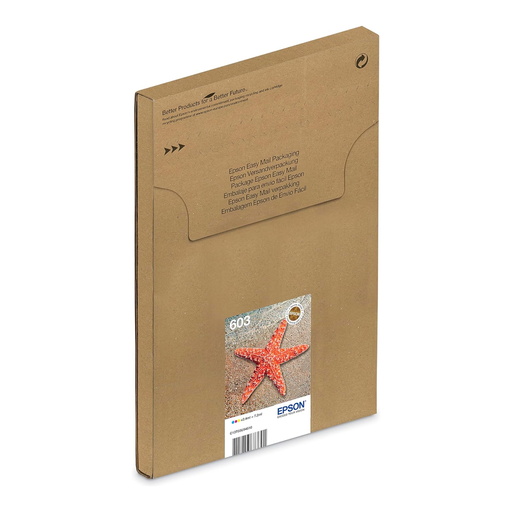
Why this product fits the profile: This three-colour multipack is suitable for users of compatible Epson printers who want to replace cyan, magenta and yellow together.
The precise Epson 603 model list and clearly described contents help you distinguish between standard and XL versions.
Three colour cartridges in one multipack; according to the product information, suitable for several WorkForce and Expression Home models.
We’ve put together a full, regularly updated list of products that meet these strict selection criteria and the safety regulations in force in the EU.
Remove protective films only just before inserting. With printer cartridges that have a chip, do not touch the contacts or nozzles. After inserting, a printhead cleaning or calibration may be necessary. For toner cartridges, remove the transport lock according to the instructions.
Store unused cartridges in a dry, cool place away from direct sunlight. Ink can stain skin or surfaces if handled incorrectly. Empty cartridges should be taken to return or recycling schemes in line with local regulations, and not simply put in the household waste.
No. Compatible cartridges are always designed for specific printer models and series. Check the full model list as well as the exact colour and cartridge number. If you’re unsure, it’s a good idea to compare with your old cartridge or the user manual.
The lifespan depends on storage conditions, print volume and print technology. The page yield on the product page is a guideline under specific test conditions. XL cartridges and high-yield toner don’t automatically have a longer shelf life; what matters is the manufacturer’s or supplier’s recommended storage.
The purchase price may be lower, but it shouldn’t be considered in isolation. Compare the price per page, the stated page yield, the contents and any delivery charges. If you print frequently, multipacks or XL printer cartridges can affect your ongoing costs.