
Lieferung heute & morgen

Qualitätsgarantie

Willkommens-Angebote freischalten: KOSTENLOSE Lieferung | Bis zu 80 % RABATT | Kostenlose 30-Tage-JoyPlus-Testphase
App herunterladen
An empty cartridge often runs out at the worst possible moment: just before a university deadline, while completing your tax return or in the middle of working from home. When ordering compatible printer cartridges in a hurry, people often focus solely on the price. This is exactly how common purchasing mistakes happen.
The most common pitfalls are:
First, check the model designation on the printer, in the manual or in the printer settings. For Canon, for example, Canon CLI-551XL, Canon CLI-581XL, Canon PG-540XL or Canon PG-510 may be relevant. HP printers include models that use HP 912XL and HP 953XL, among others.
A product description should list several compatible models. This is particularly important when model names differ only slightly. For the Canon printer cartridges CLI-551XL, for example, various PIXMA devices from the iP, MG and MX ranges are listed. The specific printer model remains the key detail for making a definite match.
The colour designation must match the slot in the printer:
Also check whether you are buying an original cartridge, a compatible ink cartridge or a remanufactured printer cartridge. Remanufactured versions often use a reconditioned cartridge casing. This can reduce the product price and material usage, but requires the correct version and a functioning chip.
For ink cartridges, the XL version is appealing to people who print regularly. However, the actual page yield should not be taken for granted. Images, full-page graphics and frequent cleaning cycles use more ink than short black-and-white texts.
Laser printers do not use ink cartridges; you need compatible toner cartridges instead. One example is the Canon 054H-compatible toner cartridge for the Canon LBP622Cdw and MF644Cdw. For toner, you should also check whether the cartridge is intended for black or colour printing and whether your exact printer model is listed.
The following products cater to different requirements. The compatibility details are based on the respective product descriptions. Before placing your order, you should check your own printer model once again.
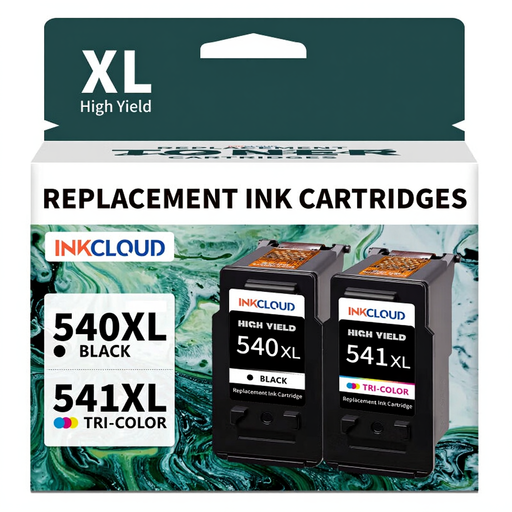
Why this product suits this profile: The set contains one black PG-540XL cartridge and one colour CL-541XL cartridge for selected Canon PIXMA MG3650, MG3550 and MG4250 models. It is suitable for regular printing of text and colour documents.
The cartridge codes and listed Canon models are clearly specified. This allows you to check before buying whether the black and colour cartridges are suitable for your printer.
XL versions for black and colour printing; multipack containing two required cartridge types.
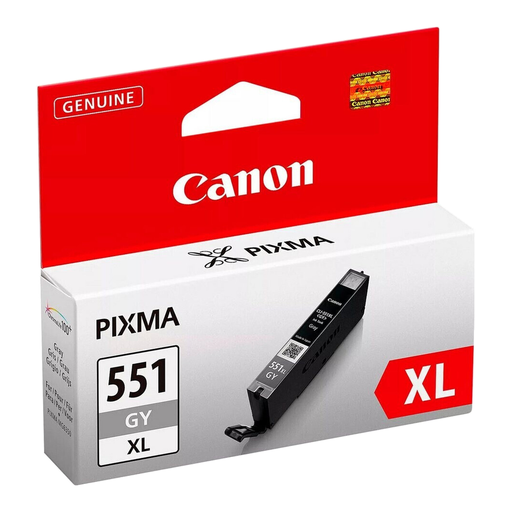
Why this product suits this profile: The original Canon cartridge is compatible with several PIXMA iP, MG and MX models and contains 11 ml of grey, water-based ink according to the product information.
The product is clearly identified as an original Canon CLI-551XL cartridge. This reduces the risk of confusing it with a compatible or different-colour version.
Original Canon ink; grey CLI-551XL version for the listed PIXMA multifunction printers.
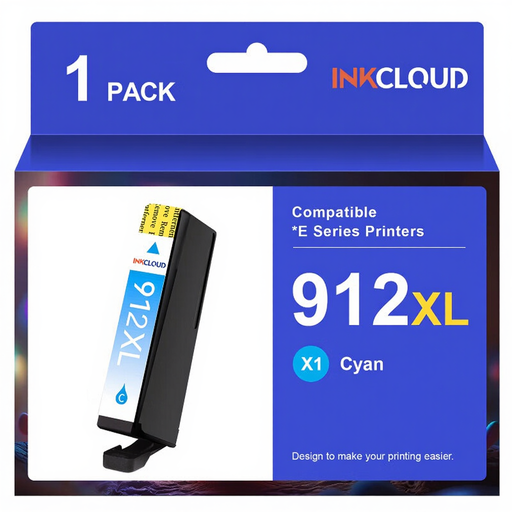
Why this product suits this profile: The single cyan cartridge is listed for the HP OfficeJet 8020, 8022, 8024 and 8025. It is a sensible choice when only one colour needs replacing.
The colour is clearly stated, and the compatible HP models are listed specifically. This avoids the need to buy an unnecessary complete set.
Single cyan cartridge; XL version for users who print in colour regularly.
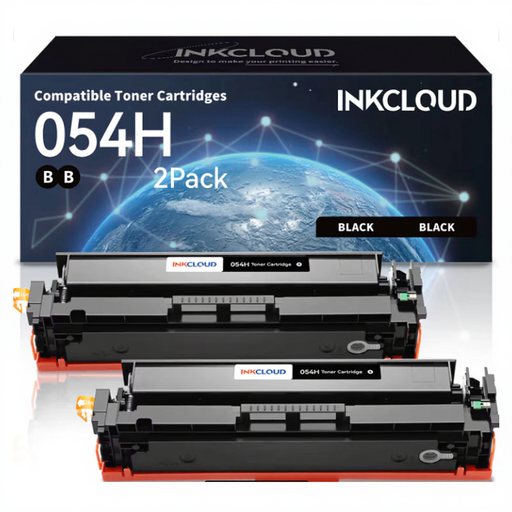
Why this product suits this profile: The black toner cartridge is listed for the Canon LBP622Cdw and MF644Cdw, making it suitable for laser printer users who regularly print documents.
The cartridge is explicitly identified as a compatible 054H version for specific Canon laser printers. This prevents it from being confused with ink cartridges.
Black toner for laser printers; 054H model designation and compatible Canon devices clearly specified.
We have put together a complete, regularly updated list of products that fully meet these strict selection criteria and the safety regulations applicable in the EU.
The printer should be switched on before you insert the cartridge. Only remove the protective film immediately before installation, and avoid touching the chip or nozzles wherever possible. After insertion, automatic recognition, a nozzle check or alignment may be required.
For longer-term storage, follow these practical basic rules:
A new compatible cartridge may cause the printer to display a warning message. If this happens, check that the cartridge is properly clicked into place and that the chip is clean and correctly positioned. If streaks or missing colours persist, a nozzle check and cleaning cycle may help, depending on the printer.
Yes, provided that the cartridge code and printer model match. An HP 912XL cartridge, for example, is intended for specific HP OfficeJet devices, while Canon CLI or PG codes belong to selected Canon PIXMA models. The brand name alone is not enough to choose the right cartridge.
The service life during printing depends on the fill volume, print image, paper size and cleaning cycles. XL printer cartridges are designed to hold more ink than standard versions. A specific page yield should only be relied upon when it is clearly provided and verifiable in the product details.
The purchase price may be lower, but it is not the only factor worth comparing. Take the number of cartridges, colour, fill volume, stated page yield and any potential delivery costs into account. For occasional printing, a single cartridge may be sufficient; for regular colour printing, a suitable XL set may be more practical.