
Lieferung heute & morgen

Qualitätsgarantie

Willkommens-Angebote freischalten: KOSTENLOSE Lieferung | Bis zu 80 % RABATT | Kostenlose 30-Tage-JoyPlus-Testphase
App herunterladen
Anyone looking for compatible printer cartridges and toner usually wants to find the right product quickly while keeping ongoing printing costs under control. However, the choice is only worthwhile if the cartridge or toner model, printer and colour variant are genuinely compatible. This applies to private users as well as home-office users, students, families and small businesses.
“Compatible with HP” or “for Canon” does not describe full compatibility. The exact cartridge and printer model numbers are what matter. For example, an HP 912XL compatible cartridge is designed for specific HP OfficeJet models, not automatically for every device made by the brand. The same applies to printer cartridges for Canon PIXMA.
Check the following before buying:
According to product specifications, XL printer cartridges usually contain more ink than standard versions. Whether they offer better value depends on actual usage, the cost per page and the stated page yield. Page yields are often based on standardised printing conditions, such as a specific coverage percentage on A4 paper. Photos, full-page graphics and frequent cleaning cycles can increase consumption.
Therefore, do not compare the pack price alone. Also consider:
Original cartridges come from the printer manufacturer. Compatible cartridges are offered by another supplier for specific devices. Remanufactured printer cartridges are often based on reconditioned cartridge housings. These variants may differ in price, packaging, chip design, fill volume and returns process.
For compatible products, the description should name specific printer models. Details such as “universal” or “for many devices” are of limited value without a model list. Following firmware updates, the recognition of individual compatible cartridges may also vary. We therefore recommend keeping the product description and order details.
Inkjet printers use model numbers such as HP 912XL, HP 953XL, Canon PG-540 or Canon 510XL/511XL compatible. Laser printers use toner designations such as HP 117A compatible toner, HP 203X compatible toner or Canon 047.
It is important to distinguish between ink and toner:
Black printer cartridges are often needed for everyday documents. Presentations, graphics and photos also require colour printer cartridges. Check whether the offer contains a single colour, a multi-colour set or a mixed pack.
According to the supplied product details, a Canon CLI-36 Twin Pack contains two colour cartridges for specific portable PIXMA printers. It should not be confused with a complete black-and-colour set.
A stated page yield is a comparison figure, not a fixed guarantee for every type of use. For example, the Canon PG-540 original cartridge is listed as containing 8 ml and offering approximately 180 pages at 5% coverage in accordance with ISO/IEC 24711. According to the product specifications, the CLI-36 Twin Pack offers up to 249 A4 pages per colour tank. These figures should always be considered in relation to your own printing volume.
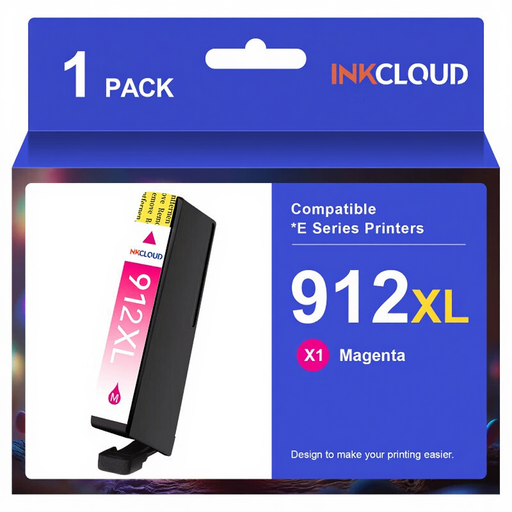
Why this product suits this profile: The individual magenta cartridge is suitable for users with a compatible HP OfficeJet 8020, 8022, 8024 or 8025 who only want to replace one colour.
The model list limits the intended use. Before buying, compare your printer name and colour with the product description.
Single colour and XL version; listed for selected HP OfficeJet models.
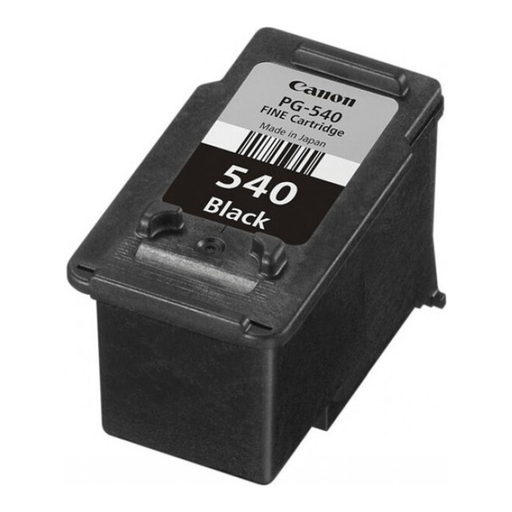
Why this product suits this profile: This original Canon cartridge is intended for users who prefer a manufacturer-specific solution for compatible PIXMA MG, MX or TS models.
The PG-540 designation and black colour variant are clearly specified. However, you should still check compatibility with your specific PIXMA model.
Original product; according to the product data, it has a capacity of 8 ml and yields approximately 180 pages at 5% coverage.
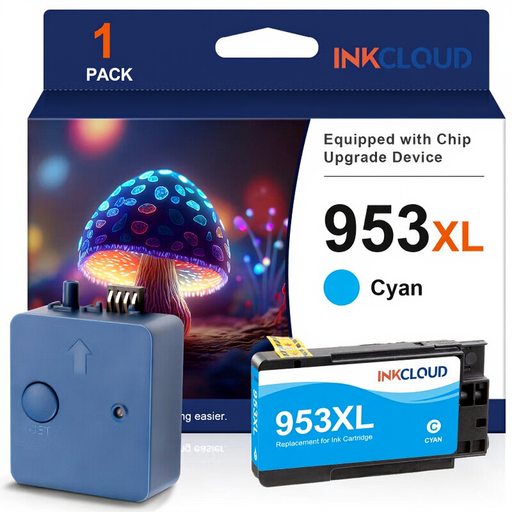
Why this product suits this profile: The four-cartridge pack with black, cyan, magenta and yellow is aimed at offices and home-office users who print in colour regularly.
The listed OfficeJet Pro models and four-cartridge contents make it easier to check compatibility before ordering.
XL version; according to the product specifications, it yields up to 2,000 pages in black and up to 1,600 pages per colour.
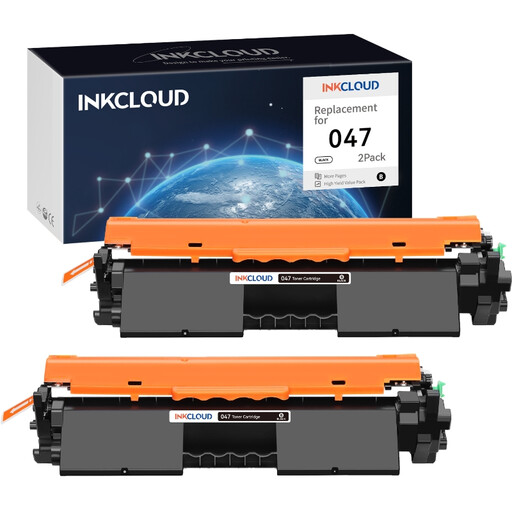
Why this product suits this profile: The twin pack of black toner cartridges is designed for the specified Canon i-SENSYS models and is suitable for regular document printing.
The product is identified as toner rather than an ink cartridge. Compatibility with the LBP113w and MF113w must be confirmed before purchase.
Two black cartridges in the set; intended for laser printers in the specified Canon ranges.
For older Canon PIXMA devices, 510XL/511XL compatible remanufactured cartridges may be suitable, for models such as the MP495, iP2700 or MX410. For colour laser printers, the range also includes compatible 117A toner for the HP 178nw and 178nwg, as well as 203X/203A toner for the HP M254dw and M281fdw. With these product families, pay particular attention to the colour designation and the exact printer variant.
The Cartridges section also includes replacement cartridges for BRITA water filters, Braun ShaverCare cleaning cartridges and replacement heads for Philips shavers. These products are not intended for printers and should be selected solely according to compatibility with the relevant device.
We have put together a complete, regularly updated list of products that fully meet these strict selection criteria and the safety regulations applicable in the EU.
This depends on the cartridge, chip and printer model in question. Before ordering, check the supplier’s current compatibility list and any information about firmware. A guarantee that the cartridge will work with every future update cannot be given in general terms.
Service life depends on page yield, print coverage, paper size and cleaning cycles. A cartridge marked XL may have a higher stated yield, but this does not replace checking the manufacturer’s data. Store unopened cartridges in a dry, cool place protected from direct sunlight.
Not necessarily. The key factors are the price per usable page, what is included, the returns option and the right compatibility. If you print infrequently, a smaller cartridge may be more suitable; for regular document printing, an XL set or multipack may offer better value.