
Lieferung heute & morgen

Qualitätsgarantie

Willkommens-Angebote freischalten: KOSTENLOSE Lieferung | Bis zu 80 % RABATT | Kostenlose 30-Tage-JoyPlus-Testphase
App herunterladen
If you’re looking to buy computer and electronics accessories, you’ll find plenty of products making similar promises. Wattage, certifications, refresh rates and extra features can seem straightforward at first glance. In practice, though, the details often determine compatibility, safety and running costs.
There are three common pitfalls behind many unsuitable purchases:
When choosing a gaming PC power supply, consider the power consumption of the whole system. A 600W PC power supply may be enough for an entry-level or mid-range PC, while powerful graphics cards and processors may call for a 750W PC power supply or an 850W PC power supply.
Before buying, check:
An ATX 3.1 power supply is designed for current platforms and the load changes of modern graphics cards. For a new system, the right 12V-2x6 connection may be important. You should still check the connections against those required by your specific graphics card.
The main difference between an 80 PLUS Bronze power supply and an 80 PLUS Gold power supply is their certified efficiency. Higher efficiency can reduce energy loss and heat output during regular use. Actual electricity costs, however, depend on the load, how long the unit is used and your electricity tariff.
A modular power supply lets you leave out cables you don’t need. This can make installation easier and help keep the inside of your case tidy. Non-modular power supplies can be a straightforward option if you need all the connections anyway. With modular units, use only the original cables designed for that power supply.
A 24-inch 120Hz monitor can deliver smooth visuals when paired with compatible hardware. Also check:
For an IPS Full HD monitor, viewing angles and colour reproduction are important points of comparison. Specifications such as “99% sRGB” should be understood as technical details, not as a blanket guarantee of picture quality in every application.
For PC cooling, check the frame, maximum speed, PWM connection and ARGB connector when choosing 120mm ARGB case fans. A three-pack can be useful if you have several mounting points. However, lighting and fan control require compatible connections or a controller.
It’s also worth checking technical limits beyond the PC. An 800W microinverter for a balcony solar power system must be compatible with the PV modules and grid connection, and meet the requirements that apply in Germany. When choosing a balcony solar power inverter, you should also consider its safety features, installation location, wiring and a proper inspection. An app or a plug-and-play description doesn’t replace checking local requirements.
For travel, the key things to look for in a travel hair dryer with ionic function are switchable mains voltage, weight, cable length and safety clearances. A folding hair dryer saves space in your luggage. For appliances rated at 110–120 V and 220–240 V, make sure you select the correct voltage before plugging in.
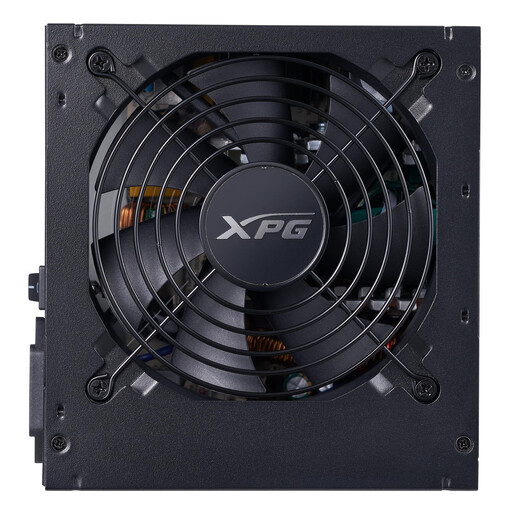
Why it suits this profile: This 600W ATX power supply is a good option for compact entry-level and mid-range PCs, provided it matches the system’s calculated power needs.
The specified 600W output, ATX v2.52 form factor and 140mm depth make it easier to check compatibility with your case and components.
80 PLUS Bronze, a 120mm fan and six specified protection features.
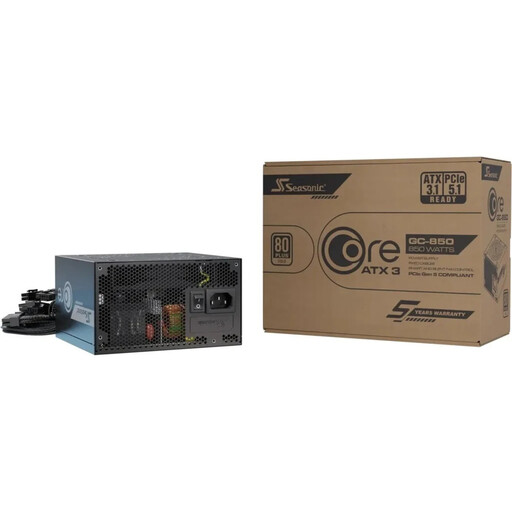
Why it suits this profile: Its 850W output and ATX 3.1 specification make it suitable for demanding gaming PCs and workstations.
Details on 12V output, connections and protection features make it possible to check compatibility properly, rather than choosing on wattage alone.
80 PLUS Gold, ATX 3.1, 840W combined 12V output and active 120mm cooling system.
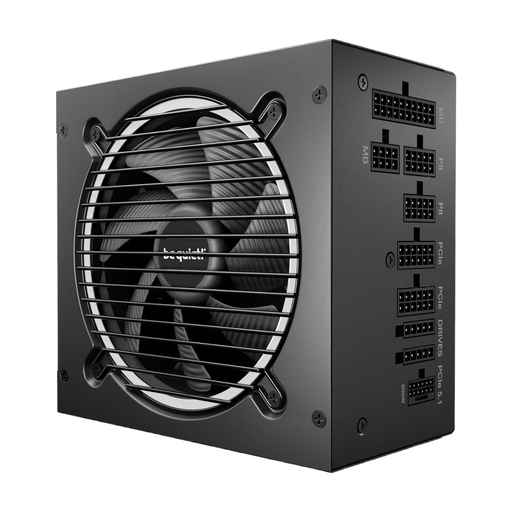
Why it suits this profile: For gaming, editing or work PCs that are used regularly, this model combines 750W output with modular cabling and up-to-date connections.
ATX 3.1 and the 12V-2x6 connection address compatibility with modern hardware, while the modular design cuts down on unused cables.
80 PLUS Gold, fully modular cables, a 120mm fan and four PCIe 6+2 connections.
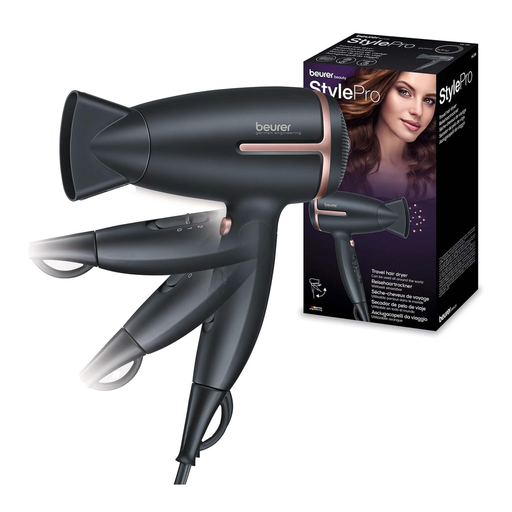
Why it suits this profile: Travellers get a folding hair dryer with switchable mains voltage and a weight of around 430 g.
Set the voltage selector to 110–120 or 220–240 V before use to reduce the risk of selecting the wrong mains voltage.
Folding handle, 1600W, two heat and airflow settings, a cool-air button and a removable filter.
We’ve put together a complete, regularly updated list of products that meet these strict selection criteria and fully comply with the safety regulations in force in the EU.
Add together the typical power consumption of your processor, graphics card, drives, fans and other components. Allow extra capacity for peak loads and future upgrades. The graphics card manufacturer’s recommendation is a useful benchmark, but it doesn’t replace checking the connections you actually need.
A Gold model delivers higher efficiency under the relevant test conditions. If you use it heavily every day, less energy may be lost as heat. For an office PC that’s rarely used, the price difference may be less worthwhile. Your usage, load profile and purchase price all matter.
Check whether your computer or console can output 120Hz through the connection you plan to use. The resolution, panel type, response time, brightness, ergonomic adjustment and VESA dimensions should also suit how you intend to use the monitor. Check whether it has built-in speakers or whether you’ll need separate ones.