
Lieferung heute & morgen

Qualitätsgarantie

Willkommens-Angebote freischalten: KOSTENLOSE Lieferung | Bis zu 80 % RABATT | Kostenlose 30-Tage-JoyPlus-Testphase
App herunterladen
Choosing a new computer mouse often seems trivial, but the wrong choice can lead to imprecise control, wrist fatigue, and ultimately, a bad purchase. Many users are guided by marketing buzzwords that rarely reflect actual benefits. Before you make a decision, it's important to know the most common pitfalls to find a mouse that truly fits your needs.
As a Joybuy Product Recommendation Officer, I'll help you distinguish the crucial features from the superfluous ones. This guide focuses on the facts that really matter for an informed purchasing decision.
The 3 Most Common Pitfalls When Buying a Mouse:
To avoid a bad purchase, you should focus on three verifiable criteria. These determine the performance, comfort, and longevity of your future PC mouse.
The sensor is the heart of every mouse. A modern optical mouse now offers reliable tracking on most surfaces. What's crucial is not the maximum DPI value, but the ability to adjust the sensitivity to your needs.
Ergonomics are subjective and depend on your hand size and grip style. Pay attention to the form factor instead of just relying on advertising promises.
The choice between a wired mouse and a wireless model, as well as the number of buttons, depends directly on your use case.
Here are some recommendations tailored to specific user profiles that avoid the pitfalls mentioned.
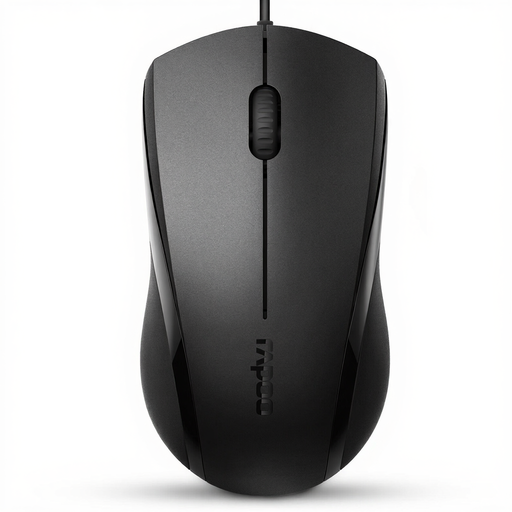
Why This Fits Their Persona: Ideal for users seeking a reliable and straightforward mouse for office work, web browsing, or home use. It focuses on the essentials without incurring unnecessary costs.
This model deliberately avoids an inflated DPI value, offering a practical resolution of 1000/1600 DPI. The symmetrical design is functional and not misleadingly marketed as "ergonomic for all."
Silent clicks reduce ambient noise. The simple plug-and-play installation via USB makes it ready to use immediately.
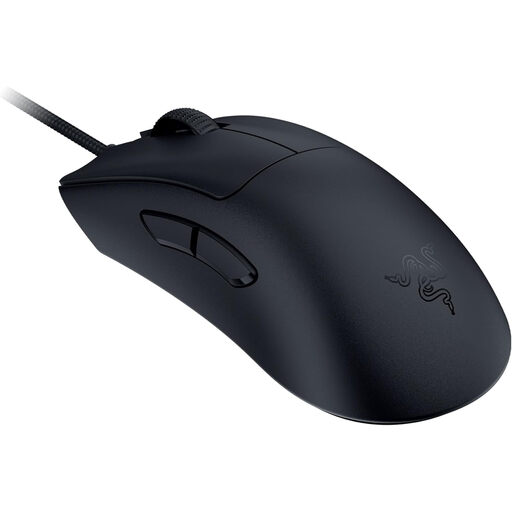
Why This Fits Their Persona: Designed for competitive gamers where every millisecond and every gram counts. The focus is on speed, precision, and minimal weight for fast, fatigue-free movements.
The high specifications, like the 30K DPI Sensor and 8000 Hz HyperPolling, are not marketing gimmicks here but purposeful features for esports athletes. The ultra-lightweight 59g design is a functional advantage, not an empty claim.
Extremely low weight for maximum agility. Razer's 3rd generation optical switches for fast and reliable clicks.
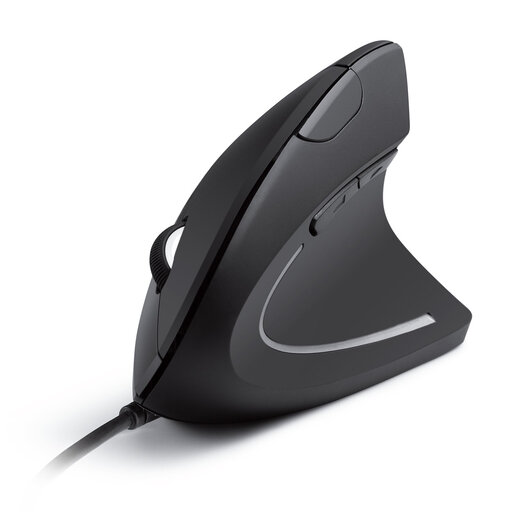
Why This Fits Their Persona: Specifically for users who spend many hours at the computer and want to prevent wrist strain or alleviate existing discomfort.
This mouse doesn't make a vague ergonomics promise but offers a concrete solution with its vertical design. The "handshake" position is a recognized method for relieving wrist strain.
Promotes a natural posture for the wrist and forearm. Additional forward/back buttons simplify navigation.
We have compiled a complete, real-time updated list of products that fully meet these strict selection criteria and German safety regulations.
DPI stands for "Dots Per Inch" and describes how sensitive a mouse is to movement. A high DPI value means the cursor moves a long way across the screen with a small hand movement. For standard office applications and web browsing, 800 to 1600 DPI is ideal. Gamers often prefer mice with adjustable values to adapt the sensitivity to the specific game, but they rarely use values above 6400 DPI.
The lifespan of a mouse heavily depends on the quality of its components, especially the click switches. Inexpensive models can fail after just one year. High-quality mice, such as those from Logitech or Razer, use switches rated for millions of clicks (e.g., 10, 50, or even 90 million). With normal use, such a mouse can last for many years.
Yes, absolutely. A gaming mouse is often an excellent choice for office work. They typically offer very precise sensors, high-quality construction, and good ergonomics. The additional programmable buttons can also be configured for workflows, for example, to execute frequently used commands or macros, thereby increasing productivity.