
Lieferung heute & morgen

Qualitätsgarantie

Willkommens-Angebote freischalten: KOSTENLOSE Lieferung | Bis zu 80 % RABATT | Kostenlose 30-Tage-JoyPlus-Testphase
App herunterladen
Choosing a new computer mouse can quickly become overwhelming given the sheer number of models and technical specifications. Manufacturers advertise high DPI counts and vague "ergonomic" promises that often fail to deliver real-world value. Many users invest in features they will never need, or discover after a short time that their chosen model is unsuitable for their daily workflow. This guide will help you identify the crucial features and make an informed decision.
To avoid a bad purchase, it's important to be aware of common marketing tactics and design weaknesses.
DPI (Dots Per Inch) describes the sensitivity of the mouse sensor. High values of 8,000, 16,000, or more are often promoted as a mark of quality. However, for most users looking for an office mouse or a mouse for everyday use with a laptop or PC, such values are irrelevant. An extremely sensitive mouse is difficult to control and tends to result in imprecise cursor movements. A value between 800 and 1600 DPI is perfectly sufficient for standard monitors and most office applications. Higher DPI values are only of practical use for high-resolution monitors or specific gaming mouse requirements.
The term "ergonomic" is not protected and is often used for any mouse that simply has a curved shape. A true ergonomic mouse, however, is specifically designed to keep the hand, wrist, and arm in a neutral position to reduce strain. A poorly designed "ergonomic" shape can even lead to discomfort during prolonged use if it doesn't match the user's hand size and grip style. Models like the vertical mouse offer a specific, science-backed approach, but they are not the right choice for everyone.
Two often-overlooked but crucial features for daily use are the button noise level and the response time (latency). In an open-plan office or a library, the loud clicking of a mouse can be disruptive. A silent mouse with dampened buttons provides a solution. For a wireless mouse, latency is also an important factor. While modern models for office use have barely noticeable delays, gaming requires a stable and fast connection, which is often only guaranteed by a high-quality wired mouse or specialised wireless technology.
Focus on the following three core aspects during your selection process to find a mouse that truly fits your needs.
Modern mice almost exclusively use an optical sensor. This works reliably on most surfaces, with the exception of glass or highly reflective materials. As mentioned, the DPI value is only relevant in the context of your usage.
The choice between a wired USB mouse and a wireless model depends on your priorities.
The shape of the mouse should match your hand size and grip style.
Here are some recommendations tailored to specific user profiles that avoid the pitfalls mentioned.
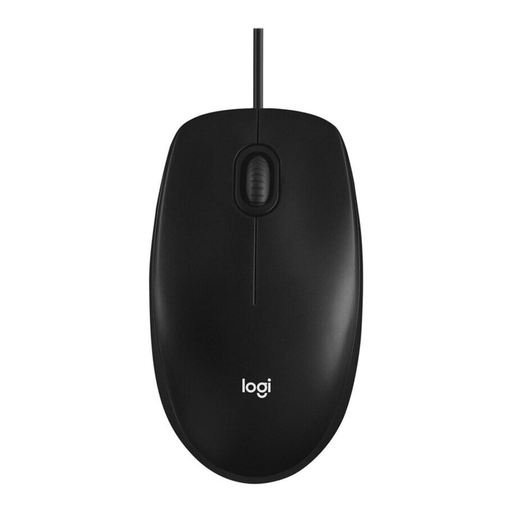
Why This Fits Their Persona: This model is the definition of reliability. It's a no-fuss, wired USB mouse that works without any software installation. Ideal for users seeking a durable workhorse for daily use on a PC or laptop.
The M100 forgoes superfluous marketing features. It offers a solid 1000 DPI sensor that is optimal for office work and web browsing, rather than advertising uselessly high DPI values.
Symmetrical design for left- and right-handed users; plug-and-play functionality via USB; high reliability and durability.
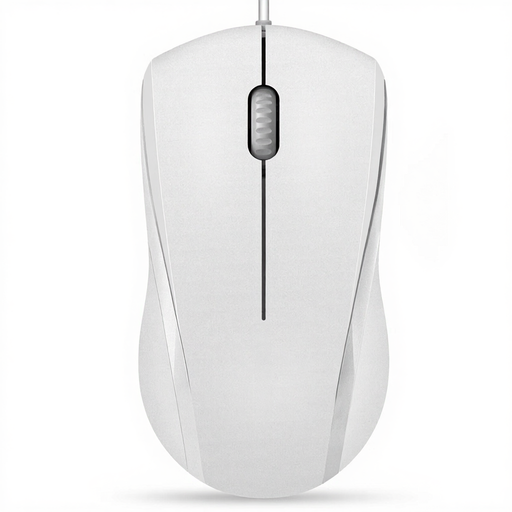
Why This Fits Their Persona: For users in a home office or open-plan workspace, a quiet environment is crucial. This mouse was specifically designed as a silent mouse to minimise click noise and promote concentration.
This model directly addresses the often-ignored issue of noise pollution (Pitfall 3). Instead of focusing on high DPI, it concentrates on a practical feature that noticeably improves working comfort for the user and their colleagues.
Reduced click noise; symmetrical design for both hands; reliable wired connection; non-slip scroll wheel.
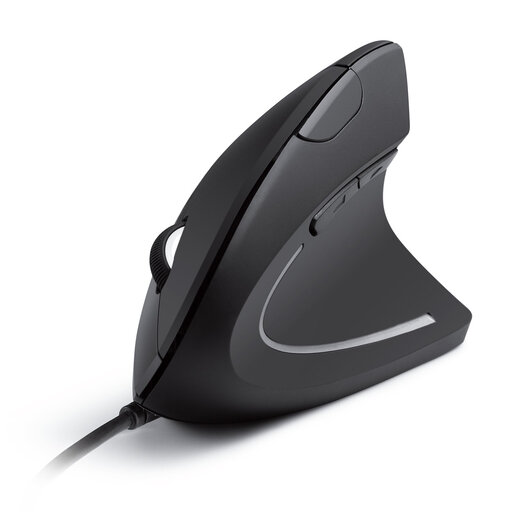
Why This Fits Their Persona: For people who spend many hours at the computer and want to prevent or alleviate wrist pain, a vertical mouse is an excellent choice. The natural handshake position reduces forearm twisting.
This model is an example of functionally-driven ergonomics, not just a marketing buzzword. It solves a specific problem (wrist strain) instead of promising a vaguely "comfortable" shape.
Promotes a neutral wrist position; switchable DPI (1000/1600); additional forward/back buttons for easy navigation.
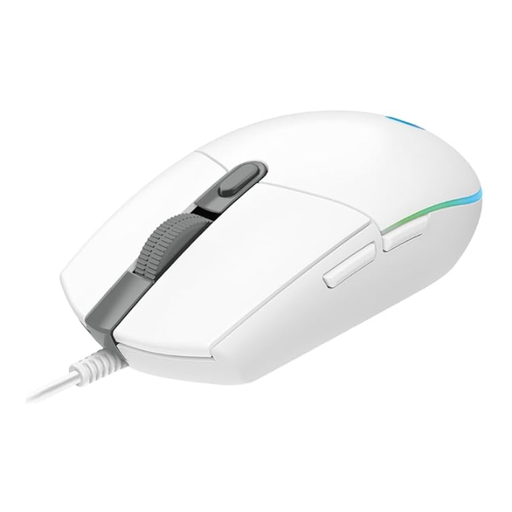
Why This Fits Their Persona: This gaming mouse offers features relevant to gamers without being prohibitively expensive. It combines a precise sensor with programmable buttons and a shape optimised for gaming grips.
Here, the high DPI value (up to 8,000 DPI) is genuinely useful, as it enables quick reactions in games. The ergonomics are designed for performance, not just a vague promise of comfort.
Gaming-grade optical sensor; 6 programmable buttons; customisable RGB lighting; reliable wired connection.
While our recommendations cover a range of types, you can find a broader selection of reliable models that meet our selection criteria in our dedicated category.
For most everyday applications on a Full HD or WQHD monitor, a DPI value between 800 and 1600 is perfectly adequate. Higher values are primarily relevant for gamers who play on 4K monitors or require extremely fast cursor movements. Don't be guided by high DPI numbers alone.
A vertical mouse can reduce wrist strain by positioning the forearm in a more natural, neutral posture. This can be particularly beneficial for people who already suffer from discomfort or want to prevent it. It may take a few days to get used to, but many users report increased comfort during long periods of use.
Battery life varies greatly depending on the model, usage intensity, and battery type. Simple models with AA or AAA batteries can last from several months to over a year. Rechargeable gaming mice with lighting often need to be charged every few days to weeks. Pay attention to the manufacturer's specifications and look for models with power-saving features.