
Lieferung heute & morgen

Qualitätsgarantie

Willkommens-Angebote freischalten: KOSTENLOSE Lieferung | Bis zu 80 % RABATT | Kostenlose 30-Tage-JoyPlus-Testphase
App herunterladen
Choosing a new computer mouse can be more complex than it first appears. The market is filled with models that advertise high DPI counts, special ergonomic shapes, and a multitude of features. However, not every advertised feature is relevant to every user or worth the extra cost. The wrong choice often leads to dissatisfaction, whether from a lack of comfort or inadequate performance.
This guide will help you understand the crucial criteria and sidestep common buying traps. We focus on the technical facts that truly matter, so you can make an informed decision for your next PC mouse or mouse for Mac.
Before we dive into the technical details, it's important to recognise two common marketing traps that often lead to poor purchasing decisions.
To find the right mouse, you should focus on three core parameters that directly impact user comfort and performance.
The type of connection is a fundamental decision that depends on your use case.
The sensor is the heart of any computer mouse. Modern optical and laser sensors offer high precision on most surfaces.
The physical characteristics of the mouse are crucial for long-term comfort.
Here are some recommendations tailored to specific user profiles, taking the above criteria into account.
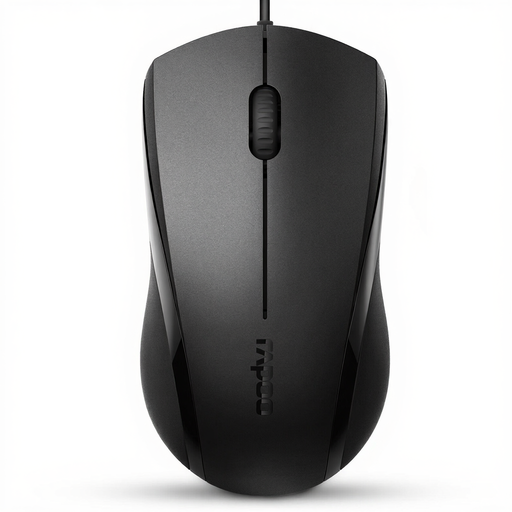
Why This Fits Their Persona: This model is a straightforward and reliable solution for everyday office tasks and home use. Its plug-and-play setup and symmetrical design make it ready to use for anyone, right out of the box.
It forgoes exaggerated DPI values, offering a practical sensitivity of 1000/1600 DPI. As a wired mouse, there are no latency issues, and its simple shape avoids misleading ergonomic claims.
Quiet click buttons reduce noise in the office. The non-slip scroll wheel and the very accessible price point are clear advantages.
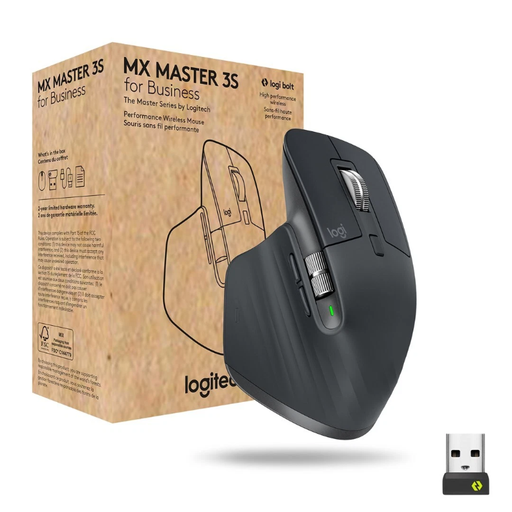
Why This Fits Their Persona: Engineered for maximum productivity. The mouse allows seamless switching between up to three devices and offers outstanding comfort for long workdays with its MagSpeed scroll wheel and thoughtfully designed right-handed shape.
Here, ergonomics isn't just a buzzword; it's the result of extensive studies for right-handed users. Connectivity via the Logi Bolt USB receiver and Bluetooth is secure and low-latency. The 8000 DPI sensor is for precision on high-resolution monitors, not just for marketing.
The electromagnetic MagSpeed scroll wheel, the Darkfield sensor (which even works on glass), and seamless multi-device switching noticeably boost efficiency.
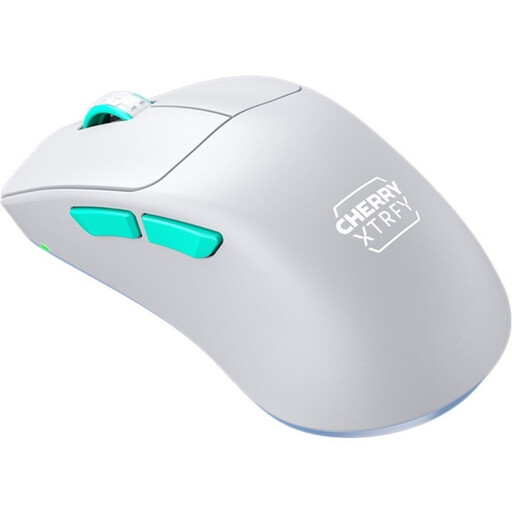
Why This Fits Their Persona: This mouse is engineered for maximum esports performance. Its ultra-light weight of 53 grams, high-precision Pixart 3395 sensor, and stable 2.4 GHz wireless connection provide the agility and responsiveness needed for competitive gaming.
The focus is on practical performance features: low weight, a top-tier sensor, and a low-latency connection. The unique ergonomic shape is specifically designed for greater in-game control, not a generic claim.
The extremely low weight of 53g enables lightning-fast movements. The mouse's unique, ultra-low front section provides enhanced control and precision.
We have compiled a complete, up-to-date list of products that fully meet these strict selection criteria and German safety regulations.
1. How long does the battery of a wireless mouse last? Battery life varies greatly depending on the model, usage, and technology. Basic models with AA batteries, like the Logitech M185, can last several months up to a year. High-performance mice like the Logitech M705 Marathon advertise a battery life of up to three years, according to the manufacturer. Rechargeable gaming mice often provide between 70 and 120 hours of active use per charge.
2. Is a gaming mouse also suitable for office work? Yes, in many cases. A gaming mouse often offers excellent precision, durable buttons, and good ergonomics, which are also beneficial during long workdays. However, the design might be too flashy for some office environments. Additionally, features like a high polling rate consume more power, which shortens the battery life of a wireless mouse.
3. Do I need a special mouse for Mac? Usually not. Most modern USB and Bluetooth mice are compatible with macOS and work via plug-and-play. However, to use the full range of features, such as programming side buttons, you should check if the manufacturer offers corresponding software for macOS (e.g., Logitech Options+). All models presented here are compatible with Mac systems.