
Lieferung heute & morgen

Qualitätsgarantie

Willkommens-Angebote freischalten: KOSTENLOSE Lieferung | Bis zu 80 % RABATT | Kostenlose 30-Tage-JoyPlus-Testphase
App herunterladen
Choosing a new computer mouse can quickly become overwhelming. The market is flooded with models that advertise high DPI counts, countless buttons, and aggressive designs. But not every advertised feature is relevant for every user or worth the extra cost. As your Joybuy Product Recommendation Officer, I'll help you separate marketing hype from genuine benefits.
Many buyers fall into common traps that lead to frustration or unnecessary expenses. Here are the most frequent pitfalls and how to avoid them:
Instead of being guided by marketing buzzwords, you should focus on a few, but crucial, technical specifications. These determine whether a PC mouse is right for your needs.
DPI (Dots Per Inch) indicates how sensitive the mouse is to movement. A higher DPI number means the cursor travels a greater distance on the screen for the same physical movement.
Modern mice almost exclusively use optical sensors. These work reliably on most surfaces and are generally on par with or superior to the older laser standard.
The shape of the mouse is crucial for comfort. There are three main categories here:
The choice between a wired and a wireless mouse depends on your use case.
Based on these objective criteria, we have identified some models that are particularly well-suited for specific user groups.
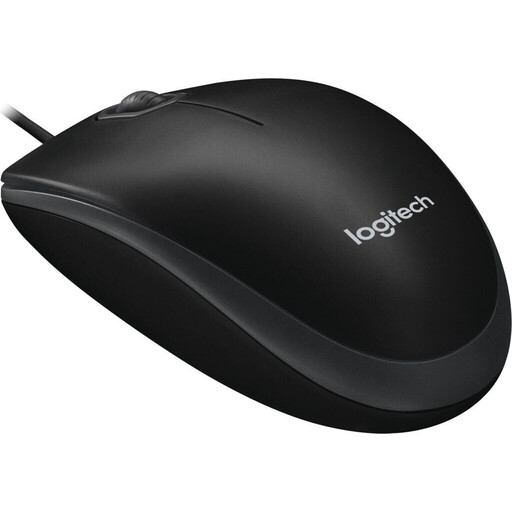
Why this model fits: This mouse focuses on the essentials: reliability and ease of use. It's the ideal choice for standard office tasks, home office use, or as a straightforward mouse for Mac and PC where functionality, not unnecessary frills, is key.
It avoids the DPI trap with a practical 800 DPI sensor. The symmetrical design is a safe ergonomic choice, and the wired connection eliminates any worries about battery life.
Plug-and-play reliability without any software installation. The ambidextrous design makes it versatile.
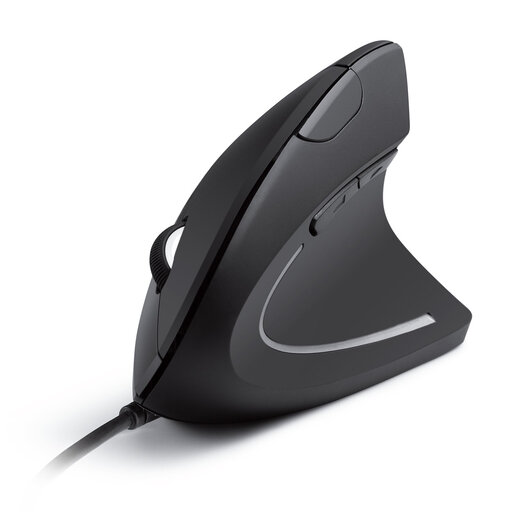
Why this model fits: For users who spend many hours at the computer and prioritise a healthy posture. The vertical form factor is specifically designed to minimise wrist strain.
This model directly addresses the pitfall of ignored ergonomics. Instead of focusing on high DPI values, the emphasis is clearly on preventing physical strain through a natural hand position.
The vertical design promotes a neutral "handshake" posture. The switchable DPI levels (1000/1600) offer flexibility for different tasks.
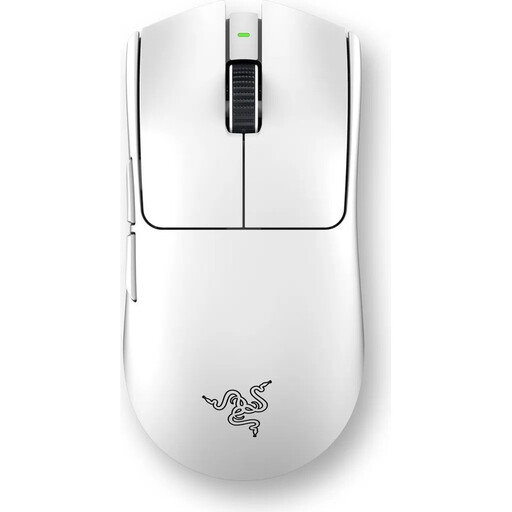
Why this model fits: This Razer mouse is a specialised tool for competitive gaming. Its ultra-lightweight design, high-precision sensor, and extremely high polling rate are engineered for players for whom reaction speed and precision are critical.
Here, the high DPI and polling rate values are not a marketing gimmick but a functional advantage for the target audience. The wireless technology is optimised for minimal latency, thus bypassing the disadvantage of many other wireless mice.
Extremely lightweight design (54g) for rapid movements. The Razer Focus Pro 35K Sensor and 8000Hz HyperPolling technology deliver superior precision and responsiveness.
We have compiled a complete, real-time updated list of products that fully meet these strict selection criteria and all relevant safety regulations.
For most office and home use cases, 800 to 1,600 DPI is ideal. Gamers often benefit from settings up to 6,400 DPI. Higher values are only relevant for very specific niche applications on high-resolution monitors and are not necessary for the average user.
A gaming mouse typically features higher DPI values, a higher polling rate for faster response times, additional programmable buttons, and more robust construction (e.g., more durable switches). In contrast, an office mouse often focuses on ergonomics for long periods of use, quiet clicks (as with a silent mouse), and reliability at a lower price point.
Regularly clean the housing with a slightly damp, lint-free cloth. Ensure that no liquid gets inside. The sensor on the underside should be kept free of dust and hair; compressed air is suitable for this. Avoid sharply bending the cable and use a mouse pad to protect the mouse feet and the sensor.