What to look for when buying
First, compare the screen’s viewing area with your seating positions. Then check where the projector needs to go, and finally make sure the connections suit your sound system. This order helps you separate the question of off-centre viewing from how to align the image.
| Buying consideration |
What to look for |
Who it matters to |
| Brightness when viewed from the side |
Compare the screen’s half-gain angle with the seats furthest to the side. Stewart Filmscreen defines this as the angle at which brightness falls to 50% of its peak. |
If several guests will be sitting well off-centre, I want to check whether the image will still look bright enough from those seats. Around 33% of consumers say viewing angle is their top buying priority. |
| Projector position and image alignment |
Measure the projector position and throw distance, and distinguish horizontal lens shift from horizontal keystone correction. Epson Deutschland lists horizontal ±47,1 % lens shift for the EH-LS11000W; BenQ Deutschland lists horizontal ±30 degrees of keystone correction for the W2710. |
If the projector has to sit to one side, I want to know whether its stated correction range covers that exact position. Around 27% of consumers put limited projector placement at the top of their list. |
| Sound and connections |
Check the audio outputs, eARC support and connection from your source device against the inputs on your sound system. BenQ Deutschland lists eARC, S/PDIF and a 3,5-mm audio output for the W2710. |
If I want to hear concert audio through my existing speakers, the connection between the source device, projector and sound system needs to work. Around 20% of consumers prioritise sound and connectivity. |
| Room lighting and operation |
Take into account the room lighting, screen surface and projector light source. Epson Deutschland gives the lamp life of the EH-TW7000 lamp projector as 5.000 hours in Eco mode. |
If my room isn’t always completely dark, I want to choose a screen and light source that suit the conditions. Around 20% of consumers prioritise room lighting and long-term use. |
Joybuy products for flexible positioning
The following Joybuy models are relevant if you need flexible projector placement and image alignment for film nights. Even with automatic correction, the screen’s viewing angle remains a separate consideration for anyone sitting off-centre.
 No image available
XGODY Gimbal N6 Pro, native 1080P, 700 ANSI
For flexible positioning, the set-up features include autofocus, automatic keystone correction and obstacle detection.
The product title lists native 1080P, 700 ANSI and 4K support. Keystone correction aligns the projection, but doesn’t change the screen’s viewing angle.
View at Joybuy
 No image available
Dangbei Atom Laser Projector, 1080p
Autofocus and automatic keystone correction are listed for flexible set-up. Still, check that the specific projector position and screen work for your seating arrangement.
The product title lists 1200 ISO lumens, 1080p and 4K HDR input. Keystone correction compensates for an angled projection, not the viewing angle from the side.
View at Joybuy
 No image available
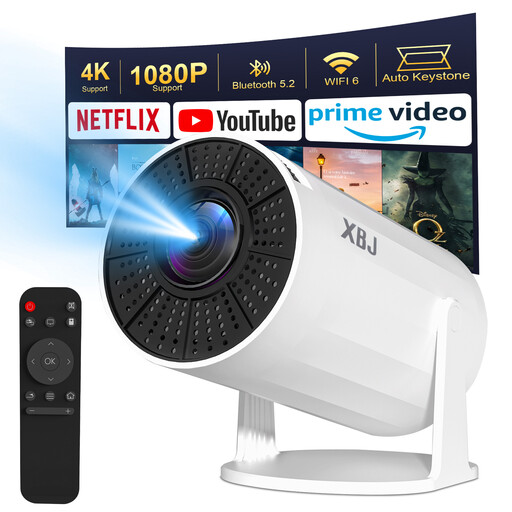
XBJ Portable Projector, Upgraded Version
This 180-degree rotating projector is designed for different projection directions. The product description lists automatic vertical, but not horizontal, keystone correction.
Model specifications include 1080P HD, 4K decoding, 200 ANSI and Android 11. Check whether vertical correction is enough for your planned set-up.
View at Joybuy
 No image available
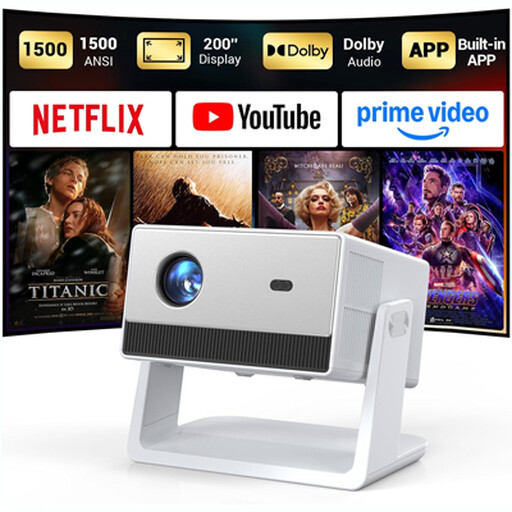
Football World Cup Funflix Smart Projector, native 1080P
The adjustable stand is designed to accommodate different projection directions. For ceiling projection, the description specifies manual focus and keystone adjustment.
The product title lists native 1080P and autofocus. Before mounting it, check which adjustments are needed for your chosen projection direction.
View at Joybuy
 No image available
HP CC360 FHD Smart Projector
Autofocus, keystone correction, image adjustment and obstacle detection are listed as set-up features. They don’t replace checking the screen’s viewing angle.
The product description lists native 1080p, HDMI, a 3,5-mm audio output and Bluetooth. Check that the connections suit your sound system.
View at Joybuy
Frequently asked questions
Does lens shift help if I’m sitting to the side of the screen?
No. Lens shift won’t fix a screen with a narrow viewing angle. It moves the projected image; for off-centre seating, you’ll also need to consider the screen surface.
How can I check the image size before installation?
Measure your desired image width and the available throw distance, then compare both with the projector’s throw ratio and zoom range. Next, check whether the specified lens shift or correction range covers your planned height and horizontal position.
Can I connect my existing sound system for concert films?
That depends on the connections available on your projector, source device and sound system. For example, BenQ Deutschland lists eARC, S/PDIF and a 3,5-mm audio output for the W2710. Check that the connection you need is compatible with your system.
What running costs and returns terms should I check?
For a lamp projector, check the lamp specifications and usage mode, and whether your set-up needs a screen, mount or audio equipment. For online orders in Germany, consumers generally have a 14-day right of withdrawal from the date they receive the goods, as explained by Verbraucherzentrale. Check the relevant retailer’s returns information.
What safety and disposal guidance applies in Germany?
The Bundesnetzagentur recommends checking, among other things, that the CE marking is correct, the manufacturer’s information is accurate and the German-language instructions include any necessary warnings. Projectors that have reached the end of their useful life are waste electrical equipment and must be collected separately, not put in household rubbish.


