If you want to watch a concert across multiple floors, well-placed Wi-Fi points are usually a more practical option than relying on a more powerful standalone router. Existing network cables can provide the connection between points. If you’re streaming the concert yourself, you’ll also need to check the available upload speed where you’re producing the stream and test the connection there: a high Wi-Fi data rate won’t make up for insufficient upload speed. FRITZ!, TP-Link and ASUS describe mesh and access point solutions for different network set-ups, while YouTube Help highlights the available upload bandwidth required for live streams.
Which solution is right for you?
Watching across multiple floors
If you want to watch the same live stream in different parts of a building, check Wi-Fi coverage at the actual viewing locations separately from the speed of your internet connection. TP-Link describes mesh systems with multiple Wi-Fi points to extend coverage.
Live-streaming a concert
If you’re streaming video and audio online yourself, the available upload speed where you’re producing the stream is crucial, as is testing the connection. YouTube Help notes that your stream’s bitrate cannot exceed the available upload bandwidth.
Running a network for an event
If lots of devices will be online at the same time as the stream, planned Wi-Fi points with Ethernet connections may be worth considering. You’ll need to plan their locations, cabling and power supply; Ubiquiti describes the U7 Pro as an access point with Ethernet uplink and PoE+.
What should you look for when buying?
Mesh with Ethernet backhaul
A good fit if: you need coverage across multiple floors and network cables are already in place or can be installed between Wi-Fi points.
Things to consider: planning or installing cable routes takes effort, but the connection between mesh points won’t rely on Wi-Fi alone.
Mesh with wireless backhaul
A good fit if: cabling between floors isn’t possible and there’s still a strong enough mesh connection at the planned location for each additional point.
Things to consider: ceilings and positioning affect the wireless signal, so test the planned locations before the concert.
Keep your existing router
A good fit if: your internet connection and router are working, but coverage is poor on certain floors or at particular viewing locations.
Things to consider: additional Wi-Fi points extend coverage, but they won’t increase your internet bandwidth.
Wired access points
A good fit if: you need to cover lots of devices across multiple floors and can plan the cabling and set-up.
Things to consider: an access point needs the right network infrastructure; the Ubiquiti U7 Pro requires an Ethernet connection and PoE+.
First, work out whether you’ll be watching the stream or broadcasting it yourself. For watching, the connection at each viewing location matters; for broadcasting, the upload speed where you’re producing the stream needs to match the selected stream bitrate. YouTube Help recommends testing the stream in advance.
| Buying priority |
What to check before buying |
Who is this important to? |
| Wi-Fi across multiple floors |
Locations and number of Wi-Fi points; Ethernet backhaul and suitable connections if you can use network cables. |
If I want to watch a stream across multiple floors, the connection at the actual viewing locations matters to me. Consumers whose main priority is coverage across floors account for roughly 36 %. |
| Reliable upload for your own live stream |
Measure the available upload speed where you’ll be streaming and test the connection using your planned stream bitrate; check for a LAN connection on your production device. |
If I’m streaming myself, the upload speed where I’m producing the stream needs to match the selected stream bitrate. Consumers who prioritise live-stream upload account for roughly 29 %. |
| Lots of devices online at once |
Check how many active devices there will be and where they’ll be, as well as guest network features; don’t assume advertised maximum client numbers guarantee a particular stream capacity. |
If lots of viewers’ and guests’ devices will be online at an event, I want to plan the Wi-Fi points and access accordingly. Consumers whose main priority is supporting devices online at the same time account for roughly 21 %. |
| Integration with your existing network |
Compare connection types, operating modes, set-up processes and what’s included; check that the router and mesh system will work together. |
If I want to keep using my existing hardware, the right operating mode and a straightforward set-up are essential. Consumers whose main priority is integration with their existing network account for roughly 14 %. |
Common buying misconceptions
-
Confusing total Wi-Fi data rate with stream or upload speed
The advertised Wi-Fi data rate doesn’t tell you how much upload speed your internet connection can provide for your own live stream.
First, work out whether you’ll be watching or streaming. Measure the upload speed where you plan to stream and test the connection there.
-
Expecting a single mesh device to cover multiple floors
A single device isn’t the same product package as a set with multiple Wi-Fi points. How many you need depends on the building and the locations you want to cover.
Compare the pack size and test the connection at the planned locations before deciding how many nodes you need.
-
Assuming an access point is a complete router
The Ubiquiti U7 Pro is an access point with Ethernet uplink and PoE+; it doesn’t automatically replace your internet connection and router.
Choose it as part of a planned network infrastructure and work out how you’ll provide the Ethernet connection and power supply beforehand.
A guide to relevant brands
The details below relate to the product lines and operating modes mentioned. They don’t indicate availability or describe every product from each brand.
FRITZ!
The FRITZ!Mesh Set 4200 is a multi-unit Wi-Fi 6 system designed to extend an existing network. FRITZ! describes the three-pack version as including three FRITZ!Repeater 3000 AX units, and says it can connect to a router or fibre-optic modem (ONT).
- For the set version mentioned, the manufacturer lists multiple nodes, tri-band and LAN ports.
- The mesh system extends Wi-Fi coverage, but that doesn’t mean your existing internet connection can support a live stream.
TP-Link
Deco X50 and Deco XE75 are multi-unit Wi-Fi systems with different wireless and backhaul options.
- TP-Link lists Wi-Fi 6, Gigabit ports on each unit and optional Ethernet backhaul for the Deco X50. According to the manufacturer, the Deco XE75 can use the 6 GHz band for wireless backhaul between units.
- According to TP-Link, a Deco system is set up using the Deco mobile app and requires a TP-Link ID. Manufacturer claims about coverage area or device numbers aren’t measurements for a specific building.
ASUS
The ZenWiFi XT9 is a tri-band Wi-Fi 6 system that can be used in router or access point mode, with the option of a wired mesh backhaul.
- ASUS lists a 2.5-Gbit/s WAN port, three Gigabit LAN ports, and router and access point modes for the XT9. The manufacturer’s guide describes Ethernet backhaul.
- Check the pack version and what’s included before buying; two units won’t necessarily be enough for every building layout.
Ubiquiti
The UniFi U7 Pro is an access point for a planned, wired Wi-Fi installation, not a direct alternative to a standalone router.
- The Ubiquiti data sheet lists a 2.5-GbE uplink, PoE+ and guest network isolation.
- It requires a suitable power supply, a router and planned network infrastructure. The stated maximum client number doesn’t guarantee support for simultaneous video streams.
Joybuy products for Wi-Fi across multiple floors
This selection includes routers, mesh systems and access points for extending Wi-Fi across multiple areas. Before choosing, check which connection type, operating mode and power supply will work with your existing network.
 No image available
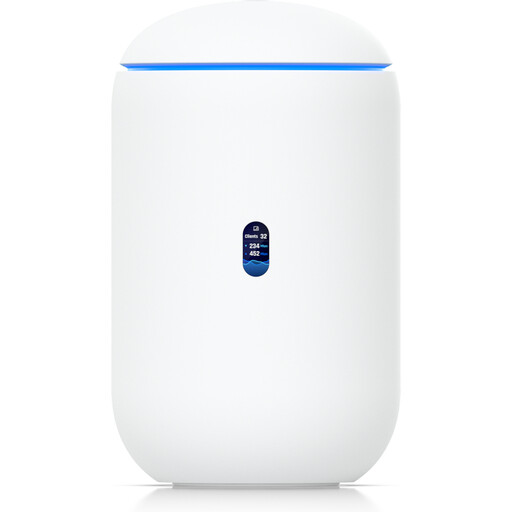
Ubiquiti UniFi Dream Router 7
A gateway solution with integrated Wi-Fi 7; an active internet connection is required for use.
Product details list 10G SFP+, 2.5 GbE PoE and 64 GB microSD. An additional network point can use the stated PoE output.
View at Joybuy
 No image available
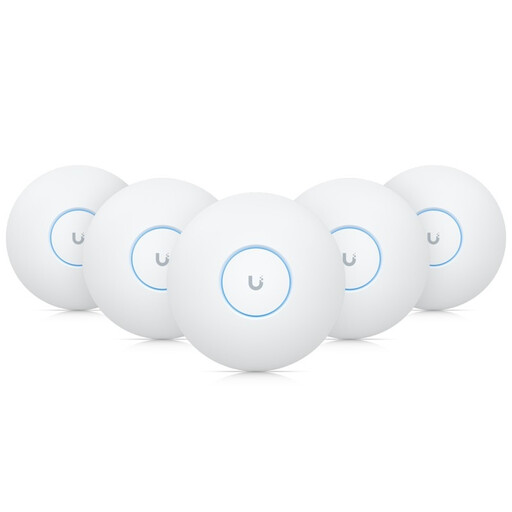
Ubiquiti UniFi U7-Pro Tri-Band WiFi 7, 5-pack
For a planned Wi-Fi network with multiple access points; the 5-pack described requires Ethernet connections and PoE+.
As an access point pack, it isn’t a standalone replacement for a router and internet connection.
View at Joybuy
 No image available
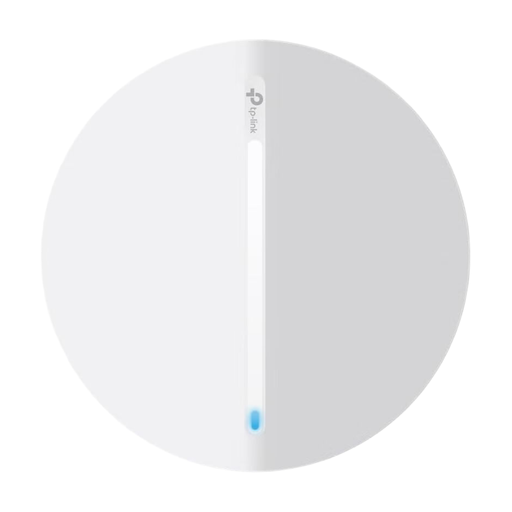
TP-Link Festa F65 AX3000 Wi-Fi 6 Access Point
For extending an existing Wi-Fi network when an Ethernet connection and suitable power supply are planned.
Product details list Wi-Fi 6 and PoE operation. Power options include 802.3at PoE, 48-V passive PoE or 12-V DC.
View at Joybuy
 No image available
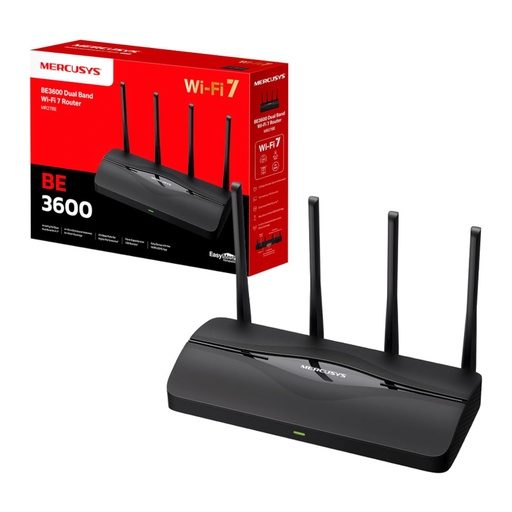
MERCUSYS MR27BE Wi-Fi 7 Dual-Band Router BE3600
A router solution with EasyMesh compatibility for potential expansion; the set-up described connects the router to a modem via Ethernet.
The product name lists two 2.5-GbE ports and two Gigabit ports.
View at Joybuy
 No image available
MERCUSYS Halo H25BE Mesh Wi-Fi Set, 2-pack
A mesh system with two units; the second unit should be placed within range of the first.
Product details list Wi-Fi 7, dual-band, BE3600 and three Gigabit ports per unit.
View at Joybuy
Frequently asked questions
Will a faster Wi-Fi router make my own live concert stream reliable?
Not on its own. When you’re streaming, the available upload speed needs to match the selected stream bitrate. YouTube Help recommends taking the available upload bandwidth into account and testing the stream in advance.
Can I use a mesh system with my existing router?
It depends on the model and operating mode. FRITZ! describes connecting the Mesh Set 4200 to an existing router; ASUS documents an access point mode for the ZenWiFi XT9. Deco requires an internet source. Check the specific connection and network configuration.
What should I test before the concert?
Test the Wi-Fi connection at every planned viewing and production location, and run the live stream in advance under the conditions you expect on the day. Install any available router updates before the event; the Verbraucherzentrale recommends keeping routers and network devices up to date.
Do I need to plan for extra accessories for mesh or access points?
It depends on the solution you choose: Ethernet backhaul needs a suitable cable connection, and you may need additional Wi-Fi points to cover other areas. A PoE+ access point needs a suitable power supply. Check what’s included and the connections available on the specific version.
Can you use every 6 GHz Wi-Fi band advertised internationally in Germany?
Not without checking the frequencies and conditions of use. In its general allocation notice Vfg. 76/2025, the Bundesnetzagentur specifies the 5945–6425 MHz range. Check that the intended device version and its settings comply with this German allocation.


