Choose your conference camera based on the seating layout, microphone position and connection to the meeting computer. A USB video bar may suit a small group seated in front of a display, while a 360° table camera could work for members seated around the table. Noise cancellation alone doesn’t guarantee clear speech in a noisy office, so test the audio in the room where you’ll be using it.
Which design is right for you?
Hosting in a noisy office
If conversations and other office noise could drown out your club meeting, microphone placement and a test call with typical background noise are key. Logitech, Jabra and HP Poly list audio features for specific models, but you’ll need to assess how well they work in the room you use.
Meeting around a table
If members sit in different places each time, it’s important to consider whether they’ll be seated facing the camera or around the table. A front-facing camera and a 360° table camera are designed for different seating layouts.
Hosting with different meeting computers
If you regularly set up your club meeting using an existing computer, check the connection, power supply and how to select the camera and audio source in your meeting software. Logitech says MeetUp 2 supports PC and BYOD use; according to Owl Labs, the Meeting Owl 3 connects to a computer via USB-C.
What should you look for when buying?
USB video bar in front of the group
Best for: A club meeting where a small group sits around a table in front of a display and uses an existing computer.
Consider: The camera, microphones and speakers are built in, but positioning the unit at the front of the room may not work well for more distant voices or nearby office noise.
360° table camera
Best for: Members sitting around the table or moving between seats who need to be seen from different directions.
Consider: Its central position also picks up surrounding noise, so you’ll need to allow space on the table and plan for power.
Modular system
Best for: Larger rooms or groups with members seated far apart, where separately positioned audio components may be a good fit.
Consider: Separate components give you more options for placement, but require extra planning, compatibility checks and set-up.
| Criterion |
What to check before buying |
Who is this especially important to? |
| Clear speech despite office noise |
Make a test call from every planned seat with typical background noise. Check microphone coverage and whether the model offers echo or noise cancellation. |
If I want people joining remotely to understand what’s being said despite office noise, sound comes first for me. Around 36 % of consumers prioritise speech clarity. |
| Group visibility |
Compare the seating plan with the camera position and check that everyone will be in shot in the selected camera mode. |
Whether we’re sitting in front of a display or around a table, I want to make sure remote members can see everyone, including those further away. Around 29 % of consumers put group visibility first. |
| Connection and set-up |
Check the USB connection, power supply and set-up with the meeting computer and platform you use. |
If I’m setting up the meeting regularly with an existing or different computer, I want a practical connection. Around 21 % of consumers prioritise an easy set-up. |
| Limiting video and audio capture |
Check the camera position, framing and microphone behaviour before the meeting. Separately establish the conditions for processing video and audio data. |
If other people are in the office, I want to limit what’s captured to the intended group. Around 14 % of consumers put this control first. |
Common buying and planning mistakes
-
Assuming noise cancellation guarantees clear speech
Manufacturers’ descriptions of audio features don’t tell you how well people in the furthest seat will be heard over the noise in your office.
Make a test call from the planned seats with typical background noise. If needed, change the position or try a different audio set-up.
-
Choosing based only on resolution or field of view
A front-facing panoramic view and a 360° table view are designed for different seating layouts. Resolution alone won’t tell you whether the framing and sound will suit your group.
Start by deciding where people will sit and where to position the camera. Then compare the field-of-view and audio specifications that fit your set-up.
-
Thinking only about the camera when choosing a modular system
Separate components need to work together and may require extra planning and set-up.
Check what’s included and that the components are compatible for the specific combination you’re considering.
Depending on your set-up, compatible audio components, mounting and installation may involve additional costs.
-
Overlooking other people in the office when using a 360° camera
A camera and microphone with a wide capture range may also pick up people or conversations nearby.
Limit the camera frame and recording area, and establish which video and audio data is needed for the meeting before you use the system. The Data Protection Conference’s guidance on video conferencing systems also covers the transmission of images, sound and, where applicable, the surrounding environment.
Useful brands to consider
Logitech
MeetUp 2 is a USB video bar for small rooms, with a built-in camera, microphones and speaker.
- Logitech lists echo cancellation, AI-based noise suppression and an audio range of up to 7 m for MeetUp 2.
- According to Logitech, MeetUp 2 supports PC and BYOD use, but not Logitech RoomMate. The stated range doesn’t prove how clearly people will be heard in your particular noisy office.
Jabra
PanaCast 50 is a front-facing panoramic video bar for groups seated near a wall or display.
- Jabra lists a 180° field of view and eight beamforming microphones for PanaCast 50.
- The noise filtering described by Jabra isn’t independent evidence that a club meeting will be easy to hear in a noisy office.
Owl Labs
Meeting Owl 3 combines a 360° table camera with microphones and a speaker for groups seated all around it.
- Owl Labs lists an audio pick-up radius of 5,5 m and a USB-C connection to a computer.
- Its all-round capture should suit the level of control you want over what’s picked up in the office.
HP Poly
Studio R30 is a USB video bar for small rooms; the range also includes modular solutions with separate components.
- HP lists a 120° field of view, three microphones and noise cancellation for Studio R30.
- For modular solutions, check the specific components and their compatibility.
Yealink
UVC34 is a USB video bar with a camera, microphones and speaker for small meeting rooms.
- Yealink lists eight built-in microphones, a 120° camera and noise and reverberation reduction features for UVC34.
- These manufacturer specifications don’t prove that it will perform better in your particular room.
Joybuy products for club meetings
This selection includes USB video bars for groups seated facing the camera and a modular system with separate components for larger groups or those seated further apart.
 No image available
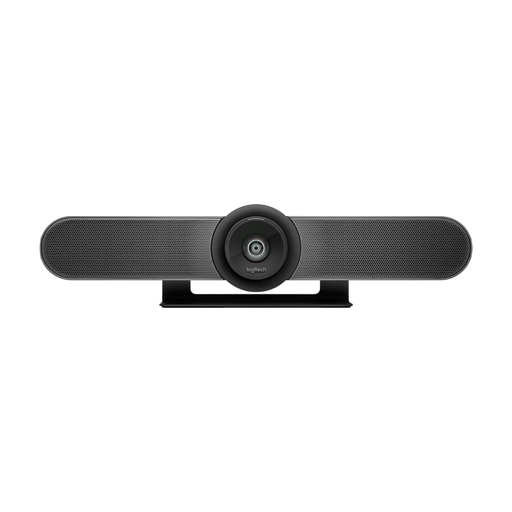
Logitech MeetUp All-in-One 4K Conference Camera
A built-in video bar could suit a small group seated facing the camera.
The product name specifies a 120° field of view and motorised pan and tilt.
View at Joybuy
 No image available
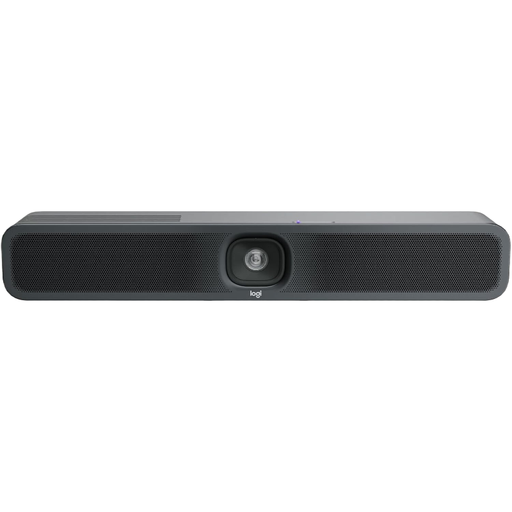
Logitech MeetUp 2 4K All-in-One Conference Camera
This video bar could suit a small group seated facing the camera and connected to a computer.
Logitech lists PC and BYOD use, as well as echo cancellation and AI-based noise suppression, for MeetUp 2. The manufacturer’s specifications don’t prove how clearly people will be heard in your particular room; Logitech RoomMate isn’t supported.
View at Joybuy
 No image available
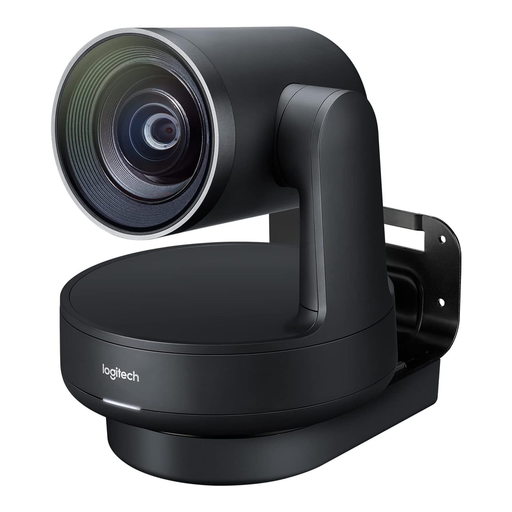
Logitech Rally Plus Modular Video Conferencing System
A system with separately positioned components could work for larger rooms or groups with members seated further apart.
The product name specifies a 4K PTZ camera, speakers, Mic Pods and hubs. Its modular design requires more cabling and set-up than an all-in-one video bar.
View at Joybuy
Frequently asked questions
Is a camera with noise cancellation enough for our noisy office?
Not based on the feature description alone. Make a test call with typical office noise and check how clearly people can be heard from every planned seat. Manufacturers’ details about filters and range don’t replace testing in the room you’ll use.
What do I need to prepare to set up a table camera or USB video bar?
Check the space on the table or by the display, the USB connection and the power supply. Owl Labs lists a USB-C connection to a computer and a power adapter for Meeting Owl 3; HP describes a USB connection to a PC and a power supply for Poly Studio R30.
What extra costs might come up after buying the equipment?
Depending on the room, a modular set-up may need compatible audio components, suitable mounting and extra installation. Check what’s included and confirm that the specific components are compatible before you buy.
Can we simply film or record a club meeting in the office?
There’s no straightforward yes or no without details about the purpose, participants and legal basis. The Data Protection Conference explains in its guidance on video conferencing systems that images, sound and, where applicable, the surrounding environment may involve personal data. The Federal Commissioner for Data Protection and Freedom of Information highlights the responsibility of the organisation using the system; any recording should be assessed separately.


