Project updates from a desk
If you’re presenting alone in front of a screen, camera position and clear voice capture at your desk are important. AnkerWork describes the B600 as combining a camera, microphones, speaker and light for desk use.


If you’re presenting alone at your desk, a desktop video bar could be a good fit. For several speakers, choose a room system based on the seating layout, camera angle and microphone coverage. Manufacturers’ claims about range and noise cancellation don’t guarantee clear speech in a noisy office, so test the picture and sound in the intended location. Also check that the computer, connections and meeting software are compatible with the camera, and that screen sharing works.
If you’re presenting alone in front of a screen, camera position and clear voice capture at your desk are important. AnkerWork describes the B600 as combining a camera, microphones, speaker and light for desk use.
When several people are sitting together, the camera’s field of view and microphone coverage should suit the seating layout. Logitech describes MeetUp 2 as a conference camera for small rooms; HP positions Studio R30 for small meeting rooms with 3–5 people.
If people are sitting well off to the sides, a panoramic field of view may be useful. Jabra’s EMEA data sheet lists a 180° horizontal field of view for the PanaCast 50.
First decide whether you’ll be presenting alone at your desk or need several people in the room to be seen and heard. Then consider the actual seating layout, the sound at the intended location and how the setup will work with your meeting software.
| What matters | What to check before buying | Who it matters most to |
|---|---|---|
| Clear speech | Make a test recording and call from the intended location, with the usual office noise in the background. | If I need to be understood despite office conversations, I won’t rely on range claims alone. Around 39% of consumers prioritise speech clarity. |
| Capturing a group in the room | Check that the seating positions, camera angle and microphone coverage work together for the specific model. | If people need to ask questions, several of them should be visible and audible. Group coverage is especially important to consumers with this need, accounting for around 23%. |
| Desk setup | Check the mounting options and connections, and test the picture and sound from your usual speaking position. | If I’m presenting alone, I need a suitable mount and a clear view of me at my desk. Around 23% of consumers put this desk setup first. |
| Slides and meeting setup | Test the connections, camera and microphone, and screen sharing in the software you use. | If the slides and speaker video need to work smoothly together during an update, I’ll test each separately. Around 15% of consumers prioritise the presentation setup. |
Manufacturers’ claims about range or audio features aren’t a comparable real-world test for your office. They don’t show how well background noise is handled in your specific situation.
Test the camera with your intended seating layout and realistic background noise before using it regularly for updates.
A meeting-room system and equipment for an individual desk are designed for different setups. An independent 2022 review of the AnkerWork B600 listed its size and weight as drawbacks.
Decide how many people will be speaking and where the camera will go, then check its form factor and whether it can be mounted on a monitor or in a room.
Jabra’s EMEA data sheet lists Panoramic 4K on the PanaCast 50 as 3840 × 1080 pixels at 30 fps. A wide view of a room is not the same as a front-facing view of one person.
Compare the field of view, aspect ratio and seating layout. Share project slides separately through your meeting software.
According to Logitech, MeetUp 2 is a USB conference camera for small rooms, with an integrated camera, microphones and speaker.
HP describes Studio R30 as a USB video bar for small meeting rooms with 3–5 people.
The EMEA data sheet describes the PanaCast 50 as a panoramic video bar, giving a wide view of people in the room.
According to the German manufacturer’s website, the B600 A3383 combines a camera, microphones, speaker and light for desk use.
This selection includes webcams for desk-based presentations, as well as conference cameras and video conferencing systems for meeting rooms.
 No image available
For presentations at your computer; the product title mentions a built-in microphone with noise cancellation. Test how clearly your voice comes through at your intended desk location.
The product title lists 4K, a 99° field of view and a privacy cover.
 No image available
The product description identifies it as a ConferenceCam for meeting rooms and offices. Check that this specific model suits your seating layout, connections and planned installation location.
 No image available
For video calls on PC or Mac; check that the camera works with your computer and the presentation setup you want to use.
The product description lists 4K, a 1/2-inch sensor, Auto Framing, HDR and a microphone with AI Noise Cancellation.
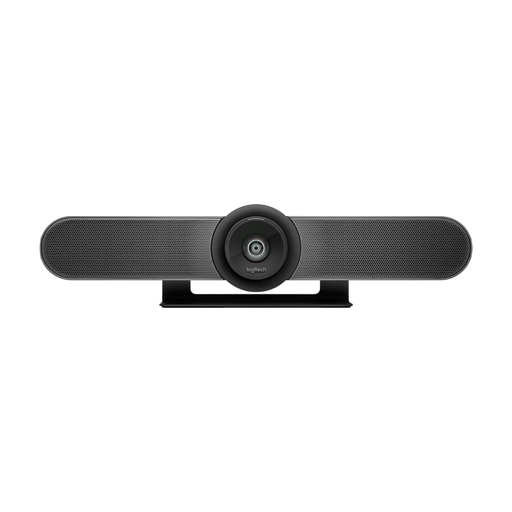 No image available
Designed for huddle rooms and small meeting rooms; check that the camera’s field of view suits the seating layout and where people will be speaking.
The product description lists 4K, a 120° ultra-wide-angle lens, integrated microphones and speakers, and motorised pan and tilt.
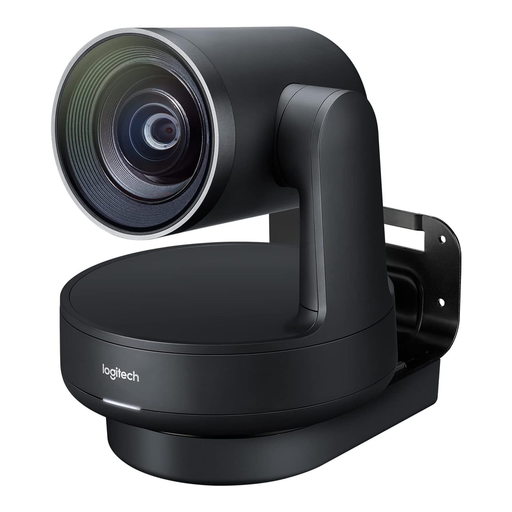 No image available
Described as suitable for medium to large meeting rooms. Check that the planned room can accommodate the modular installation.
According to the product description, the system includes a 4K PTZ conference camera, speakers, microphone pods and a hub. The camera, speakers, hubs and microphone pods need to be positioned and connected separately.
No. The camera feed and screen sharing are separate transmission methods. In your meeting software, check that the presentation window is being shared correctly, then check the camera feed separately.
Set it up in the intended location and make a test call. Check the field of view, speaking positions, microphone and speaker with the usual office noise in the background. Also make sure the specific model’s power, USB and mounting requirements are suitable for your desk or room.
Check whether the mount, power adapter and USB cable are included for your installation, and what warranty applies to the specific model. Logitech lists a limited two-year hardware warranty for MeetUp 2; HP distinguishes Studio R30 from the R30 Plus accessory bundle.
No. Buying a camera doesn’t automatically mean you can record. If personal data is processed, the data controller must check that there is an appropriate legal basis. The Federal Commissioner for Data Protection and Freedom of Information notes that consent in an employment relationship is often not voluntary because of a possible imbalance of power. Whether a particular recording is lawful depends on its purpose and circumstances.