For a group seated facing the screen, a USB video bar is an obvious choice; for a discussion around a table, a 360° table camera is likely to be a better fit. What matters is whether the framing and microphone layout suit your seating plan. Manufacturer claims about range or noise processing don’t prove that voices will remain clear when other conversations are taking place in the office. If possible, test the system in the room under typical conditions.
Who are the different cameras suited to?
Group discussion in a noisy office
If several voices need to come through clearly despite other office noise, microphone placement and an in-room listening test are important considerations. Logitech, HP, Jabra and Yealink describe audio features for their respective devices, but manufacturer claims are no substitute for a comparison under the conditions in your room.
Discussion around a table
If the speakers are seated on different sides of the table, the camera’s perspective should suit the seating plan. Owl Labs describes the Meeting Owl 4+ as a 360° camera for use on a table; a front-facing camera offers a different view.
Organisers with a dedicated meeting room
For regular meetings, it’s also important to consider how the device will fit in with the room’s existing equipment. HP describes the Studio R30 as connecting to a PC via USB; Yealink lists an integrated computing unit and various platform modes for the MeetingBar A10.
What should you look for when choosing?
Start by choosing the right perspective for your seating plan. Then check how clearly voices come through against typical office noise, and find out how the camera and conferencing platform connect to the room’s existing technology.
| Priority |
What to look for |
Who is this important to? |
| Clear voices |
Check the microphone placement and claims about noise processing; plan a test with several speakers and typical office noise. |
If I need to understand several voices despite other office conversations, I pay particular attention to microphone placement and noise processing. Around 33% of consumers put clear speech in noisy offices first. |
| A clear view of the group |
Decide on the seating plan and camera position; check whether people at the edges of the table will also be visible in the selected camera mode. |
If I want to see speakers taking turns from different sides of the table, I choose a perspective that suits the seating arrangement. Around 27% of consumers prioritise a view of the whole group. |
| Connection and set-up |
Check the room’s existing PC, connections, approved platform and any IT set-up required. |
If I use the camera regularly in the same room, I want to know whether it will work with the existing PC or planned room platform. Around 20% of consumers prioritise a suitable, repeatable set-up. |
| Additional equipment |
Check whether you need an expansion microphone, mount or other room equipment. |
If I want to set up the group without unnecessary extra equipment, I check the accessories and mounting options at the same time. Around 13% of consumers prioritise keeping equipment requirements to a minimum. |
| Control over capture |
Agree the camera direction, capture area and any planned recording with the relevant people in the office. |
If I want to control how video and audio are captured in the workplace, I agree the camera direction and conferencing settings in advance. Around 7% of consumers see this as their main priority. |
Which common selection mistakes should you avoid?
-
Assuming 4K means clear voices
High image resolution won’t eliminate distracting conversations, and on its own it says nothing about how well multiple voices will come through in the room.
Check how the audio performs against typical background noise before comparing resolution.
-
Treating front-facing wide-angle and 360° cameras as the same
A front-facing panoramic view and a table camera show the group from different perspectives. The right option depends on where the participants are sitting.
Draw up a seating plan and decide where the camera will go before choosing a camera type.
-
Overlooking accessories and room equipment
For longer tables, Owl Labs offers a separate Expansion Mic. A standalone room system may also need a different set-up from a USB device connected to a PC.
Before choosing, check which microphones, mounts and room equipment you’ll need for your specific set-up.
Which brands are worth considering?
Logitech
According to Logitech, the MeetUp 2 is a USB-enabled all-in-one video bar for small rooms.
- Logitech lists six microphones, beamforming and AI-based noise suppression. The stated pick-up range is up to 7 m.
- The stated range doesn’t prove that voices will remain clear when there’s other office noise.
HP Poly
HP describes the Studio R30 as a USB video bar for small conference rooms.
- HP lists a 120° field of view, automatic framing, three microphones and noise suppression.
- The manufacturer’s claims about speech clarity aren’t a comparison test for the noise in your office.
Owl Labs
According to Owl Labs, the Meeting Owl 4+ is a 360° camera for a group seated around a table.
- Owl Labs specifies an audio pick-up radius of 5.5 m and offers a separate Expansion Mic for longer tables.
- The stated radius doesn’t prove that other office conversations will be filtered out.
Jabra
According to Jabra, the PanaCast 50 is a front-facing panoramic video bar for seating spread across a wide area.
- Jabra lists a 180° field of view, eight beamforming microphones, and noise and echo filtering.
- The filtering details are manufacturer claims, not an independent comparison in your specific room.
Yealink
According to Yealink, the MeetingBar A10 is a compact room system with an integrated computing unit.
- Yealink lists eight microphones and various platform modes.
- Before setting it up, make sure the platform configuration is right for your IT environment. Manufacturer claims are no substitute for an in-office listening test.
Joybuy products for video calls
The products below include USB webcams and conference cameras for video calls and meetings. For a group meeting in a noisy office, pay particular attention to whether the microphone layout suits your seating plan. Product details alone don’t prove that speech will remain clear when other conversations are taking place.
 No image available
Full HD 1080P USB webcam with microphone
For video calls with a group seated facing the camera; the wide field of view may be useful when framing the shot.
The product description lists Full HD 1080P video, a 120° field of view, USB plug-and-play and an omnidirectional microphone with noise suppression. These details don’t guarantee clear audio when there’s other office noise.
View at Joybuy
 No image available
AOC webcam with microphone and privacy cover
For video calls and conferences where a 99° field of view suits the group’s seating arrangement.
The product details list 4K video, a 99° field of view, a privacy cover and a microphone with noise suppression. The microphone specification isn’t proof of clear audio in a noisy office.
View at Joybuy
 No image available
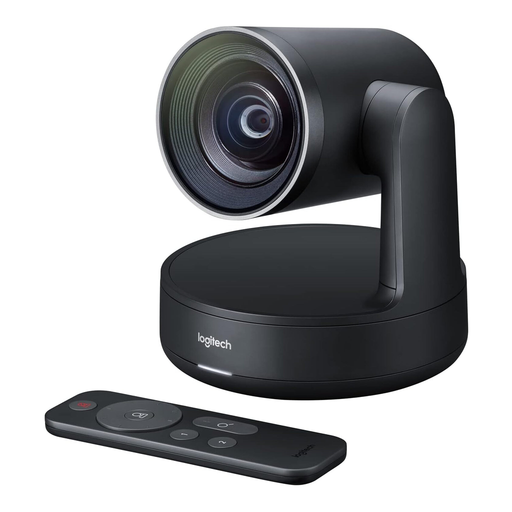
Logitech Conference Camera Rally 960-001227
A conference camera for video calls where the stated USB connection suits your existing set-up.
The product description lists 4K video and USB connectivity. You can’t infer any other audio features from these details.
View at Joybuy
 No image available
Insta360 Link 2C Standard Bundle Graphite Black
For video calls with people moving in and out of shot, where auto-framing suits the planned set-up.
The product details list 4K, a 1/2" sensor, auto-framing, HDR and a microphone with AI-based noise suppression. This doesn’t guarantee that other office conversations will be reliably filtered out.
View at Joybuy
 No image available
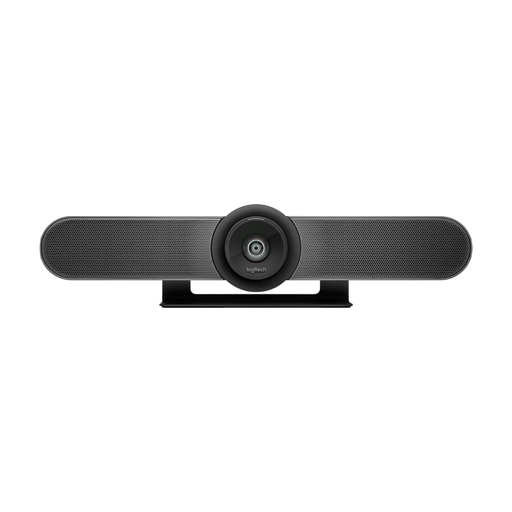
Logitech MeetUp All-in-One 4K Conference Camera
For a group mostly seated facing the camera in a small meeting room; the product description lists tabletop and wall mounting options.
Features include 4K video, a 120° field of view, automatic framing and USB plug-and-play. The product also has a beamforming microphone array and RightSound audio optimisation; this doesn’t prove that speech will remain clear when there’s other office noise.
View at Joybuy
Frequently asked questions
Is a long pick-up range enough for a discussion taking place alongside other office conversations?
No. A stated pick-up range doesn’t prove that the group’s voices will remain clear when people outside the discussion are speaking at the same time. Logitech and Owl Labs specify pick-up distances or an audio radius; check how well voices come through with your actual seating plan and typical background noise.
What needs to be set up before the first meeting?
With a USB video bar, check the computer connection and make sure the selected camera and microphone are set up in your conferencing software. HP describes the Studio R30 as connecting to a PC via USB; with the Yealink MeetingBar A10, you’ll also need to check the right platform mode and IT set-up.
Which accessories should I check for a longer table discussion?
Check whether your set-up needs an expansion microphone or an additional mount. Owl Labs offers a separate Expansion Mic for longer tables with the Meeting Owl 4+; the planned mounting and room equipment should also suit your set-up.
Can a book club discussion in a German office simply be recorded?
Buying a camera doesn’t give you permission to record. The guidance issued by the German Data Protection Conference on 23 October 2020 explains that video conferences involve processing personal image and audio data. The Federal Commissioner for Data Protection and Freedom of Information also highlights the system users’ responsibility under data protection law. Whether a particular recording is permitted depends on the circumstances of the meeting and how the data is processed; there’s no universal yes or no answer.


