Working alone in an open-plan office
If you’re joining from your own desk, your voice should remain clear despite nearby conversations, without needing to show the whole room. HP describes the Poly Studio P15 as a personal video bar.


If you join a meeting from your own desk, first consider a personal camera with audio capture suited to your needs; a video bar for the whole room isn’t automatically the better choice. If your team sits together in front of one camera, the microphone coverage and viewing angle need to suit the seating layout: a front-facing USB video bar and a 360° table camera serve different purposes. Noise-cancelling claims are based on manufacturers’ specifications and don’t guarantee clear conversations in every office.
If you’re joining from your own desk, your voice should remain clear despite nearby conversations, without needing to show the whole room. HP describes the Poly Studio P15 as a personal video bar.
When several people speak in front of the same camera, audio coverage, seating distance and connection to a room PC or laptop all matter. Logitech describes the MeetUp 2 as suitable for small rooms and PC or BYOD use; HP lists the Poly Studio R30 as a USB video bar for small rooms.
If people are speaking from different directions, the camera view needs to suit the seating layout. Owl Labs describes the Meeting Owl 4+ as a 360° camera; Jabra specifies a front-facing 180° field of view for the PanaCast 50.
| Buying priority | What to check before you buy | Who is this important for? |
|---|---|---|
| Your voice amid background noise | Check the microphone’s position and test how clearly your speech comes through during typical office conversations. | If you’re sitting alone at your desk, you’ll want to be heard clearly without showing more of the room than necessary; around 36% of consumers put isolating their own voice first. |
| Voices from every seat | Compare the stated microphone range with your room, and test speech from the furthest seat. | When several people are sitting around a table, voices from the furthest seat should still come through; around 29% of consumers prioritise audio coverage for every seat. |
| A camera view that suits your seating layout | Plan the camera position and seating: a wide front-facing view and a 360° table view capture different directions. | If participants are spread out side by side or seated around the table, the camera view needs to suit their layout; around 21% of consumers prioritise suitable image coverage. |
| Connections and setup | Check whether you’ll use a room PC or BYOD laptop, and make sure the required connections, power supply and cables are included in the offer. | If you want to keep using your existing room equipment, the camera needs to work with your planned setup; around 14% of consumers prioritise ease of setup and compatibility. |
A high image resolution doesn’t tell you how well the camera will pick up voices in a noisy room. Manufacturers describe picture and audio features separately.
Before prioritising resolution, test the sound from the actual seats with typical office noise in the background.
Jabra describes the PanaCast 50 as a video bar with a 180° field of view, while Owl Labs specifies 360° video for the Meeting Owl 4+. The models are designed for different camera positions and seating layouts.
Decide on your seating layout and camera position before comparing viewing angles.
Logitech describes the MeetUp 2 as designed for PC and BYOD use and doesn’t list it as compatible with RoomMate.
Check that your planned setup works with your existing room equipment, and confirm the connections, power supply and contents of the specific offer.
The Poly Studio P15 is a personal video bar, while the Poly Studio R30 is a USB video bar for small rooms.
According to Logitech, the MeetUp 2 is a USB conference camera for small rooms, designed for PC or BYOD use.
The Meeting Owl 4+ is designed for conversations with people seated around a camera placed on the table.
The PanaCast 50 is described as a panoramic video bar for teams seated in a wide row in front of the camera.
This selection from Joybuy includes webcams for your own workspace, as well as conference cameras for small and larger team rooms.
 No image available
Designed for joining meetings from your own PC workstation, this webcam has a built-in microphone and noise suppression. Test how clearly your voice comes through when there are nearby conversations.
Features include 4K, a 99° field of view, a privacy cover and plug & play.
 No image available
For video calls and meetings on a PC or Mac; the product name specifies a microphone with AI noise suppression. Test it in your office to check whether conversations remain clear.
Features include a 1/2" sensor, auto-framing and HDR.
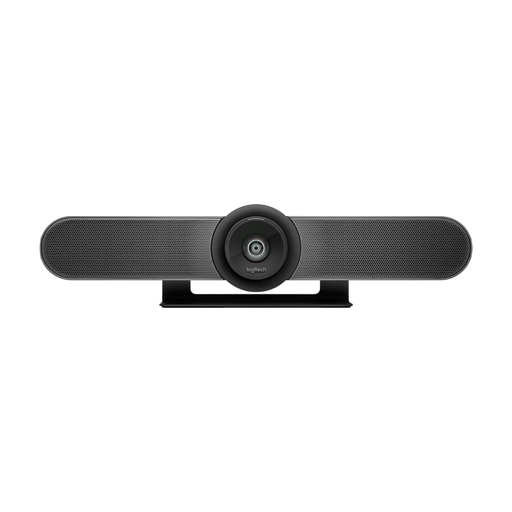 No image available
For several people sitting in front of the same camera in a small meeting room. The product name specifies built-in microphones and speakers, as well as motorised pan and tilt.
The specified field of view is 120°.
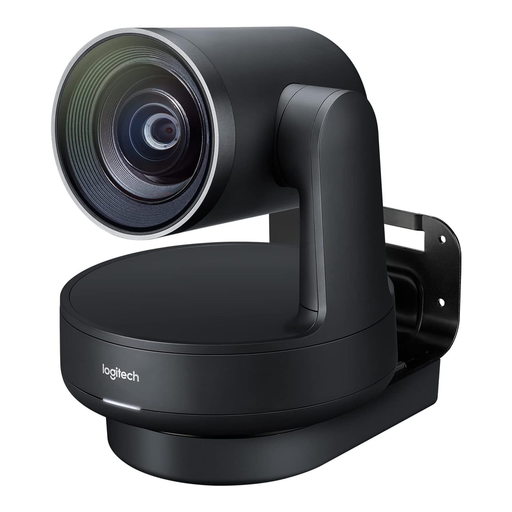 No image available
This modular system is designed for medium-sized to large meeting rooms, with separate camera, speaker and hub components.
The product specifications list a 4K PTZ camera, two Mic Pods and speakers. Additional Rally Mic Pods are listed as accessories to extend audio coverage.
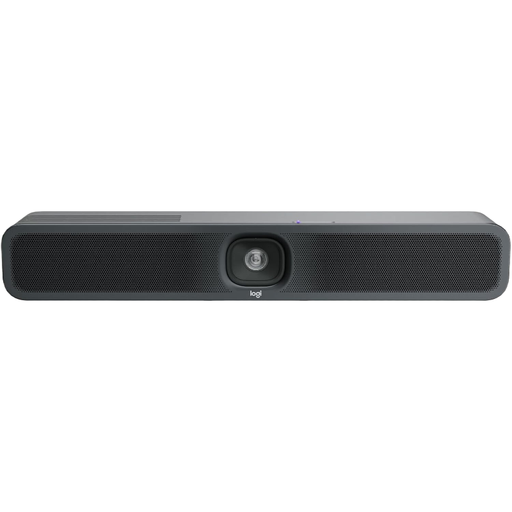 No image available
For small meeting rooms with several people in front of the same camera; the product specifications list a built-in microphone and speaker.
The product name specifies USB and AI audio and video features. Logitech describes the MeetUp 2 as designed for PC and BYOD use and as incompatible with RoomMate.
Start by deciding who needs to be in the frame: HP describes the P15 as a personal video bar and the R30 as a USB video bar for small rooms. Check how many people will be speaking and where they’ll be sitting, then choose a microphone and camera view to suit.
Logitech describes it as connecting to a laptop for BYOD or to a conference room system. Check the USB connection, power supply and required cables in advance; according to Logitech, the MeetUp 2 isn’t compatible with RoomMate.
If people at a longer table aren’t easy to hear during testing, a separate accessory could be an option. Owl Labs offers an additional Expansion Mic for the Meeting Owl 4+; check that it suits your planned setup.
The BfDI notes that users decide which content and personal data are involved in video communications and are responsible for data protection in this respect. When setting up the system, clarify which people and areas the camera and microphone will capture, and what organisational rules apply to their use; this doesn’t mean that every recording or capture is automatically permitted.