Trainers working with noisy small groups
If remote participants need to follow quiet contributions and quick changes of speaker, microphone placement and speech clarity matter more than extra image detail.


Choose your camera based on microphone placement and seating layout first: a USB video bar is better suited to a small group seated in front of the camera, while a 360° camera is more suitable for exercises around a table. Manufacturer features such as beamforming, noise filtering and automatic framing don’t guarantee that quiet voices and overlapping conversations will be clear in your office. Check this with a test call under your usual room and noise conditions.
If remote participants need to follow quiet contributions and quick changes of speaker, microphone placement and speech clarity matter more than extra image detail.
For exercises where people speak from different directions, the camera view should make it easy to follow changing speakers and see the group as a whole.
For regular hybrid training sessions, the room size, computer and video-conferencing software all need to work together. You should also take your organisation’s data protection requirements into account when holding video conferences.
First, decide what matters most in your training room: clear speech, visible conversational cues, coverage around a table or a setup that works reliably every time.
| Buying consideration | What to look for when buying | Who it matters to |
|---|---|---|
| Speech clarity with office noise | Compare microphone layouts and information about beamforming or noise processing. Test quiet voices and people speaking at the same time on a call. | If I need to transmit quiet contributions and quick exchanges from a noisy office, clear speech matters more than extra image detail. Around 33% of consumers put speech clarity first. |
| Gestures and changes of speaker | Check the seating plan against the camera’s field of view. Test the group view and automatic speaker view during a practice conversation. | It matters to me that remote participants can see both the person speaking and the context of the conversation. Around 27% of consumers focus mainly on visible conversational cues. |
| Coverage around a discussion table | Map out distances and seats; test particularly quiet voices and seats near the source of noise. Check whether additional microphones are needed. | When a group is seated around a table, I want contributions from different directions to be picked up. Coverage around the table is the main consideration for around 20% of consumers. |
| Setup and reliable day-to-day use | Check compatibility with your computer, USB port, power supply, video-conferencing software and required mount. Review the available privacy-friendly settings. | If the same room is used for training regularly, I need a setup that works with the equipment already there. Around 20% of consumers prioritise easy setup and reliable day-to-day use. |
Manufacturer claims about noise processing don’t prove what remote participants will actually hear amid the noise in your office.
Before you decide, make a test call with quiet voices, changes of speaker and your usual background noise.
A wide-angle front view and a 360° view of the table suit different room layouts. If the camera angle doesn’t suit the room, important directions or parts of the group may be left out of shot.
First decide on the table shape, camera position and where people will be looking. For longer tables, also check whether you need additional microphone accessories or a different setup.
The Expansion Mic for the Meeting Owl 4+ is an additional accessory; a modular system such as Logitech Rally Plus requires decisions about placement and cabling.
Recording participants’ image and audio requires a separate data protection assessment. Buying a camera does not automatically give you permission to record.
Before planning to store any recordings, agree the purpose, legal basis, information for participants and appropriate settings with the organisation responsible.
The Poly Studio R30 is positioned as a USB video bar for small rooms.
MeetUp 2 is designed for small rooms using a laptop or computer; Rally Plus is a separate modular system for large and extra-large rooms.
The PanaCast 50 is a front-facing video bar for groups seated across a wide area in front of the camera.
The Meeting Owl 4+ is a 360° table-based solution for group discussions.
This selection includes webcams and conference systems for groups facing the camera, as well as a modular system for larger or more spread-out training groups.
 No image available
For a conversation where everyone faces the camera, the stated 99° field of view may be a factor to consider; still, check speech clarity in your actual office.
The product details list 4K, a built-in microphone with noise cancellation and a webcam cover. These claims are no substitute for testing with quiet voices or people speaking at the same time.
 No image available
According to the product description, auto-framing and HDR help adjust the composition as people move; test whether the view captures changes of speaker appropriately for your group.
Listed features include a 1/2-inch sensor, HDR, auto-framing, gesture control and a microphone with AI noise cancellation. The product description says it is currently not compatible with ARM-based Windows systems.
 No image available
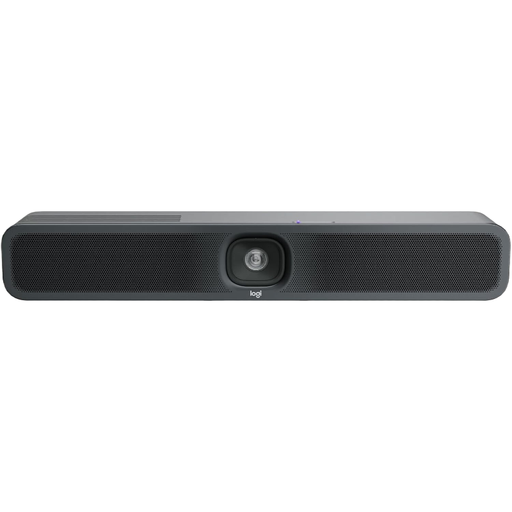
For small groups facing the camera, the all-in-one design may simplify your choice of equipment; check the room and available connections first.
The product description lists a 120° field of view, motorised pan and tilt, and built-in microphones and speakers. Check the framing from the actual seating positions.
 No image available
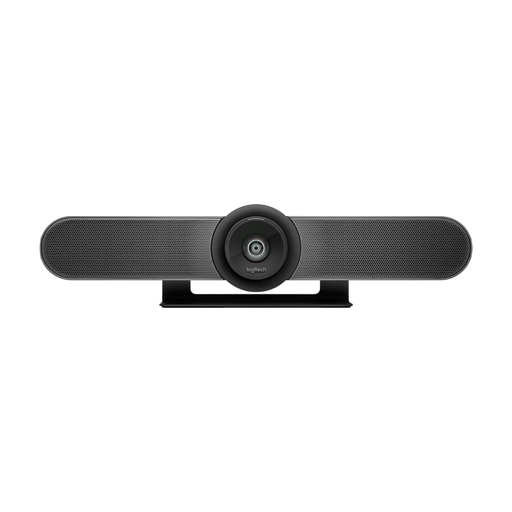
This video bar is designed for small meeting rooms. It may suit you if the group is mostly seated in front of the camera and the conference is run from a room computer or laptop.
Logitech lists six beamforming microphones and a stated pickup range of up to 7 m. These specifications don’t demonstrate measured speech clarity in a noisy office.
 No image available
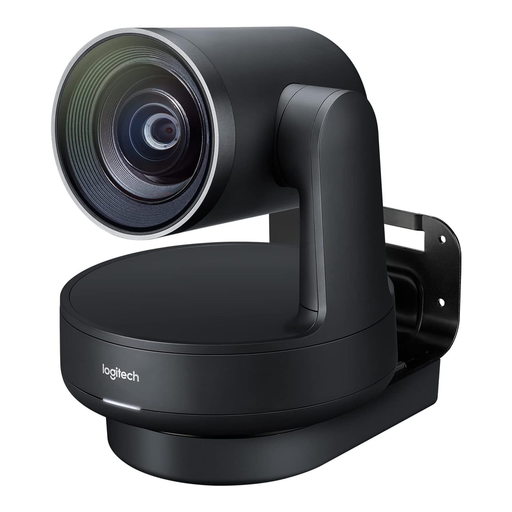
For larger or more spread-out training groups, a modular system can allow you to position the camera and microphones more flexibly.
The product description lists a 4K PTZ camera, speakers, Mic Pods and hubs. You’ll need to plan for separate components and cabling when setting it up; this doesn’t prove that speech will be clearer in a noisy office.
No, resolution alone isn’t enough. Also check whether voices and changes of speaker remain clear with your seating plan; stated audio ranges are no substitute for testing in a noisy room.
First check compatibility with your computer, power supply and connection type, then test the group and speaker views from the actual seating positions. HP describes this connection sequence for the Studio R30; Logitech lists USB operation with a room computer or laptop for MeetUp 2.
Yes, this depends in part on the length of the table and the distance between seats. The Expansion Mic for the Meeting Owl 4+ is an additional accessory; Logitech Rally Plus is a modular system with Mic Pods. Work out what you need for your particular room.
No, buying a conference camera doesn’t automatically give you permission to record. The guidance issued by the German Data Protection Conference on 23 October 2020 sets out the need for a separate assessment of recordings; where there is no specific need to document the session, separate consent will generally be required. Check the specific purpose and legal basis with the organisation responsible.