What should you look for when buying?
First decide whether learners need to listen together in the room or whether audio played directly to your ears is more important. Then check seating distances, connections and controls with the device and teaching app you actually use.
| Consideration |
What to check before buying |
Who is it important for? |
| Noise in a shared flat and privacy |
Open playback or a headset; check the microphone position and mute control for the room. |
If I teach alone and my flatmates might overhear, I’m more likely to need audio played directly to my ears and an easily accessible mute control. Around 33% of consumers prioritise peace and privacy in shared accommodation. |
| Taking turns to speak around the table |
Check the full-duplex capability and microphone coverage of the exact model. Jabra recommends keeping each person 0.5 to 2.3 m from the Speak2 55; HP gives the Sync-20 series a microphone range of up to 2 m. |
If several learners need to talk to one another using the same device, I want to make sure the seating suits the microphone coverage. Around 27% of consumers prioritise clear conversations involving several people. |
| Connecting to the computer you teach from |
Check the USB connection on the exact model, then make sure the microphone and speaker are selected in both your operating system and app. Jabra recommends using USB with the Speak2 55 on a PC rather than a standard Bluetooth connection. |
If I teach mainly from one computer, I want to connect the device without unnecessary complications and select it correctly. Around 20% of consumers put straightforward computer connectivity first. |
| Moving between locations and power supply |
Check the connection options, power supply and stated battery life of the specific model. According to the manufacturer, the EMEET M1A needs USB and has no built-in battery. |
If I move between rooms or devices to find a quieter environment, the power supply needs to work wherever I set up. Around 20% of consumers prioritise being able to teach from different locations and having a suitable power supply. |
Joybuy products for conversation lessons
The products below include conference speakers for group activities around a table and headsets for one-to-one lessons in shared accommodation.
 No image available
Insta360 Wave AI, Bluetooth conference speaker, white
For a group gathered around a table, when Bluetooth connectivity is important for your teaching space.
The product description mentions local audio recording. Under Section 201 of the German Criminal Code (StGB), recording another person’s privately spoken words without authorisation is prohibited; the German data protection authorities generally consider the consent of the person on the other end of the conversation necessary before recording it.
View at Joybuy
 No image available
EMEET 8-Mic Bluetooth Conference Speaker, Lunaplus
For a group gathered around a table; the product name lists 8 microphones, 360° Voice Pickup, Dual Connection and a 5W speaker.
View at Joybuy
 No image available
Dell Pro Desktop Speakerphone SP3022
For conversation practice with several people in the room, using a computer; check that the connections and selection as the recording and playback device work with your teaching app.
View at Joybuy
 No image available
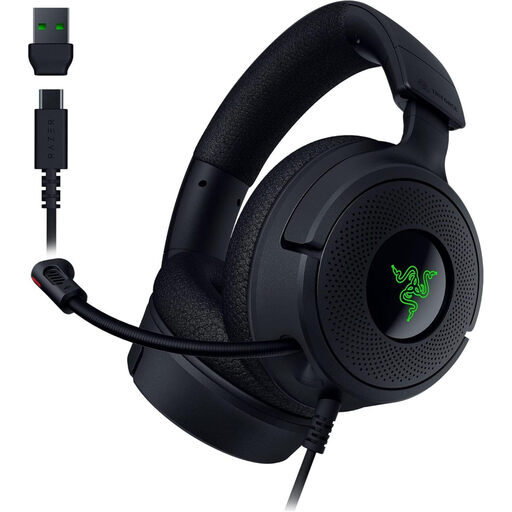
Razer Kraken V4 X, wired gaming headset, black
For one-to-one lessons when you don’t want your flatmates to overhear through open speakers; it is not suitable for a group around a table where several people need to listen together in the room.
View at Joybuy
 No image available
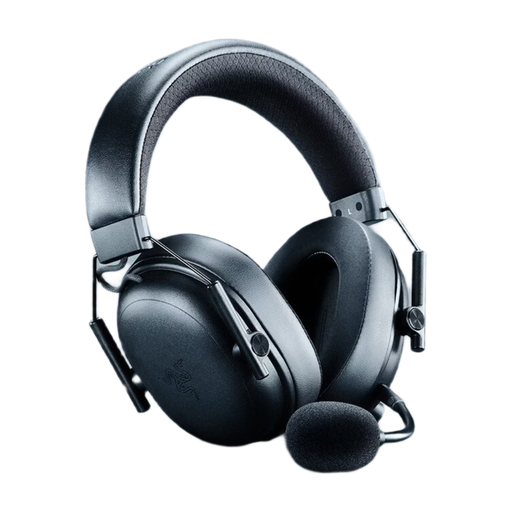
Razer BlackShark V3 Wireless Gaming Headset, black
For one-to-one lessons when you want to hear audio through your headset rather than aloud in the room; it is not a speakerphone for a group listening together around a table.
View at Joybuy
Frequently asked questions
How do I set up a conference speaker for a group conversation?
Set it up according to the instructions for the specific model, then select it for both recording and playback in your operating system and teaching app. Jabra recommends placing the Speak2 55 in the centre of the table, with each participant 0.5 to 2.3 m away; for a PC, Jabra recommends USB rather than a standard Bluetooth connection.
Does a USB speakerphone need charging before a lesson?
It depends on the model: according to the manufacturer, the EMEET M1A has no built-in battery and is powered via USB. Jabra quotes up to 12 hours of wireless use for the Speak2 55; even so, check the charge level of any battery-powered model.
Can I simply record conversation practice to review it later?
Under Section 201 of the German Criminal Code (StGB), recording another person’s privately spoken words without authorisation is prohibited. The German data protection authorities generally consider the consent of the person on the other end of the conversation necessary before recording it. Other obligations may also apply, depending on the people involved and the platform used.
What are my rights if a product is faulty or I return an online purchase?
For a consumer purchase from a business seller, the statutory guarantee generally lasts for at least two years from the date you receive the goods; this is separate from a manufacturer’s warranty. For an eligible online distance purchase, you generally have 14 days from delivery to cancel, subject to statutory conditions and exceptions. The European Union’s Your Europe website explains these rights for the relevant cases.
What should I look out for when buying a Bluetooth device in Germany?
The German Federal Network Agency lists correct CE marking as one of the points it checks when monitoring the market. Information about a meeting app is no substitute for checking the marking on the specific product.


