People taking part together around a table
If you’re having the interview with someone else in a small room, make sure the seating positions are within the microphone range of the specific device.


A conference speaker is a good choice when several people are speaking together around a table and the seating positions are within the microphone range of the specific model. If you’re joining alone, or don’t want the other person to be heard openly in the room, a headset is usually more practical. Choose a device that suits your connection and meeting app, then test the microphone and speaker from the place where you’ll be sitting before the interview.
If you’re having the interview with someone else in a small room, make sure the seating positions are within the microphone range of the specific device.
If you’re on your own in a meeting room, first consider whether open playback is right for your conversation and whether others might overhear.
If you might be using someone else’s laptop or switching between a computer and a phone, check the connections, exact model variant and connectivity in advance.
A good fit if: Several people are taking part around a table and the laptop is within reach.
Things to consider: The cable limits where you can place it, and open playback isn’t suitable for every confidential conversation.
A good fit if: You switch between a computer, phone or workplace, and open playback for everyone is suitable.
Things to consider: Check the connection and charge level before the interview. The exact variant determines the connection options and which adapter, if any, is included.
A good fit if: You’re taking part alone and want to avoid playing the other person’s voice openly in the room.
Things to consider: Other people around the table won’t be able to listen to the conversation together through the same speaker.
| What you need | What to check before buying | Who should pay particular attention |
|---|---|---|
| Picking up voices around the table | Compare the distances between seats with the range of the specific model: Jabra gives a range of up to 2.3 m for the Speak2 55, while HP gives up to 2 m for the Poly Sync 20. These are manufacturer figures, so test it from the seats you’ll be using. | If I’m speaking with someone else around the table, both our voices should come through from where we’re sitting. Around 33% of consumers prioritise picking up everyone’s speech. |
| Privacy | Consider whether others in the room could hear the playback. The Data Protection Conference notes that, in some circumstances, a video conference may also process the image or sound of people nearby. | If I’m taking part alone, I don’t want others to overhear the other person through an open speaker. Around 27% of consumers prioritise privacy. |
| Setting up before the interview | Check the connection and exact device variant. Microsoft Teams lets you select a speaker and microphone and make a test call, so check the settings before the interview. | For an important interview, I want to know in good time that my laptop, connection and meeting app all work together. Around 27% of consumers prioritise a straightforward set-up. |
| Switching between devices | Check the PC connection, smartphone connection and what’s included with the exact variant. HP specifies USB for PC audio on the Poly Sync 20; the Sync 20+ comes with a PC Bluetooth adapter. | If I want to use the device with different devices or in different places, the right connection matters more to me than flexibility I don’t need. Around 13% of consumers prioritise using a device across multiple locations. |
Manufacturers quote different microphone ranges for different models. The phrase “small room” alone doesn’t tell you whether everyone around the table will be picked up clearly.
Estimate the distance to the furthest seat and test the audio from there before the interview.
Connectivity and what’s included vary by model variant. An adapter included with one variant won’t necessarily come with another.
Check the full model name, your computer’s connections and what’s included in the box.
Depending on the variant, you may need an additional adapter for the PC connection you want. HP specifically lists a PC Bluetooth adapter as included with the Poly Sync 20+.
A tabletop speaker plays the other person’s voice out into the room. People nearby may also be affected by the image or sound captured by a video conferencing system.
If you’re taking part alone and others might overhear, consider using a headset instead of a tabletop speaker.
AnkerWork issued a recall for certain A3302 speakers manufactured in March and April 2023, which may pose a fire risk due to a potential battery problem.
If you own one or are considering buying one second-hand, check the serial number using the manufacturer’s instructions. If your device is affected, follow the guidance provided.
The Speak2 range includes portable USB and Bluetooth options, with features and connections varying by model.
The Sync range includes models for different workspaces and room sizes; the Sync 20 and Sync 40 are not interchangeable.
The EXPAND 40 is a portable option with USB-C and Bluetooth.
According to the manufacturer, the OfficeCore M0 Plus is a USB-C and Bluetooth speakerphone for use around a table.
The SP3022 is a wired desktop speakerphone for a fixed laptop set-up.
This selection includes speakerphones for conversations shared around a table, including portable Bluetooth devices and a wired model for a fixed laptop set-up.
 No image available
Consider this option for a group around a table with seats further apart, and test how clearly it picks up speech from the seats you’ll be using. Open playback isn’t suitable if others might overhear.
 No image available
Consider this Bluetooth option for a group around a table, and test the connection with the device you’ll be using beforehand. For confidential one-to-one conversations, bear in mind that playback is open.
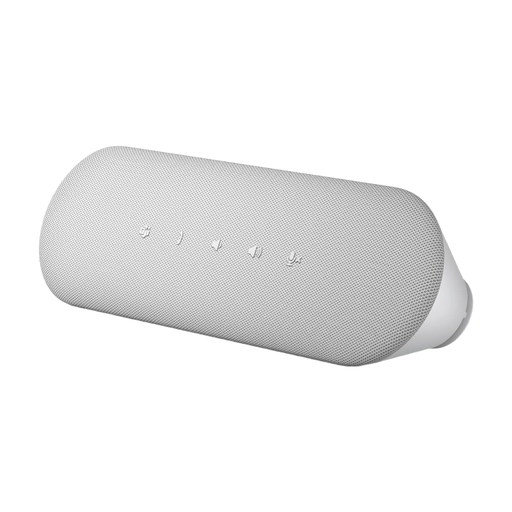 No image available
Consider this for a fixed laptop set-up with a direct wired connection. Dell lists USB-A and USB-C, full-duplex audio and echo suppression; where you can place it depends on the cable position.
In Teams, select the speaker and microphone you intend to use, then make a test call beforehand. Check that you can be heard clearly from the seats you’ll actually be using. A test call is a software feature, not a quality certification for the device.
No. PC connectivity depends on the exact variant. HP specifies USB for PC audio on the Poly Sync 20; the Sync 20+ also comes with a Bluetooth adapter for the PC.
Before buying, check whether the adapter you need for your connection is included and who to contact if there’s a fault. The Verbraucherzentrale explains that consumer purchases are generally covered by a two-year statutory warranty against the seller; this is separate from any voluntary manufacturer’s guarantee.
Don’t assume that a device’s recording function means you have permission to record. In its resolution of 23 March 2018, the Data Protection Conference states that, as a rule, telephone recordings require the consent of the other person taking part, including external participants. If you intend to record, check with everyone before you begin.
AnkerWork issued a recall for certain A3302 speakers manufactured in March and April 2023 because of potential battery problems. If you own this exact model or are considering buying it second-hand, check the serial number using the manufacturer’s instructions and follow the guidance provided if your device is affected. This does not automatically apply to every A3302 device.