A conference speakerphone is a good choice if your study group can be heard in the room and you want to take part hands-free or with several people around the table. If you don’t want your housemates to hear the conversation, or noise in the shared flat is distracting, a headset is often a better fit. For a permanent laptop setup, check the connection and cable length. If you switch between devices, make sure the exact model variant supports the connection you need.
Who would benefit from each option?
Studying alone in a busy shared flat
If you don’t want your housemates to hear the conversation, or their voices to be picked up in the background, first consider whether an open speaker is suitable for the room. In its 2020 guidance on video conferencing systems, the German Data Protection Conference points out that the images or sound of people nearby may also be processed.
A study group around the same table
If several people are in the room and joining an online session together, think about where you’ll place the speaker, how the conversation will flow and whether voices can be picked up from each seat. Jabra and EMEET describe microphone features for their respective models, but manufacturer specifications don’t guarantee clear speech in every shared flat.
Switching between a laptop and smartphone
If you study in different places or use several devices, check the ports and connectivity for each one. HP specifically distinguishes between the Poly Sync 20 and Sync 20+ variants and their PC connections.
What should you look for when buying?
Conference speakerphone
A good fit if: Everyone in the room can hear the study group and several people want to speak together.
The trade-off: The sound can be heard around the room, and microphones may pick up voices nearby.
Headset
A good fit if: You don’t want housemates within earshot to hear the study group, or you’re studying alone in a busy shared workspace.
The trade-off: This is less convenient for a group conversation around a table.
When choosing a device for a study group in a German shared flat, the key factors are who can hear the conversation, how many people will be speaking around the table and which devices you want to connect.
| Consideration |
What to check before buying |
Who should consider this? |
| People listening in and background voices |
Check first whether open playback is suitable; don’t assume noise reduction means the conversation is private. |
If I’m studying alone in a busy shared flat, I want to avoid my housemates overhearing or voices nearby being picked up. Around 40% of consumers put privacy first. |
| Several voices around the table |
Compare the distance between seats and the table size with the stated microphone range for the specific variant. |
If several of us are sitting around the table, everyone should be able to speak without passing the device around. Around 30% of consumers prioritise picking up several voices around the table. |
| Laptop connection |
Check whether you need USB-A or USB-C and whether the cable is long enough. Then select the microphone and speaker in your operating system and app. |
If I usually study at the same laptop setup, I want a suitable connection that’s easy to set up. Around 20% of consumers put a laptop connection first. |
| Switching between devices |
Check the supported connection for each device and what’s included with the exact variant. |
If I switch between a laptop, smartphone or study locations, I need a suitable way to connect each device. Around 10% of consumers prioritise switching between devices and workspaces. |
Buying pitfalls
-
Confusing noise reduction with protection from people listening in
Sound from a conference speakerphone can still be heard around the room. Microphones may also pick up noise and voices nearby. Noise processing won’t automatically stop your housemates from hearing the conversation.
Before you buy, think about who’ll be in the room and whether an open conversation is suitable. A headset may be a better option if you don’t want others to hear a one-to-one conversation.
-
Assuming Bluetooth on your smartphone means you can use the device wirelessly with a PC
Connectivity and what’s included vary by model and variant. HP says the Poly Sync 20+ comes with a Bluetooth PC adapter, while Jabra recommends connecting the Speak2 55 to a computer via USB.
Check the exact model name, the connection you need for each device and what’s included in the box.
-
Assuming an EU manufacturer’s declaration proves what’s included in a specific listing
A declaration for a particular model doesn’t automatically identify the variant supplied or its labelling and documentation. Germany’s Federal Network Agency reminds retailers to ensure, among other things, that products have the correct CE marking and the required user information in German before they are offered for sale.
Before buying, check the model details in the listing. When your order arrives, check the labelling and required information for the specific unit.
Key brands to consider
Jabra
The Speak2 models offer different connection options for a permanent laptop setup or switching between a computer and mobile phone.
- Jabra lists four microphones and full-duplex audio for both the Speak2 40 and Speak2 55. For the Speak2 40, the manufacturer gives the integrated cable length as approximately 80 cm.
- The Speak2 55’s Bluetooth and battery features don’t automatically apply to the Speak2 40. Jabra notes that a standard Bluetooth connection between the Speak2 55 and a computer isn’t certified and may offer different audio quality.
HP Poly
HP positions the Sync range for different workspaces and room sizes. The Sync 20 series is an option if you need to use your speakerphone in different places.
- HP lists full-duplex audio, noise reduction and echo reduction for the Sync 20 series.
- HP distinguishes between the Sync 20 and Sync 20+ based on whether a Bluetooth PC adapter is included. Manufacturer specifications don’t prove how clearly you’ll be heard in a noisy shared flat.
EMEET
According to EMEET, the OfficeCore M0 Plus is a USB-C and Bluetooth option for group conversations around a table.
- EMEET lists four microphones and full-duplex audio for the M0 Plus, as well as the option to expand the setup by connecting a second device.
- Manufacturer claims about noise processing and expansion aren’t independent evidence of speech quality. You won’t necessarily need a second device for a simple study group in a shared flat.
Joybuy products
This selection of Joybuy products includes conference speakerphones for joining a study group. Check that each model offers the connection you need and that open playback is suitable for your shared flat.
 No image available
Insta360 Wave AI Conference Speakerphone, Bluetooth, White
If Bluetooth works with your devices, this model could suit a study group. Bear in mind that sound from the speaker can be heard around your shared flat.
View at Joybuy
 No image available
EMEET Lunaplus 8-Mic Bluetooth Conference Speaker, 5W
For group conversations around a table, if Bluetooth works with your devices. The product name specifies eight microphones and a 5W speaker; sound from the speaker can still be heard around the room.
View at Joybuy
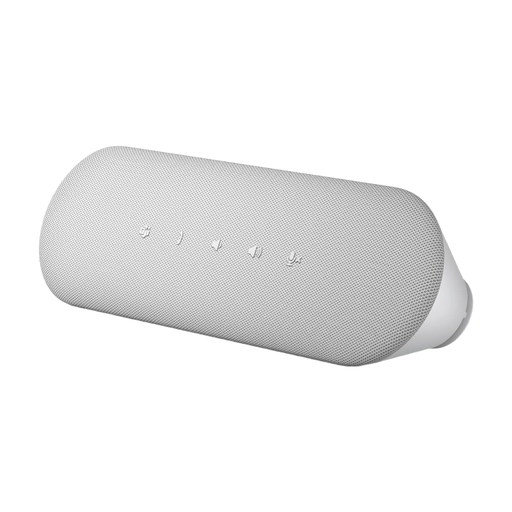 No image available
Dell Pro Desktop Speakerphone SP3022
An option for joining calls at your desk. Check that the connection you need matches the details for the specific variant, and bear in mind that sound from the speaker can be heard around your shared flat.
View at Joybuy
Frequently asked questions
Where should I place a speakerphone for a group around a table?
For the Speak2 40, Jabra recommends placing it in the centre of the table, at least 0.5 m and no more than 2.3 m from each person speaking. This is a manufacturer recommendation for a specific model, not a general limit for all conference speakerphones.
Why can’t the others hear me even though my device is connected?
First check whether the device is muted. Then select it as the microphone and speaker in both your operating system and conferencing software. Jabra specifically mentions these settings in the Speak2 40 guide.
Can I connect a speakerphone to my computer via Bluetooth?
It depends on the model and variant. For use with a computer, Jabra recommends connecting the Speak2 55 via USB. It notes that a standard Bluetooth connection to a PC isn’t certified and may offer different audio quality. Also check whether a required PC adapter is included.
What should I consider if my housemates are in the background?
Choose a room where open playback is suitable for everyone present, and mute the microphone if needed. In its 2020 guidance, the German Data Protection Conference points out that video conferences may also process the images or sound of people nearby. The guidance mainly covers video conferences held by organisations.
What should I know about product compliance in Germany?
Germany’s Federal Network Agency says that, before offering electrical or electronic devices for sale, retailers must ensure, among other things, that they have the correct CE marking and the required user information in German. Check the details for the specific model variant; a CE mark alone says nothing about speech quality.


