What should you look for when buying?
First, check that the furthest seat is within the stated microphone range and that you can connect the speakerphone to your meeting PC. A test call in typical office conditions will show whether everyone in your meeting can be heard clearly.
| What to look for |
What to check |
Who should particularly consider this? |
| Clear speech despite office noise |
Compare microphone processing and echo reduction, then test the audio with typical background noise. |
If I need to understand people despite conversations nearby, I want to test the audio in a typical meeting. Around 36% of consumers put clear speech in noisy offices first. |
| Coverage of every seat |
Measure the distance from the device to the furthest seat and compare it with the specification for the exact model. Only consider extensions for combinations that are explicitly supported. |
If several people are meeting around a long table, the furthest seat should be covered too. Around 29% of consumers prioritise coverage of every seat. |
| PC connection and model variant |
Check the USB type, whether a PC adapter is needed, and the audio settings in the operating system and meeting software. |
If IT specifies the meeting PC and its connections, the exact model needs to suit that setup. Around 21% of consumers put PC and IT compatibility first. |
| Moving between meeting spaces |
Check the stated battery life and what’s included with the specific variant. Portability doesn’t replace checking the range and speech clarity. |
If I hold planning meetings at different tables, being able to move the speakerphone and use it wherever we meet matters. Around 14% of consumers prioritise being able to move between meeting spaces. |
Conference speakerphones at Joybuy
These Joybuy models are worth considering for conference calls around a shared table. Before choosing, compare the seating arrangement and connection to your meeting PC.
 No image available
Insta360 Wave AI conference speakerphone, White
Designed for larger groups around a table. Compare the furthest seat with the stated range and test speech clarity in typical office noise.
Bluetooth is listed in the product name. Noise processing doesn’t prove that voices will be clear in your particular office.
For confidential discussions, bear in mind that the speakerphone plays the other participants’ voices out loud in the room.
View at Joybuy
 No image available
EMEET Luna Plus conference speakerphone
For meetings with several people around a table. Check that the listed connections suit your meeting PC and that everyone can be heard clearly on a test call.
EMEET lists eight microphones, 360° voice pickup, and USB, Bluetooth and adapter connections for the Luna Plus. Noise reduction is a manufacturer claim, not proof of performance in your office.
The wired extension microphone is listed for the Meeting Kit, not the standard Luna Plus.
For confidential discussions, bear in mind that the speakerphone plays the other participants’ voices out loud in the room.
View at Joybuy
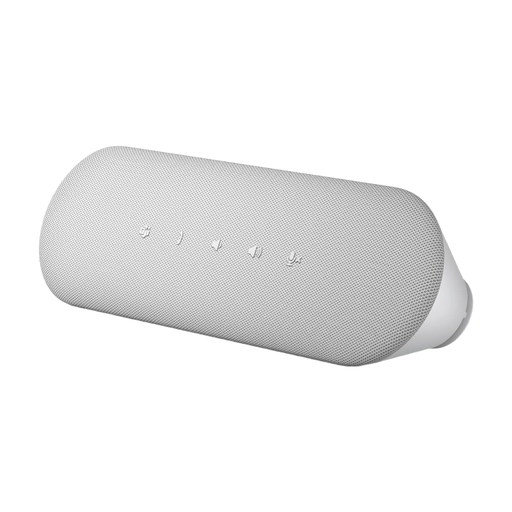 No image available
Dell Pro Desktop Speakerphone SP3022
Described as a desktop speakerphone for meetings. Check that the connection suits your meeting PC and IT requirements.
Noise cancellation is a product claim, not proof of clear speech in your office’s noise levels. Test the audio with a call.
For confidential discussions, bear in mind that the speakerphone plays the other participants’ voices out loud in the room.
View at Joybuy
Frequently asked questions
How do I set up the conference speakerphone before a planning meeting?
Connect the exact model using the specified USB connection or compatible PC dongle, then select it as your microphone and speaker in both the operating system and meeting software. The AnkerWork PowerConf S500 guide specifically describes how to select the audio device. Then make a quick test call from the seats you plan to use.
Should I allow for accessories and set-up time?
First, check the exact variant and what’s included: the adapter for the Speak2 75 depends on the variant, while the additional wired microphone is listed for the EMEET Luna Plus Meeting Kit, not the standard Luna Plus. Allow time to select the audio device and make a test call too, rather than assuming an adapter or extension microphone will be included.
What are my rights if there’s a fault or I buy online in Germany?
For a consumer purchase, statutory rights against the seller are separate from a voluntary guarantee. The Verbraucherzentrale says that consumer contracts made online generally come with a 14-day right to cancel; check the terms of your specific purchase. Don’t assume that this consumer rights advice applies to business purchases without checking first.
Can I simply record a planning meeting using the speakerphone?
A speakerphone on its own doesn’t give you permission to record. The Datenschutzkonferenz says that recording phone calls will generally also require the consent of external participants, and notes that additional requirements apply when employees are involved. For video conferences, the organisation responsible must check how the data will be processed and the legal basis for doing so. Whether a particular recording is permitted depends on the circumstances.
Is noise cancellation enough for confidential conversations in an open-plan office?
No. Microphone noise reduction doesn’t stop people nearby from seeing or hearing what’s going on. A speakerphone plays the other participants’ voices out loud in the room. Choose a suitable meeting space for sensitive discussions and follow your organisation’s data protection requirements.


