If play and control are your main priorities, choose a robot dog whose key features work without a permanent internet connection. However, Bluetooth alone does not guarantee that little data is being processed. For camera, voice or remote-access features, check how data is handled, who can access it and what security measures are in place for the specific model. For toys, also look for the CE marking.
Who is a connected robot dog suitable for?
Families who place a high value on privacy
You want to make interactive play possible while limiting image, voice and remote access in the kids’ room as much as possible. What matters is which features are actually available offline and how the specific model handles data. The Baden-Württemberg Consumer Advice Centre explains that local use and a requirement for an internet connection can have different implications for data processing.
Families who want to combine app-based play with coding
You want to control movements, games or coding features through an app. Check which devices are required, what Bluetooth permissions are needed and what comes with the specific version. Petoi documents Bluetooth control and Coding Blocks for Bittle X V2, while WowWee describes Dog-E games that can be played with or without the app.
Families who want to use voice or camera features
Additional visual or voice-controlled interaction may involve accounts, cloud services and remote access. KEYi Tech lists an RGB camera and cloud-dependent voice recognition for Loona, so check how the specific features handle data and what access they allow before choosing.
What should you consider when buying?
Play without a permanent internet connection
A good fit if: you want to use the basic features without a constant connection.
Bear in mind: Initial setup, syncing and some voice or remote features may still require the internet.
App or Bluetooth control without a camera or microphone
A good fit if: app control matters more than image or voice interaction, and you’re specifically looking for a version without these sensors.
Bear in mind: Check the features of the specific model. Bluetooth and app permissions alone don’t tell you what data is being processed.
Use camera, voice or remote features
A good fit if: you genuinely need these extra features and can understand how they handle data before you buy.
Bear in mind: They may involve an account, network and external services. Check access permissions and security updates too.
The figures below give an overview of the priorities of consumers choosing a connected robot dog for their family.
| Priority |
What to check before buying |
Who it matters most to |
| Data and access in the kids’ room |
Check the sensors, app permissions, data recipients, storage location and remote access for the exact model. |
If I want to limit image and voice access in the kids’ room, I need to know what is captured and shared. Around 36% of consumers put privacy first. |
| Use without a constant internet connection |
Check separately whether initial setup, core features and voice or remote features require a connection. |
If I want to use the robot mainly without a permanent internet connection, I need to know which games will still be available. Around 29% of consumers place particular importance on offline use. |
| App control and programming |
Check compatibility with your device, Bluetooth pairing, permissions and which features work without the app. |
If I want to use games or coding features through an app, compatible devices and clear permissions matter to me. Around 21% of consumers prioritise app-based play and control. |
| Voice and image interaction |
Check whether features run locally or through services, who has access and what security updates are planned. |
If I want to use voice or image features, I need to understand how they handle data and what ongoing support is available. Around 14% of consumers prioritise these features. |
Common pitfalls when buying
-
Assuming “playable offline” means “no data is transferred”
Initial setup, app use and some voice or remote features may need a different connection from the basic game.
Check the connection requirements for each feature you want to use, and find out what remains available offline.
-
Immediately interpreting an Android location permission as GPS tracking
For the Dog-E Android app, WowWee lists a location permission for Bluetooth LE scans. This permission request alone does not prove that the robot collects GPS data.
Assess app permissions, privacy information and the model’s actual features separately.
-
Treating the CE mark as proof of privacy protection
The CE marking for toys doesn’t tell you how an app handles data or how long security updates will be provided.
Check the marking and digital security information independently. Toys placed on the market in Germany must carry a CE marking under § 13 of the 2. ProdSV.
-
Checking only the device, not the specific version
Features, connectivity and what’s included can vary between versions. Details for one version won’t necessarily apply to other robot dogs.
Check the model version, the features you want and what’s included before buying.
According to Petoi, the Bittle X product family includes a charging cable but no charger. Check which charging accessories come with the specific version.
Brands to consider
WowWee
Dog-E combines play on the device with optional app features and family profiles. According to WowWee, you can play with or without the app.
- WowWee lists audio sensors and describes several app profiles.
- For the Dog-E Android app, WowWee lists a location permission for Bluetooth LE scans. Check the app’s permissions and privacy information for your device.
Petoi
Bittle X V2 is aimed at families who want to combine app control with coding options. Petoi documents Bluetooth pairing and Coding Blocks.
- Petoi lists voice commands in English and Chinese for Bittle X V2.
- Check the exact version: the kit and pre-assembled version are different. The features described don’t automatically answer every question about data processing or the duration of software updates.
KEYi Tech
According to KEYi Tech, Loona Petbot offers camera, voice, app and remote features for families who want to use these interactions in a considered way.
- KEYi Tech documents an RGB camera, Wi-Fi for initial setup and cloud-dependent voice recognition.
- For the specific feature, check the account requirements, storage location, access permissions and update information. General details from the manufacturer won’t necessarily clarify every aspect of data handling.
Robot dogs at Joybuy
This Joybuy selection includes robot dogs with listed visual tracking and voice interaction features. The product names alone don’t explain how these features handle data or what connection they require.
 No product image available
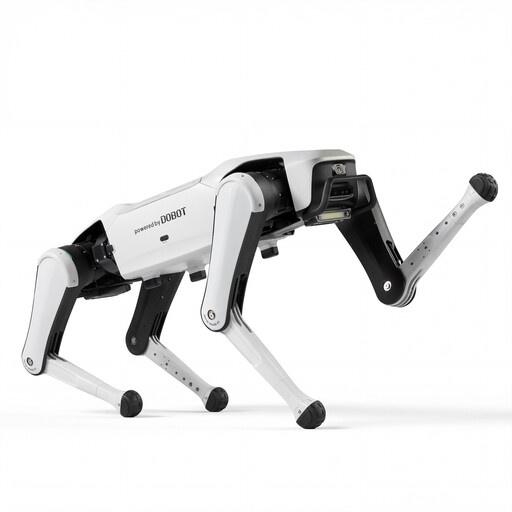
DOBOT Rover X1 AI Robot Dog
The product name lists Vision Follow and Voice Interaction for families looking for visual tracking and voice interaction.
For the specific version, check what connection the features require, which sensors are fitted and how data access is managed.
View at Joybuy
 No product image available
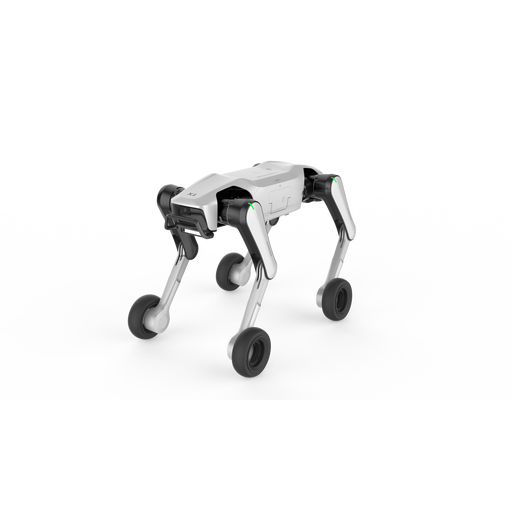
DOBOT Rover X1-W Pro AI Robot Dog
The product name lists Wheel-Leg Dual Mode, UWB Follow, Vision Follow and Voice Interaction. Check whether these features suit the way you want to use it.
Before using voice or tracking features in the kids’ room, check the connection requirements, sensors, data processing and available security information for the specific version.
View at Joybuy
Frequently asked questions
Can a robot dog have connected features without an internet connection?
Yes. App or Bluetooth control and an internet connection are two different things. WowWee describes Dog-E as playable without the app. According to KEYi Tech, Loona requires an online connection for initial setup and certain voice and remote features.
Why does a Bluetooth app on Android ask for location access?
For Dog-E, WowWee says the permission is needed for Bluetooth LE scanning. Petoi also notes that some Android devices need location services switched on when searching for Bluetooth devices. The permission request alone doesn’t prove that the robot stores or shares GPS data.
What should I check during setup and when using it later?
Check which app and connection the specific model requires, and review the permissions you grant. The Baden-Württemberg Consumer Advice Centre recommends reading the privacy policy before buying. For Loona, KEYi Tech describes initial setup over Wi-Fi and certain features that depend on an online connection. Also check which updates are available.
Is the CE marking enough to prove privacy protection?
No. Toys placed on the market in Germany must carry a CE marking under § 13 of the 2. ProdSV. This doesn’t tell you how a particular app handles personal data; you need to check these two things separately.
Are robot dogs with a camera or microphone banned in Germany?
Not simply because a sensor is visible. The Federal Network Agency warns about toys that secretly provide access to image or audio recordings and transmit them wirelessly without users’ knowledge, or allow covert remote access. You can’t tell whether this applies to a specific model from the words “camera” or “microphone” alone.


