If you don’t have your own TV in a shared bedroom, a handheld or hybrid console with its own screen is an obvious place to start. You can also play the Switch 2 on a TV; with the Steam Deck OLED, check compatibility for every game you’re interested in. The PS5 and Xbox Series S require a screen to be available. Start by choosing based on the games you want to play, then check the headphone connection, game format and storage.
Who are the different consoles suited to?
Players without their own TV
If you don’t want to occupy the shared screen, having your own display and a handheld or tabletop mode is key. Nintendo describes these play modes for the Switch 2, while Valve highlights the Steam Deck OLED’s built-in display.
Players with a specific wish list
Choose based on the exploration games you want to play and the version you’re after, rather than assuming a game is available based on the type of device. Nintendo lists a Switch 2 Edition of “The Legend of Zelda: Tears of the Kingdom”; Valve offers a compatibility check for Steam Deck games.
Players who want to be considerate of their housemates
If you want to listen through headphones, check the connection and audio settings. Nintendo lists a headphone jack on the Switch 2, and Sony explains how to adjust headphone and controller volume on the PS5.
What should you check before buying?
Hybrid console: Nintendo Switch 2
A good fit if: you want to play on your own screen and occasionally switch to a TV, provided the games you’re after are available for Switch 2.
What to consider: Nintendo requires microSD Express for storage expansion; a standard microSD card won’t do the job.
PC handheld: Steam Deck OLED
A good fit if: you want to play on your own screen, particularly using games from your Steam library.
What to consider: Check compatibility for every game you’re interested in. Valve’s stated battery life isn’t a guarantee of how long a particular game will run.
Home consoles: PS5 and Xbox Series S
A good fit if: you have a screen available and the games you want are available for the relevant system.
What to consider: The Xbox Series S and PS5 Digital Edition compared here don’t have a built-in disc drive; check the exact model and game format.
| Buying priority |
What to check |
Who it matters most to |
| Playing without using a shared screen |
Your own display and a handheld or tabletop mode; for portable devices, also consider where you’ll charge it and how you want to use it. |
If you want to leave the shared TV free and play on your own screen, this is a key consideration. Around 29% of consumers put playing without a shared screen first. |
| Playing the games you want |
Check the platform and game version for every title; for Steam games, also check Deck compatibility. |
If you already have specific exploration games in mind, check that they’re available before choosing a device. Around 29% of consumers put having access to the games they want first. |
| Keeping game audio down in the room |
Check that you have the right headphone connection and audio settings; headphones won’t automatically block out button or operating noises. |
If you’re playing in the same room as someone else, you’ll want to listen through headphones where possible and be considerate of your housemates. Around 24% of consumers put being considerate of housemates first. |
| Game format and storage |
Check whether you need a disc drive or downloads, whether your existing games are compatible, and which storage expansion format is required. |
If you want to keep using existing discs or a memory card, make sure they’re compatible with the exact console model. Around 18% of consumers prioritise game format, storage and ongoing costs. |
Common buying mistakes
-
“My existing games will automatically work on my new handheld.”
A game being available on a platform and being compatible with the Steam Deck are two different things to check.
Make a list of the games you want and check the platform, version and, where relevant, Valve’s Deck rating for each one.
Depending on the platform, switching to a different version of a game may mean buying it again.
-
“Any microSD card will expand the Switch 2’s storage.”
Nintendo states that microSD Express is required to expand the Switch 2’s storage.
Check the card standard before planning to use an existing memory card with the console.
You may need to buy a compatible microSD Express card separately.
-
“A digital console can play the game discs I already own.”
The Xbox Series S compared by Microsoft doesn’t have an optical drive; Sony also sells the PS5 Digital Edition without a built-in disc drive.
Check your existing games against the exact console model before deciding.
With an all-digital model, you may need to buy digital games or, if supported, a separate disc drive accessory.
Key brands at a glance
Nintendo
The Switch 2 could be a good choice if you want to switch between your own screen and a TV. Nintendo describes three play modes.
- Nintendo lists a headphone connection and storage expansion using microSD Express.
- Check the specific game and the right version; not every microSD card will work for extra storage.
Valve
The Steam Deck OLED is a handheld with its own screen for playing games from your Steam library.
- Valve lists a 7.4-inch display and headphone connections.
- Check compatibility for every Steam game you want to play. Valve’s stated battery life range isn’t a measure of how long a particular game will run.
Sony PlayStation
A PS5 is suited to use with an available screen and for playing PS5 games; the model determines which game formats it supports.
- Sony explains the audio settings for headphones and the controller.
- The PS5 Digital Edition doesn’t have a built-in disc drive. Check the model and what’s included before buying.
Microsoft Xbox
The Xbox Series S is a home console and an all-digital option for a space where you have a screen available.
- Microsoft describes the Series S model compared here as having 512 GB and no optical drive.
- Check that the specific games you want are available and how much storage you’ll need for the exact model.
Portable retro handhelds at Joybuy
The Joybuy picks below are portable retro handhelds with their own screens, so you can play without using a shared TV. Their product names don’t confirm that a particular modern exploration game is available on them; check the games included against the titles you want to play.
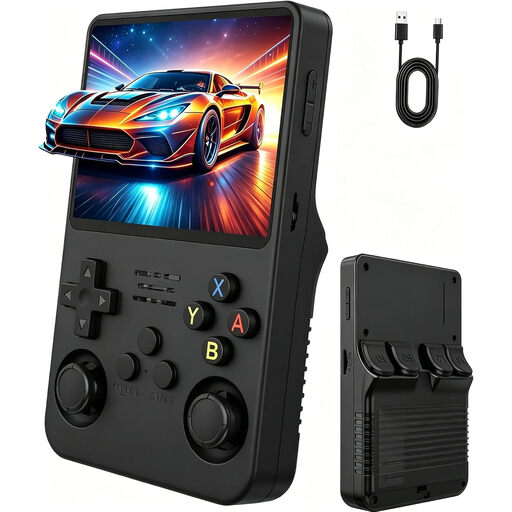 No image available
Retro handheld console with a 3.5-inch IPS HD display
Its own display lets you play without using the shared TV; the product description also mentions adventure games.
3.5-inch IPS HD display; two joysticks.
Check the games included against the exploration titles you want to play.
View at Joybuy
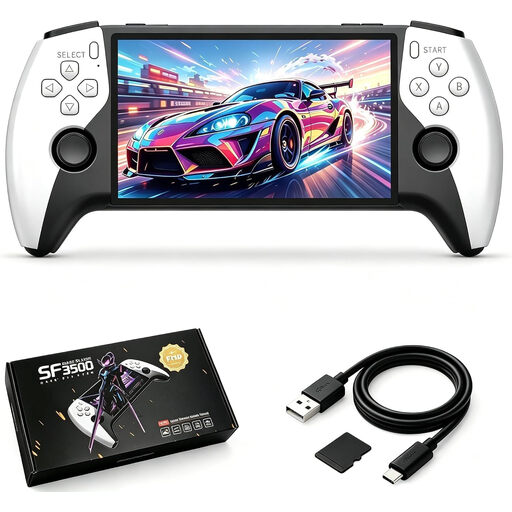 No image available
SF3500 retro handheld console, 5.5 inches, 32 GB
This portable handheld has its own display, so you don’t need a shared TV to play.
5.5-inch IPS display; 32 GB.
Before buying, check that the games included match the specific titles you want to play.
View at Joybuy
 No image available
Retro handheld console with a 3.2-inch HD display and 300 games
Its own display makes it an option if you want to play without using the shared TV.
3.2-inch HD display; 300 pre-installed retro games; rechargeable battery.
The games are described as retro titles; check whether they include the exploration games you want to play.
View at Joybuy
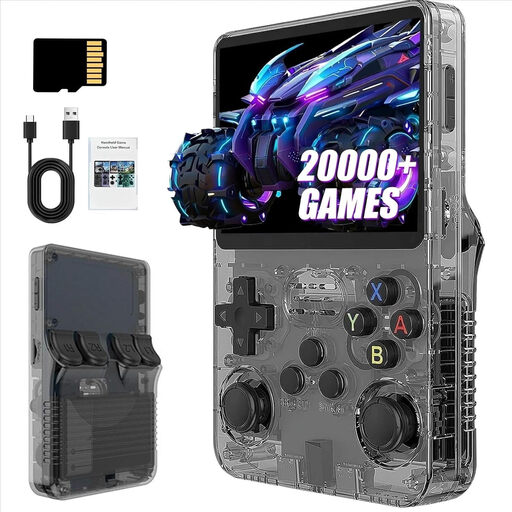 No image available
R36S Pro retro handheld console, 13 GB
This portable handheld has its own display, so you can play without using a shared TV.
3.5-inch display; 13 GB; the product title lists more than 21,000 classic games.
Check whether the described retro game collection includes the specific exploration games you want to play.
View at Joybuy
Frequently asked questions
Can I play without a TV?
You can play without a TV using the Switch 2 in handheld or tabletop mode, or on the Steam Deck OLED’s built-in display. The home PS5 and Xbox models compared here need a compatible screen.
What should I check when setting up in a shared bedroom?
Set up a suitable headset and check all active audio outputs. Sony describes separate volume settings for headphones and the controller; Nintendo lists a 3.5 mm headphone jack for the Switch 2. This doesn’t mean that button or operating noises will be inaudible.
Can I use my existing microSD card for extra Switch 2 games?
Nintendo says you need a microSD Express card to expand the Switch 2’s storage; a standard microSD card won’t work as a substitute. Nintendo also notes that you’ll need to update the system over the internet before using one.
What are the rules in Germany for physical games used by under-18s?
According to the German Federal Government’s Family Portal, games on physical media may only be made available to children and young people in public if they have been classified and labelled as suitable for their age group. So check the age rating for the specific game; it isn’t a general age rating for the console.


