Arena battles on one screen
If you want to play a particular fighting game with several people, check its local mode and supported player count. Nintendo says Super Smash Bros. Ultimate supports battles with up to eight players.


Start by choosing a console based on the arena game you want to play, its local multiplayer mode and the number of players. Then check whether your specific files are supported. PlayStation Support and Xbox Support document USB media playback on their consoles, while Nintendo describes local play options for Switch 2 but does not confirm a general-purpose player for your own media. A disc drive is relevant for compatible discs, not USB files.
If you want to play a particular fighting game with several people, check its local mode and supported player count. Nintendo says Super Smash Bros. Ultimate supports battles with up to eight players.
If you want to play games and watch your own videos or listen to your own music on the same console, check game compatibility and supported media formats separately. PlayStation Support and Xbox Support each describe how to play compatible files.
If you don’t always want to play on the TV, check the available play modes and whether the specific game supports them. Nintendo describes several ways to play on Switch 2; GameShare requires compatible software.
First compare the game you want and its local modes, then check playback for your own files, and finally look at the drive and any extra accessories you may need.
| What matters to you | What to look for when buying | Who will find this especially important? |
|---|---|---|
| The arena game you want | Check the game title and platform version, as well as whether it supports play on one console or across several locally connected consoles. | If I want to play a particular game with my group, its specific local mode is what counts. Around 40% of consumers whose main concern is finding the right arena game pay particular attention to this. |
| Your own media files | Check the file format and the audio and video codecs it contains against the console’s playback requirements. | If I already have videos or music files, I want to know in advance whether they’ll play. Around 40% of consumers whose main concern is using their own files attach particular importance to this. |
| Where and how you play | Check TV, tabletop and handheld modes, and whether your chosen game supports play on one or several consoles. | If I want to play in different places depending on the situation, the right setup is essential. Around 10% of consumers whose main concern is being able to play in different places pay particular attention to this. |
| Discs and accessories | Check your existing discs, the drive configuration and compatible controllers for each player. | If I want to keep using my existing discs or controllers, I want to avoid unnecessary extra purchases. Around 10% of consumers whose main concern is the cost of discs and accessories check these details particularly carefully. |
Playing on one console, connecting consoles locally and using GameShare all have different requirements. They aren’t interchangeable.
Check the player count and connection method for the game you want before planning any extra accessories.
PS5 versions are worth considering if your chosen local games are available and you want to play files from USB or use compatible discs.
Xbox Series X|S may suit you if your chosen local games and playing your own files through the Media Player app are important.
Switch 2 is an option if local games and different ways to play are important to you.
The products below are for Nintendo Switch 2 and local gaming sessions. They do not confirm that your own media files can be played.
 No image available
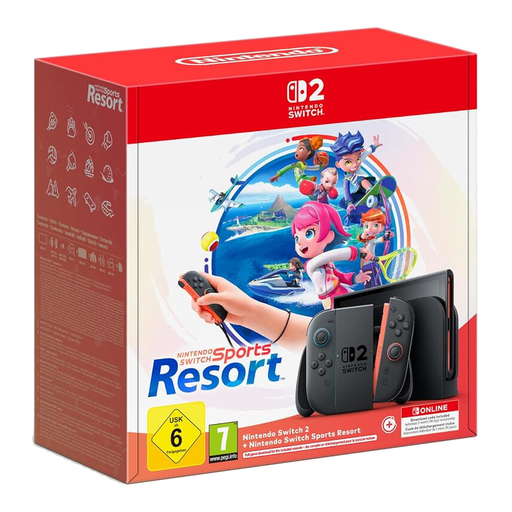
This bundle may suit a local gaming session if you’re looking for Nintendo Switch Sports Resort; check the mode you want and the game’s requirements.
According to the product name, it includes a full game download and a 90-day Nintendo Switch Online membership.
 No image available
This console may suit local gaming if the game you want is playable on Nintendo Switch 2. Before buying, check its local mode and player count.
The product version is described as an EU version.
No, a USB port alone doesn’t guarantee playback. PlayStation Support lists the formats supported by PS5, while Xbox Support notes that the Media Player app may reject files containing unsupported content. Check your own sample files against the requirements for the console you’re considering.
No. A game may support several people on one console or several consoles connected locally. For a GameShare session, Nintendo requires a Switch 2 host and a compatible game; not all software supports the feature.
It depends on the game and the number of players. Nintendo says Mario Kart World requires one compatible controller per player. So check the requirements for the game you want rather than assuming they’re the same as for another game.
According to Nintendo, Nintendo Switch 2 is compatible only with microSD Express Cards for game storage. A standard microSD card can’t be used to store or load game data. Nintendo says an internet system update is required before using a microSD Express Card for the first time.
Whether a file can technically be played does not determine whether copying it is permitted under copyright law. Under certain conditions, § 53 UrhG allows individuals to make copies for private, non-commercial use, including copies that are not made from an obviously unlawful source. The Federal Ministry of Justice’s Laws on the Internet website also explains that such copies must not be used for public performances.