Joybuy products for wired devices
The Gigabit switches below are potential connection options for consoles and other wired devices. When choosing, check that the port count is right for you, and whether you actually need PoE or a managed version.
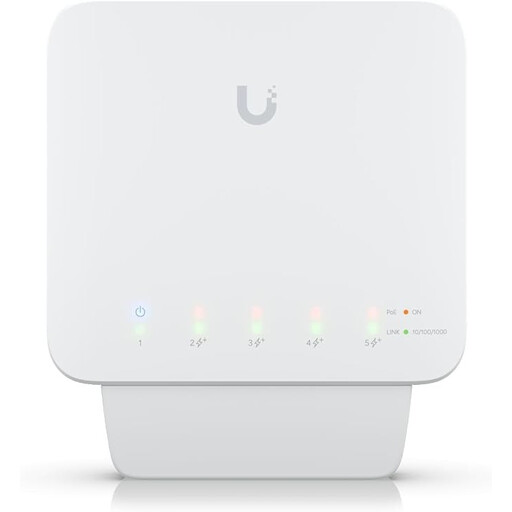 Image unavailable
Ubiquiti UniFi Switch Flex USW-Flex, 5-port
Could be an option if you want to connect several wired devices and need a managed version with PoE+.
Five Gigabit RJ45 ports; described as a managed switch and outdoor model. The product name specifies PoE+ and 46 W.
Joybuy
 Image unavailable
D-Link DGS-1005P/E, 5-port Gigabit desktop switch
A possible choice if you need five Gigabit ports and PoE+ on several ports.
The product name specifies four PoE+ ports, a 60 W PoE budget and a switching capacity of 10 Gbit/s. A fanless metal casing and plug-and-play operation are also listed.
Joybuy
 Image unavailable
TP-Link TL-SG1008P, 8-port Gigabit switch
Could be a good fit if you want to connect more wired devices than a five-port model can handle.
Eight Gigabit ports and four PoE ports are listed. The product description specifies plug-and-play operation and fanless running.
Joybuy
 Image unavailable
TP-Link TL-SG1005D, 5-port Gigabit desktop switch
Could be suitable for a console and a few other wired devices if five ports are enough.
Five RJ45 ports with 10/100/1000 Mbit/s are listed. The description specifies automatic speed detection, plug-and-play operation and a fanless plastic casing.
Joybuy
 Image unavailable
TP-Link TL-SG105PE, 5-port Gigabit Easy Smart Switch
Could be a good fit if you need PoE+ or features such as VLAN and QoS, as well as extra LAN ports.
The product name specifies four PoE+ ports with 65 W, VLAN, QoS and IGMP. The description lists a fanless metal casing and a web interface for management, so this isn’t a basic plug-and-play model.
Joybuy
Frequently asked questions
Do I really need a switch for just one games console?
If there’s a usable LAN connection available and you only want to connect your console, a direct LAN cable is often enough. A switch could be useful if you add other wired devices and your accommodation network allows them.
Can I simply plug the switch into the network socket in my student accommodation?
It depends on your accommodation’s current rules and registration process. Umwelt-Campus Birkenfeld and Studentenwerk Leipzig publish different information for their respective locations, so check the guidance for your own connection.
How do I connect a Nintendo Switch using LAN?
It depends on the model and dock. For the Nintendo Switch, Nintendo Deutschland lists TV mode with a dock that has a LAN port, or a suitable LAN adapter. For the Nintendo Switch Lite, Nintendo describes using a USB LAN adapter with licensed accessories. You can only add a network switch once the console or dock provides a suitable LAN port.
How many devices can I connect to a five-port switch?
If one port is used for the incoming connection, four ports remain for devices such as a console or laptop. Count all the connections you plan to use, and also check your accommodation’s rules on devices and registration.
Does Gigabit or QoS automatically improve your ping when gaming?
No. The port speed or a QoS specification alone doesn’t prove that you’ll get a particular ping benefit on your accommodation connection. These describe the switch’s features or ports, not the measured performance of your entire connection.
What should I check about the power supply and extra accessories?
Check whether a power supply is included with the specific switch, and whether you’ll need extra LAN cables or a console adapter. Nintendo Deutschland describes different LAN connection options for different models.


