Fans of specific platform games
If you have a particular game in mind, check its platform and the exact version first. Mario, Astro Bot and Ori are available in different game libraries.


Start with the platform games you actually want to play: Mario, Astro Bot and Ori are available on different consoles. Then check whether your headphones work with the specific device, and whether you want to play on a TV, on the go or in both modes. For gaming on the move, consider Switch models and, if your chosen Steam games are compatible, the Steam Deck. Bluetooth audio may come with limitations or delays.
If you have a particular game in mind, check its platform and the exact version first. Mario, Astro Bot and Ori are available in different game libraries.
If you want to keep using your wired or wireless headphones, check the connection, microphone functionality and any Bluetooth limitations.
If you want to play without a TV, consider handheld mode, compatibility with the games you want and the headphone connection together.
First, check that your chosen games are available for the console version you’re considering. Then think about your headphones, where you’ll play and which format you want before choosing a model.
| Buying criteria | What to check | Who it matters to |
|---|---|---|
| Games you want to play | Check the platform and exact version of the two or three games that matter most to you. | If a particular game is the deciding factor for me, I want to find the right console version before buying. Around 31% of consumers prioritise having access to the games they want. |
| Headphone connection | Check the connection type, microphone functionality and how your specific headphone model connects. | If I want to keep using my existing headset, it needs to work with the console. Around 25% of consumers put headphone compatibility first. |
| Where you’ll play | Check whether the model supports handheld and TV modes, and whether your chosen game works well on it. | If I want to play without a TV, a suitable handheld mode matters to me. About 25% of consumers prioritise gaming on the go. |
| Game format and ongoing costs | Check that your existing discs and digital games, as well as the required memory card standard, are compatible with the console version. | If I want to keep using games or accessories I already own, I want to check the format and any extra purchases I may need before buying. Around 19% of consumers pay particular attention to the overall cost. |
A game may be available in several versions. For example, Nintendo distinguishes between Super Mario Bros. Wonder and the Switch 2 Edition, which includes additional features.
Before buying, check the platform, game version and included content.
The Nintendo Switch Lite does not support TV output.
If you want to switch between playing on the go and on a TV, check the TV and handheld modes supported by the specific model.
The Xbox Series S is an all-digital console. For Switch 2 storage expansion, Nintendo specifies microSD Express.
Check that your existing games and memory cards are compatible with the drive and memory card standard of the model you choose.
You’ll need digital games for the Series S; to expand storage on the Switch 2, you’ll need a compatible microSD Express card.
A good option if you’re looking for Switch games and deciding between handheld and TV gaming.
A good option if Astro Bot is one of the PS5 games you want and you’ll mostly play on a screen.
A good option if you want to play platform games such as the Ori collection on an Xbox Series X or Series S.
A good option if the platform games you want are available in your Steam library and are suitable for Steam Deck.
This selection includes consoles for platform games on PlayStation and Nintendo Switch, whether you’re playing on a TV or on the go.
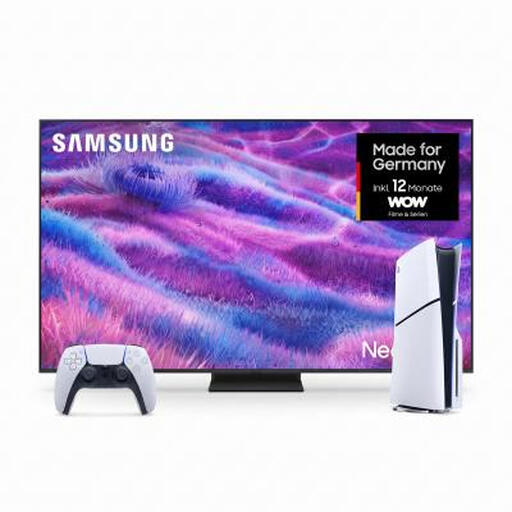 No image available
For playing Astro Bot on a TV, especially if you’re looking for a screen too.
The bundle includes a PS5 Slim Digital Edition with 825GB and a Samsung Neo QLED TV GQ85QN80FAU. The console has no disc drive.
 No image available
For Switch platform games, with the flexibility to switch between handheld, tabletop and TV modes.
Nintendo lists these modes for the Switch OLED model. Bluetooth audio is disabled on Switch consoles during local wireless multiplayer.
 No image available
For Mario games, including the Switch 2 Edition of Super Mario Bros. Wonder, with the option to play on the go too.
Nintendo lists a 3.5 mm headphone jack. Bluetooth audio may be delayed.
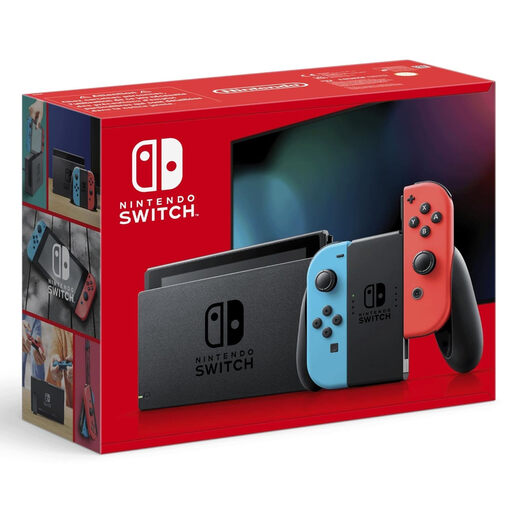 No image available
For platform games available on Nintendo Switch.
Bluetooth audio is disabled on Switch consoles during local wireless multiplayer.
 No image available
For Astro Bot and other PS5 games, whether you play on a TV or monitor.
The Digital Edition has no disc drive; games are purchased digitally.
No. Don’t assume the connection works the same way on every console. Nintendo describes Bluetooth audio for Switch and Switch 2, and warns of possible delays and other limitations. Sony explains that compatible wireless PlayStation headsets connect via a USB adapter; for other headphones, check compatibility with the specific model.
According to Nintendo, the Switch 2 has a 3.5 mm CTIA headphone jack. Microsoft explains that its Xbox Stereo Headset connects to the 3.5 mm port on an Xbox Wireless Controller paired with a Series X or Series S. Check your headset’s plug and microphone functionality.
Yes, if you want to expand game storage with a card: Nintendo specifies microSD Express. Standard microSD cards are not intended to provide equivalent additional game storage.
Your statutory rights against the seller are separate from any voluntary guarantee. If a product is faulty, the Verbraucherzentrale recommends first asking the seller to put things right.
According to the German Federal Ministry for Family Affairs’ family portal, games on physical media may only be made available to children and young people in public if they are approved and labelled for their age group. Check the age rating for the specific game; it is not an educational recommendation. This applies to games on physical media and does not apply generally to every digital sales channel.