Adventure fans with specific games in mind
If you have particular games in mind, first check that the exact titles and versions you want are available for your chosen console.


First, choose a console that actually has the adventures you want to play. Then think about how you’ll use the shared screen: PS5 and Xbox are designed for a permanent spot by the TV, while the Nintendo Switch 2 lets you play on its own screen. Also consider whether you want to use discs, and whether you have enough space and ventilation, plus a suitable headphone socket, in your bedroom.
If you have particular games in mind, first check that the exact titles and versions you want are available for your chosen console.
If you don’t want to occupy the bedroom screen all the time, a console with its own screen could be a good solution.
If you want to keep using compatible games on disc or choose between disc and download, check whether the specific console model has a disc drive.
Start by checking whether your chosen games are available. Then weigh up screen options, disc requirements and your preferences for picture and sound.
| What to consider | What to look for | Who it matters most to |
|---|---|---|
| Games and platform | Check that each game you want is available for the right platform; check compatibility details for older games individually. | If I want to play a particular adventure, I first check that the exact version is available for the console. Around 33% of consumers put the games they want first. |
| Screen and space | Consider whether you need your own screen. Microsoft recommends leaving space for ventilation on all sides of the Xbox Series X and Series S, and advises against placing them in an enclosed cabinet. | If the bedroom TV is shared, having my own screen matters so I can play independently. Around 27% of consumers prioritise being able to play without using the shared screen. |
| Discs and storage | Check your existing discs against the exact model and its disc drive. Also check the storage capacity and the type of memory card it supports. | If I want to keep using my existing discs or choose between disc and download, I check the exact model variant. Around 20% of consumers prioritise using or choosing physical media. |
| Picture and sound | Check that the screen and game support the picture output you want, and that you can connect your headphones appropriately. | If I don’t want to disturb my housemates with game audio, I pay particular attention to private listening options and the screen available. Around 20% of consumers prioritise picture and sound quality. |
Microsoft offers a Series X with a disc drive and a digital version without one. The model name alone doesn’t always make the difference clear.
Check specifically whether the console you’re considering has an optical disc drive.
Nintendo lists microSD Express as the compatible format for expanding Switch 2 storage; other microSD cards are not equivalent.
Check the card’s label and how much extra storage you need before choosing an expansion card.
A compatible microSD Express card may be required to expand storage.
Actual output depends on the game, and when playing on a TV, on the screen too.
Check the requirements of the games you want and the capabilities of your existing display before choosing based solely on a 4K or frame-rate specification.
PS5 models are worth considering if the games you want are available on PlayStation. Then choose between a disc version and the Digital Edition.
The Series X and Series S are options if the adventures you want are available on Xbox. Choose based on disc drive, storage and the screen you have.
The Switch 2 is a good fit if you want to play compatible games on its own screen in a shared room.
This selection includes Nintendo consoles with their own screen, which you can use with a TV, in tabletop mode or on the go, depending on the situation.
 No image available
Handheld mode gives you your own screen when you want to leave the shared TV free.
7.9-inch screen; 256 GB storage; 3.5 mm audio socket.
Check compatibility for individual older Switch games.
 No image available
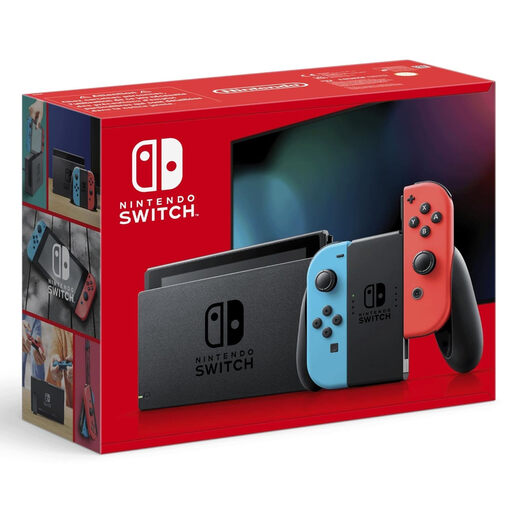
Handheld, tabletop and TV modes give you different ways to use the screen in a shared room.
6.2-inch display; 32 GB storage; 3.5 mm headphone socket.
No. The Switch 2 has its own screen, with a resolution of 1920 × 1080 pixels. For 4K TV output from the Switch 2, both the game and the TV must support 4K. If you’re choosing a home console, check that your display’s capabilities match the requirements of the games you want.
Microsoft advises against putting the Xbox Series X or Series S in an enclosed cabinet, and recommends leaving at least 10 to 15 cm of space on all sides. Don’t assume the same clearance applies to other consoles; check the placement guidance for each one.
Nintendo gives a battery life of 2 to 6.5 hours, depending on the software and features used. According to Nintendo, a full charge takes around three hours when the console is switched off or in sleep mode. Make sure you have somewhere to charge it during longer sessions.
If a product is faulty, your statutory rights against the retailer are separate from any voluntary manufacturer’s guarantee. The Verbraucherzentrale lists repair or replacement as ways to put things right. Separately, for online purchases of goods, you’ll generally have 14 days from receipt to cancel your order.
Physical copies of console games made available to children or young people must carry the appropriate USK age rating. The USK points out that an age rating is not an educational recommendation. For each game, also check information about its content and features, such as in-game purchases or chat.